- 20 -
WI-FI CONNECTION
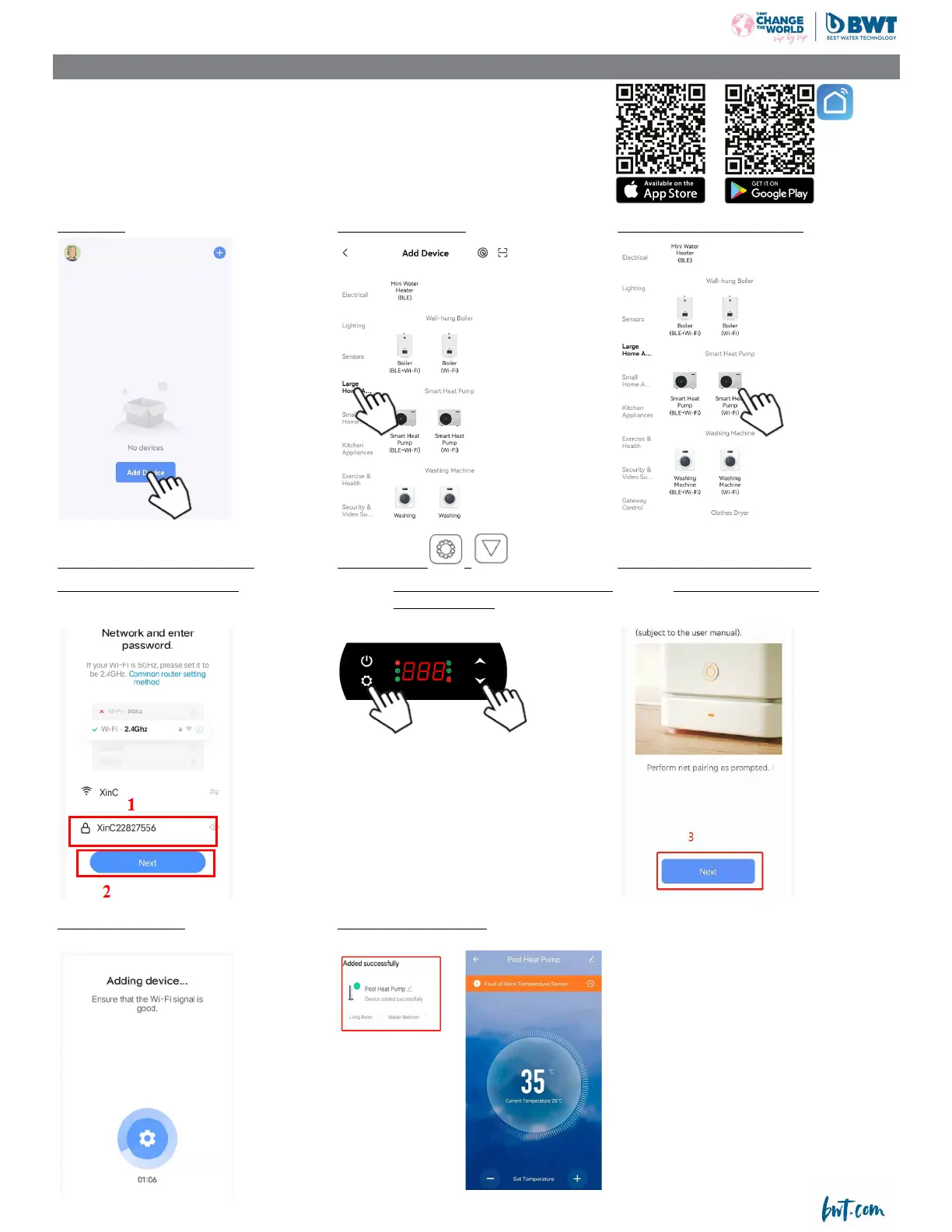
Download the application:
Download the Smart Life app available on Apple and Android stores.
Creating an account :
Create an account by following the instructions in the application and connect to it.
Add the heat pump in the application:
Press “add” Choose “large devices” Choose “Smart Heat Pump (Wi-Fi)”
Choose the Wi-Fi network
Choose the same Wi-Fi as the phone Press for 3s on
+ Press next and conrm that the LED
ll in the passeword then conrm the heat pump will be ready to be paired Wi-Fi ashes on the screen
when “Set “ashes
Wait for the countdown The heat pump is connected




 To Next Page