9
EN
2. Setting the water hardness
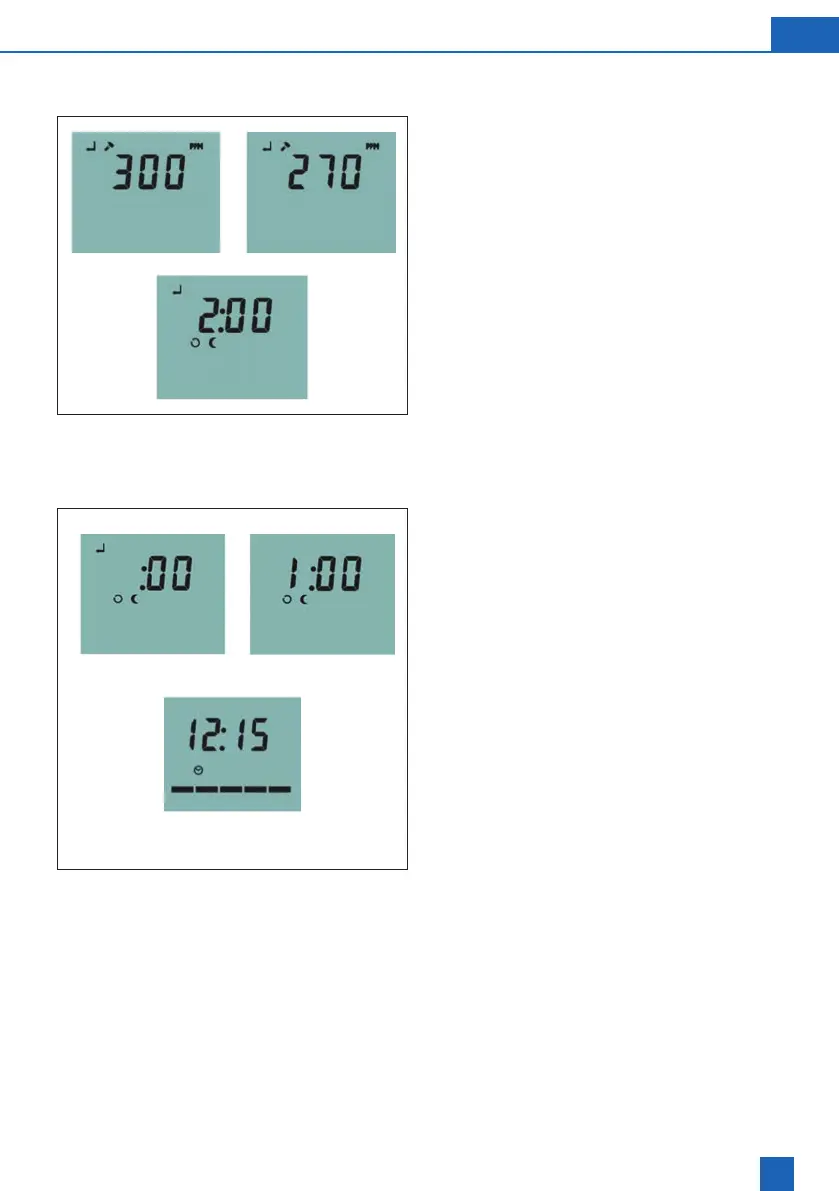
The display default is 300 ppm (typical hardness
level) which indicates a setting suitable for hard
water with a value of 300 parts per million of
hardness minerals. Use the [UP] [DOWN] keys
to adjust the setting to match that of the one you
obtained / identied using the water test kit provided
with your softener.
Pressing the [SET] key once enters the hardness
and moves the display to Set Recharge Time Mode.
The SET, RECHARGE and TONIGHT symbols will
illuminate in the LCD display and the time will show
the 2:00am default setting (Fig 3).
3. Setting the recharge time
The recharge time can be set in the same way as
the current time of day in part 1 above, using the
UP, Down and SET keys. For best performance
the recharge time should be set at a time when
least water is being used in the property as during
a regeneration (or recharge) the softener will not
necessarily be producing soft water.
Once the recharge time is set the softener will
return to service mode and setup is complete.
NOTE: For some models an additional salt selection
option will appear after setting the recharge time. If
this option is present simply use the UP, DOWN and
SET keys to select BS for Block Salt and CC (Care
Cubes) for tablet salt as needed.
For information regarding salt please call BWT
customer services team.
Fig 3
Service
Mode



 To Next Page