2021/03 - Indice de révision : B Code : 29740 TRAITEMENT DE L'EAU
52/88
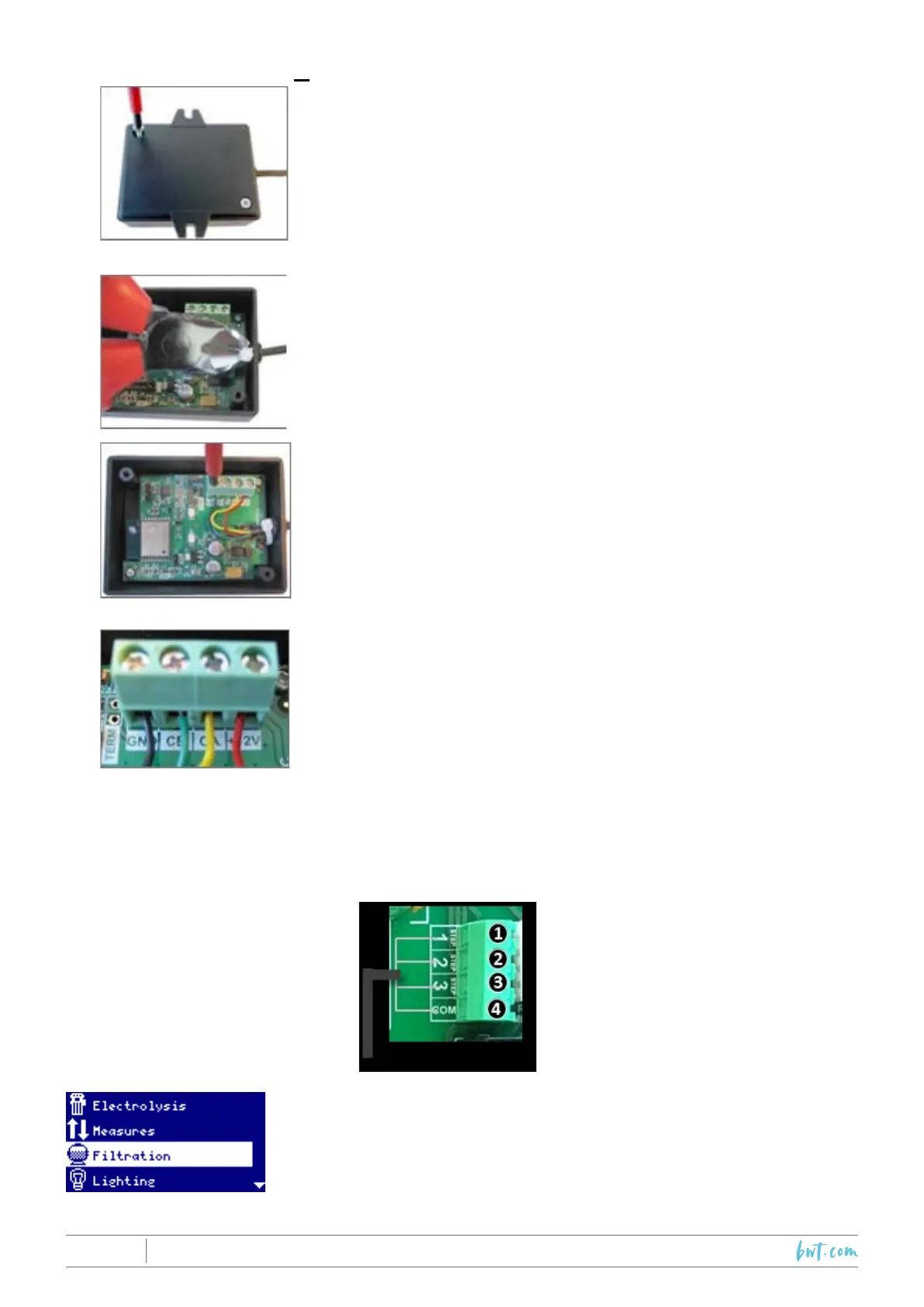
7.6.1 InstallationoftheWi-Fi module
RemovethebaseoftheWi-Fimodule
Cutthecableclips
Disconnectthecables.
Startingfrominsidethemodule,passthecablethroughthecable
gland.
ReconnectthecablesintheWi-Fibox
GND=Black
CE = Green
CA=Yellow
+12V=Red
7.7 Programming a variable speed pump
ToactivatetheSpeedsub-menufromtheFiltrationmenu,pleasecontactyourdealer.
CONNECTION
VARIABLE SPEED PUMP
1.Slow
2. Medium
3. Fast
4. Common
VariableSpeedPump:toinstallavariablespeedpumpcontactyour
installer.



 To Next Page