2021/03 - Indice de révision : B Code : 29740TRAITEMENT DE L'EAU
49/88
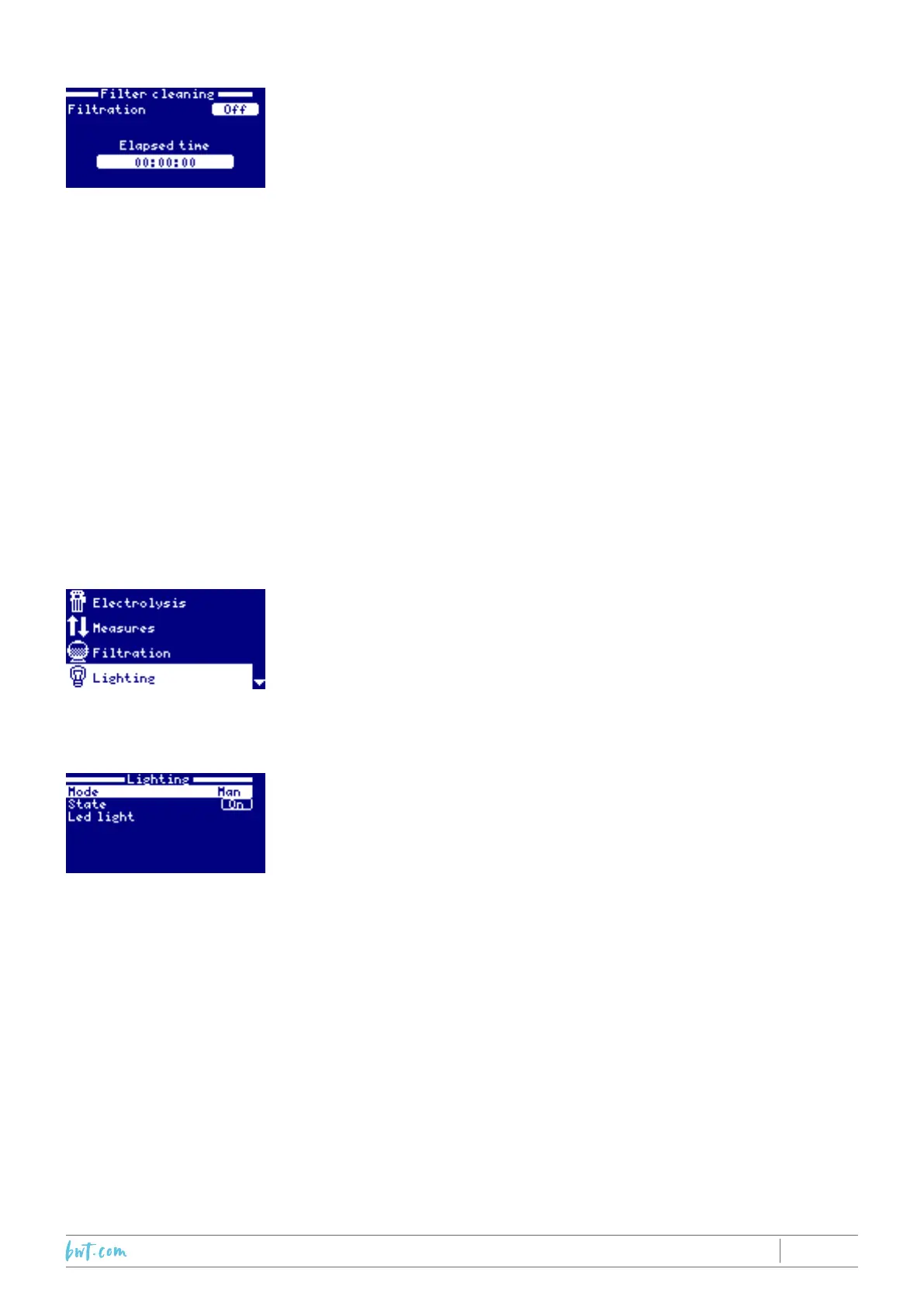
7.4.1 Filter cleaning mode
FiltercleaningmodeisaccessiblewhetherAutoorManualltration
isactivated.Itallowsaback-washoftheltermedia(sandorglass)
to be performed. In this mode, the production of Chlorine in the
electrolysiscellisstoppedaswaterisdirectedtowasteandwillnot
passthroughthecell.Afterselectingthismode,proceedasfollows:
• SwitchtheltrationpumpOFFusingthePlus/Minuskeys.
• Turnthemulti-portvalvetotheBackwashposition.
• SwitchtheltrationpumpON:Thelengthoftheback-washistimed
on screen.
• Monitortheconditionofthewaterbeingdirectedtowaste.
• Oncetheback-washiscomplete,switchtheltrationpumpOFF
andmovethevalvetotheRinseposition.
• SwitchtheltrationpumpONandrinseforapprox20seconds.
• Switch the ltrationpump OFF, move the multi-port valve to the
Filtration position.
Uponexitingthe"Filtercleaning"menu,thesystemwillautomatically
reverttothepreviouslyprogrammedmode.
7.5 Lighting management menu
Reminder:thismenuallowsoneormore12VACunderwaterlights,
upto50W,tobecontrolledsimultaneously.Do not exceed 50 W.
Notabene:Whenlightingmodeisactive,theChlorineproduction
level(g/h)isreducedbyonethirdoftheprogrammedvalue.
1.SelecttheLightingmenu(Up/Downarrows),andpressOK.
2.UsingthePlus/Minuskeys,selectthelightingcontrolmodeand
press OK.
Manualmode:Allowsthelighttobeswitchedonandofffromthe
menu.The"status'lineindicateswhetherthelightisOnorOff.To
changethestatus,scrolldownusingtheDownkeyandpressthe
Plus/Minuskey,thenpressOK.



 To Next Page