4
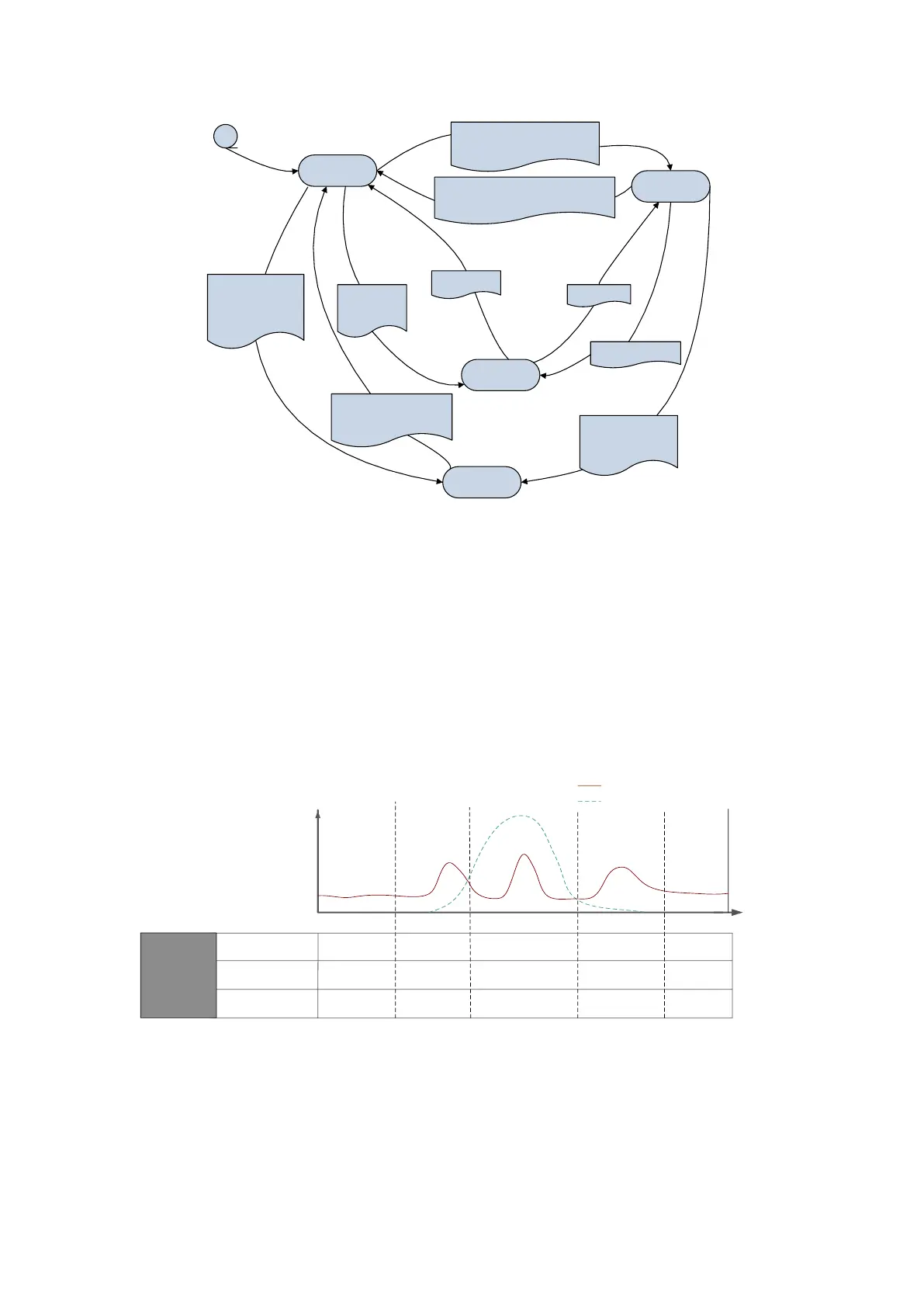
Macth Load
Backup function
Remote control
1.Remote function prohibition
2.Did not receive 485 control command
within 1 minute;
Meet any of the above
1. Remote function enable
2.Received 485 control command;
The above two conditions are
satified。
Local and Remote button
are pressed simultaneously
for 5 s;Exit protective
charging;
Protection
charging
Protection
charging
condition
trigger
Protection charging
condition trigger
Protection
charging stop
Protection
charging stop
Power and Remote
button are pressed
simultaneously for 5
s;
Local and Remote
button are pressed
simultaneously for 5
s
When grid power is unavailable, supply power to essential loads, such as computer,
TV general lighting.
It has local and remote control function. Local control is default mode and remote
control is accessible for certified installer.
System supplies APP software, which enables customer to view the system data
online or from a smart phone.
1.4 System modes
MINI ES works in self-consumption mode which maximise energy saving for you.
Self-consumption mode
Power P
Time T
PV power generation curve
Electric curve of household load
PV power direction
/
Load
Load and
MINIES
Load
/
MINI ES/grid
PV
MINI ES
and PV
Power source for
single phase load
Discharging/
standby
Charging
Discharging
MINI ES working
condition
Night
Daytime Night
Morning
Evening
Discharging/
Standby
MINI ES,
Grid,PV
Discharging/
Standby
MINI ES,
Grid,PV
Self-consumption
mode
figure2. Power curve of a sample day
Demand Response Mode (DRM)
MINI ES that cooperates with DRED controller could receive the demand signal from


 To Next Page