10 10
3 Control Panel
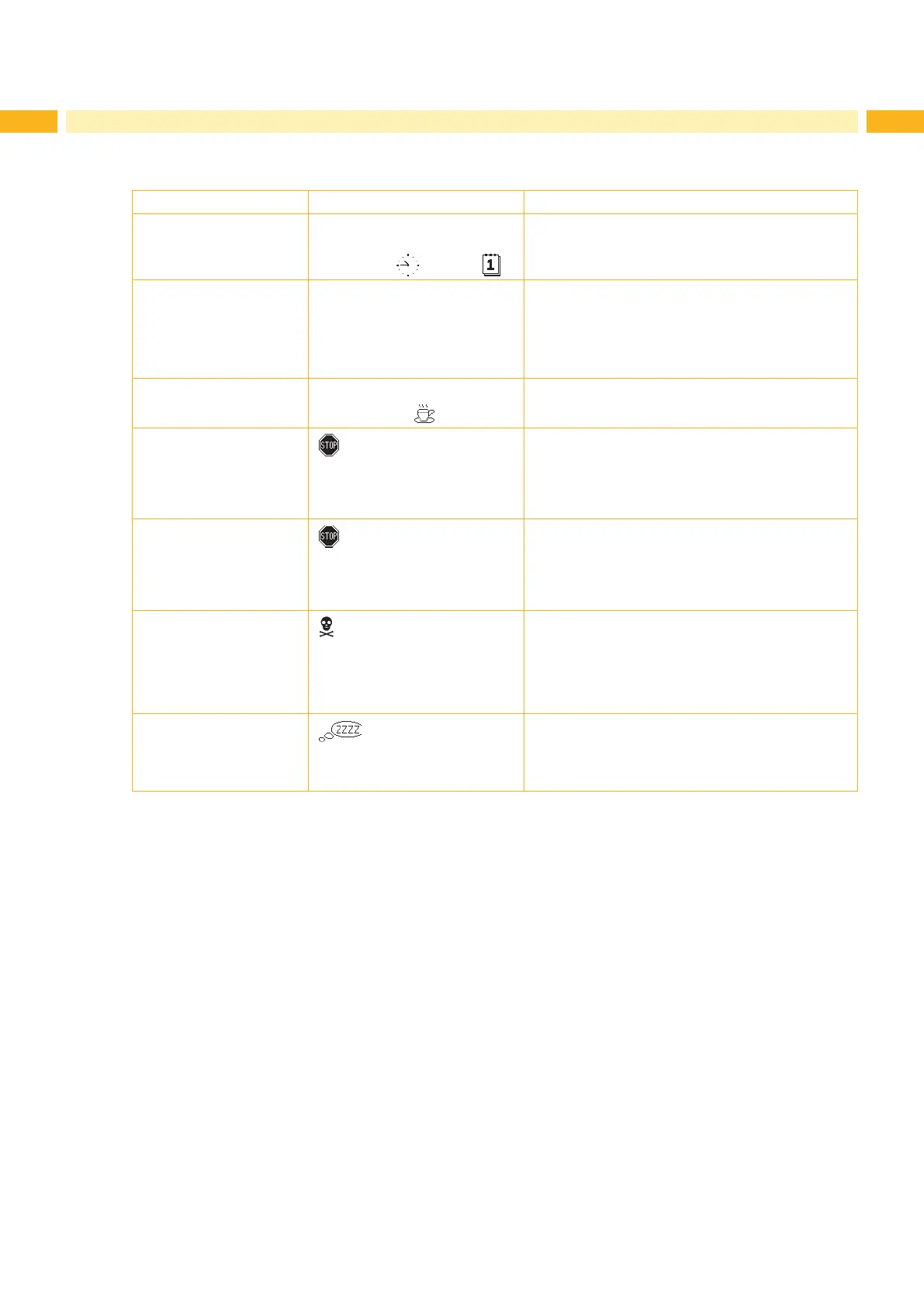
3.3 Printer States
State Display Description
Ready Ready
and congured symbol displays,
such as time
and date
The printer is in the ready state and can receive
data.
Printing label Printing label
and the number of the printed
label in the print job.
The printer is currently processing an active print
job.
Data can be transmitted for a new print job.
The new print job will start when the previous one
has nished.
Pause Pause
and the symbol
The printing process has been interrupted by the
operator.
Correctable error
and the type of error
and the number of labels still to
be printed.
An error has occurred that can be rectied by the
operator without interrupting the print job.
The print job can be continued after the error has
been rectied.
Irrecoverable error
and the type of error
and the number of labels still to
be printed.
An error has occurred that cannot be rectied
without interrupting the print job.
Critical error
and the type of error
An error occurs during the system test.
Switch the printer off and then on again at the
power switch or
Press cancel key.
Call Service if the fault occurs persistently.
Power Save Mode
and the key lighting is switched
off
If the printer is not used for a lengthy period, it
automatically switches to power save mode.
To exit power save mode: Press any key on the
navigator pad.
Table 2 Printer states



 To Next Page