28 28
6 Printer Setting and Control
6.3 Ethernet Setting
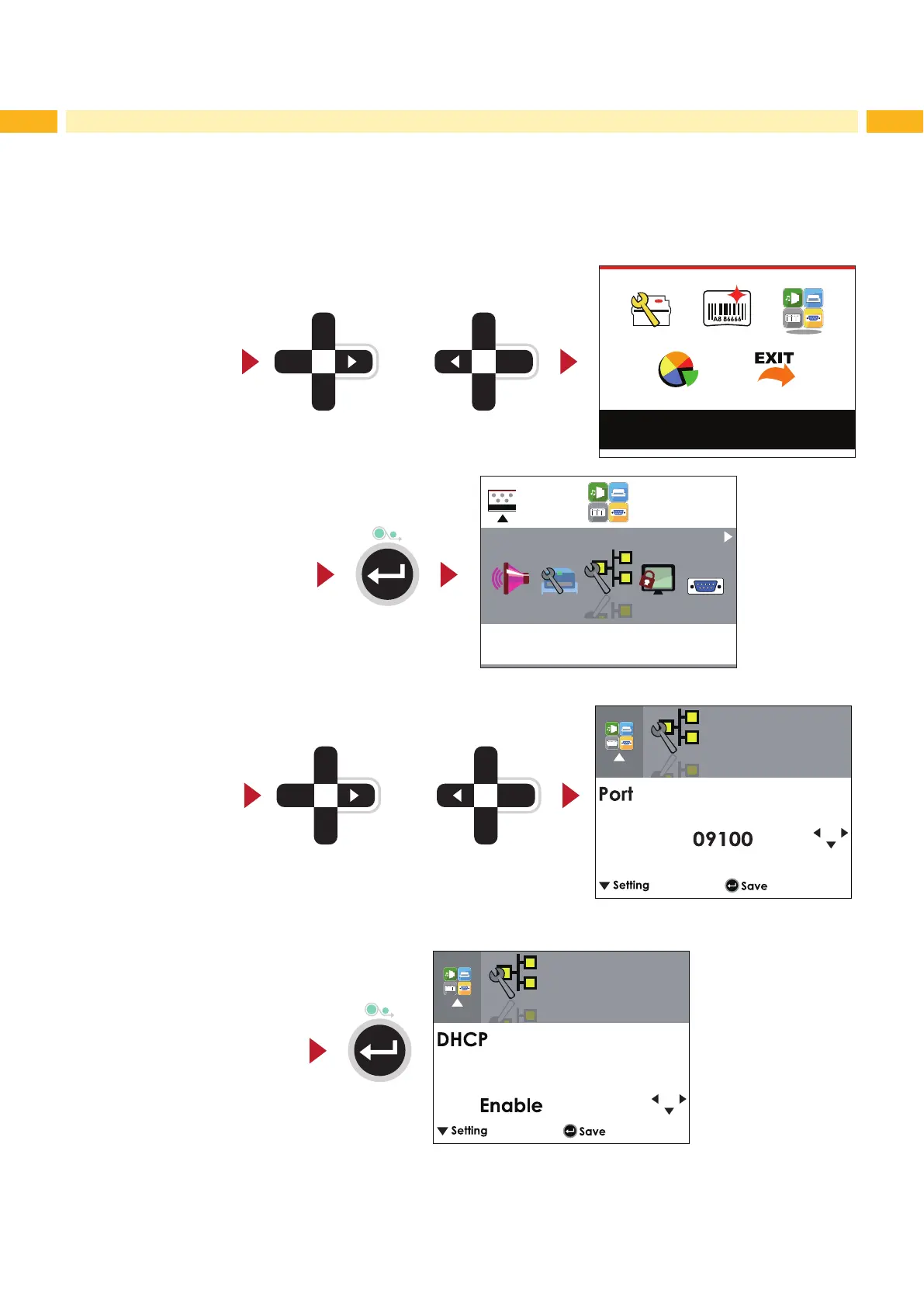
Operations on Setting Page
On MAIN PAGE press or button to move the cursor and select the functions.
Select a designated function and press FEED button, you will enter the SETTING PAGES for the function.
Device
or
Select Device
Enter Ethernet Setting
Ethernet
On Ethernt Setting PAGE press or button to select the setting items.
or
Select a
designated funcition
Ethernet
Select DHCP and press FEED button, you will be able to setup DHCP function.
Ethernet



 To Next Page