36 Rear Seat Infotainment
.
Brightness
.
Player Setup: Audio
Compression, Auto Enter (if
available)
.
Title Search (if available)
.
DivX (if available)
.
Display Off
.
Screen Tilt
.
Remember RSE Status
.
Software Information
If no disc is present, not all choices
are available.
To close, press
S (back) or wait for
the time out.
Pop Up Menu (BD Only)
Select to display the on-screen
menu options. To exit the Pop Up
menu, make a selection or wait for
the timeout. When the Pop Up menu
is opened, the overlay/interaction
selector menu will be closed.
Top Menu BD/DVD
Select to display the DVD or BD
menu. Make a selection to exit the
Top menu. TOP MENU is not
available for BDAV, DVD-VR, and
AVCREC.
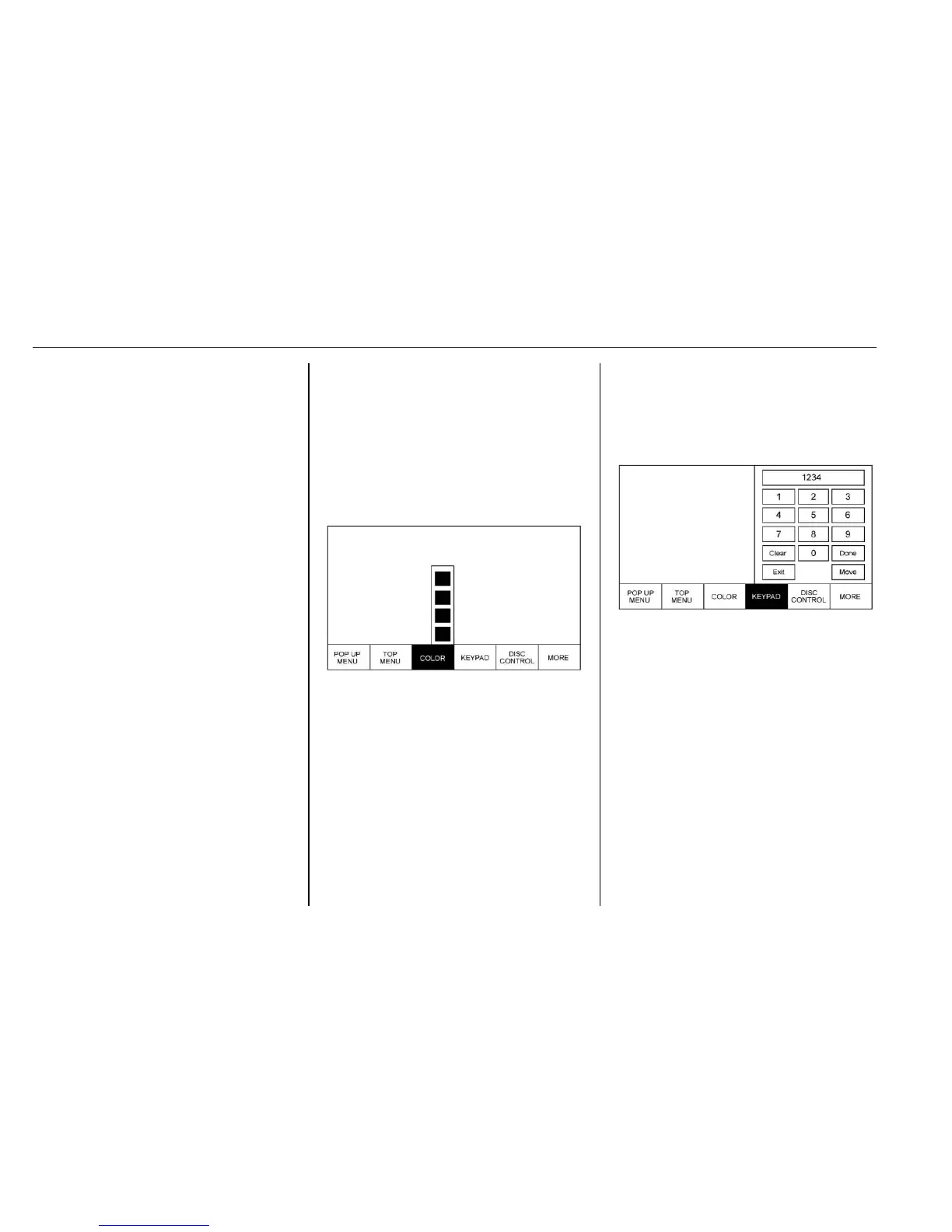
Color (BD Only)
Select COLOR to display the four
color button options: blue, yellow,
red, and green. Highlight a color
and press ENTER and the
appropriate action will be carried
out. Press the
S (back) button, y
(Menu) button, or wait for the
15-second time out to close the
menu. Press the down arrow on the
yellow color to keep the overlay
menu up, but close the color menu.
The color menu is disc dependent;
selecting colors for discs that do not
support this feature will have no
function.
Keypad BD/DVD
Select to display. To close, select
Exit or MENU, wait for the menu to
time out, or press the down arrow
from the 0 or Done buttons. The
keypad is disc dependent and may
have no function.
The keypad input is limited to four
digits.
Select Clear to clear one digit at a
time. Touch and hold to clear all
entered digits.


 To Next Page
 Loading...