Rear Seat Infotainment 49
USB
There are 2 USB ports to provide
the RSI system audio/video from
supported devices, as well as
provide device charging.
Audio from these ports can only be
heard and controlled by the rear
seat passengers. Video can be
heard, shown, and controlled by the
rear and front passengers.
To use the USB ports:
1. Insert the device in one of the
two ports.
2. Select the source (USB 1 or
USB 2) via the rear screen
menu with the remote control
{ (Home) button.
3. Select the source via the front
by pressing on the Video
application on the home
screen.
Audio Output
Audio from a Blu-ray/DVD/CD
player or auxiliary inputs can be
heard through:
.
Wireless headphones: Available
for any source depending on the
selected channel.
.
Vehicle speakers: Touch the
VIDEO screen button. Select
any other source to stop the
speaker audio. Rear audio will
continue to play.
.
Vehicle wired headphone jack:
See “Wired Headphone Jack”
following.
The RSI system transmits the audio
signal to the wireless headphones if
an audio signal is available. See
“Headphones” earlier in this section.
Front seat passengers can listen to
playback from an attached rear
device through the vehicle speakers
by selecting that source from the
Video App on the front.
Wired Headphone Jack
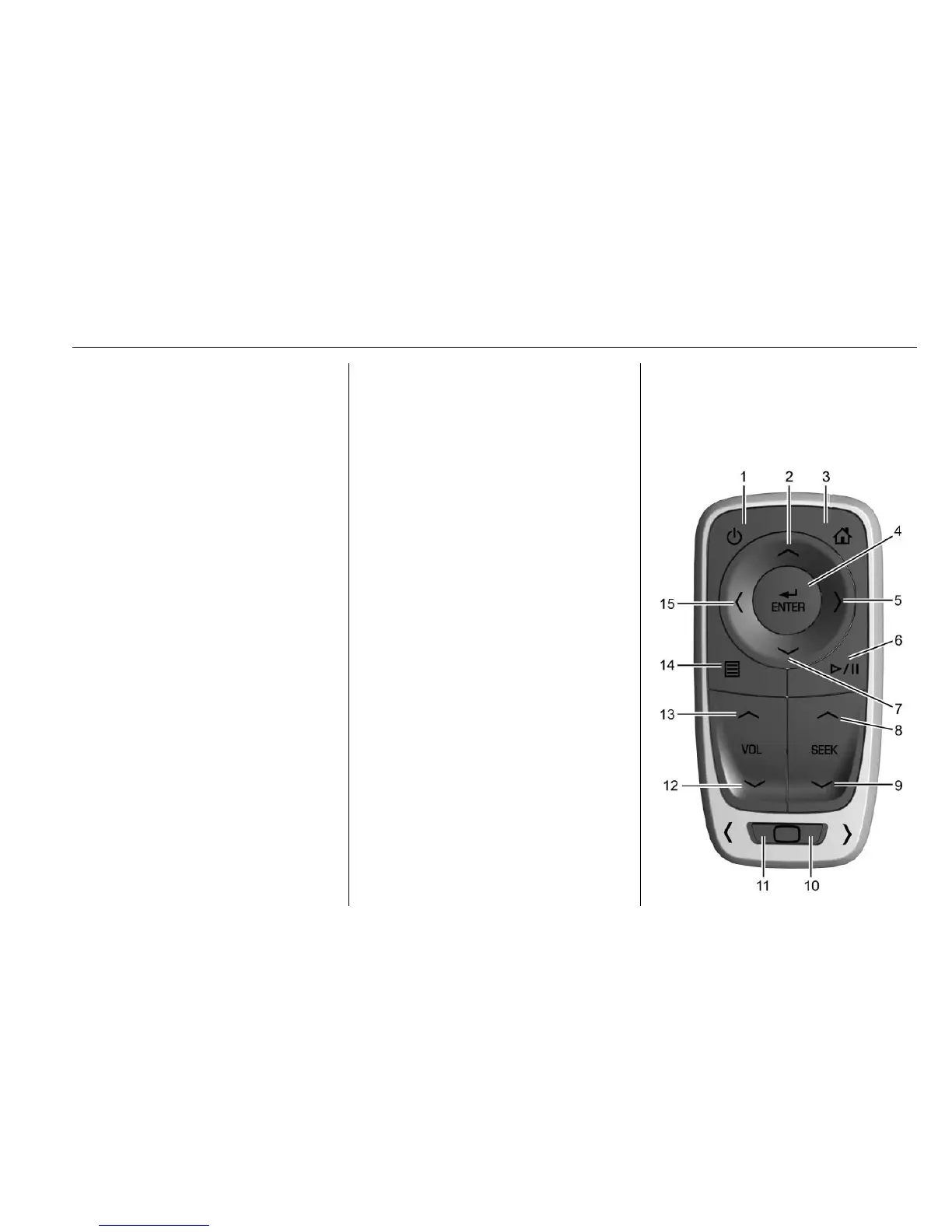
Press
y (Menu) on the remote
control, then select Settings and
then Wired Headphones to listen to
audio on the wired headphones.
The headphone audio plays
depending on which screen is
selected. The default is screen 1
audio.
Remote Control








 To Next Page