Introduction 7
when a hand approaches the
screen. When the hand is removed,
these features fade. Proximity
sensing can be turned Off in the
Settings applications in the Display
menu options.
Touchpad
The touchpad is integrated into the
center console of the vehicle, in
front of the armrest. It provides an
alternative way to select features on
the infotainment system by using a
console mounted remote controller
instead of a touch screen.
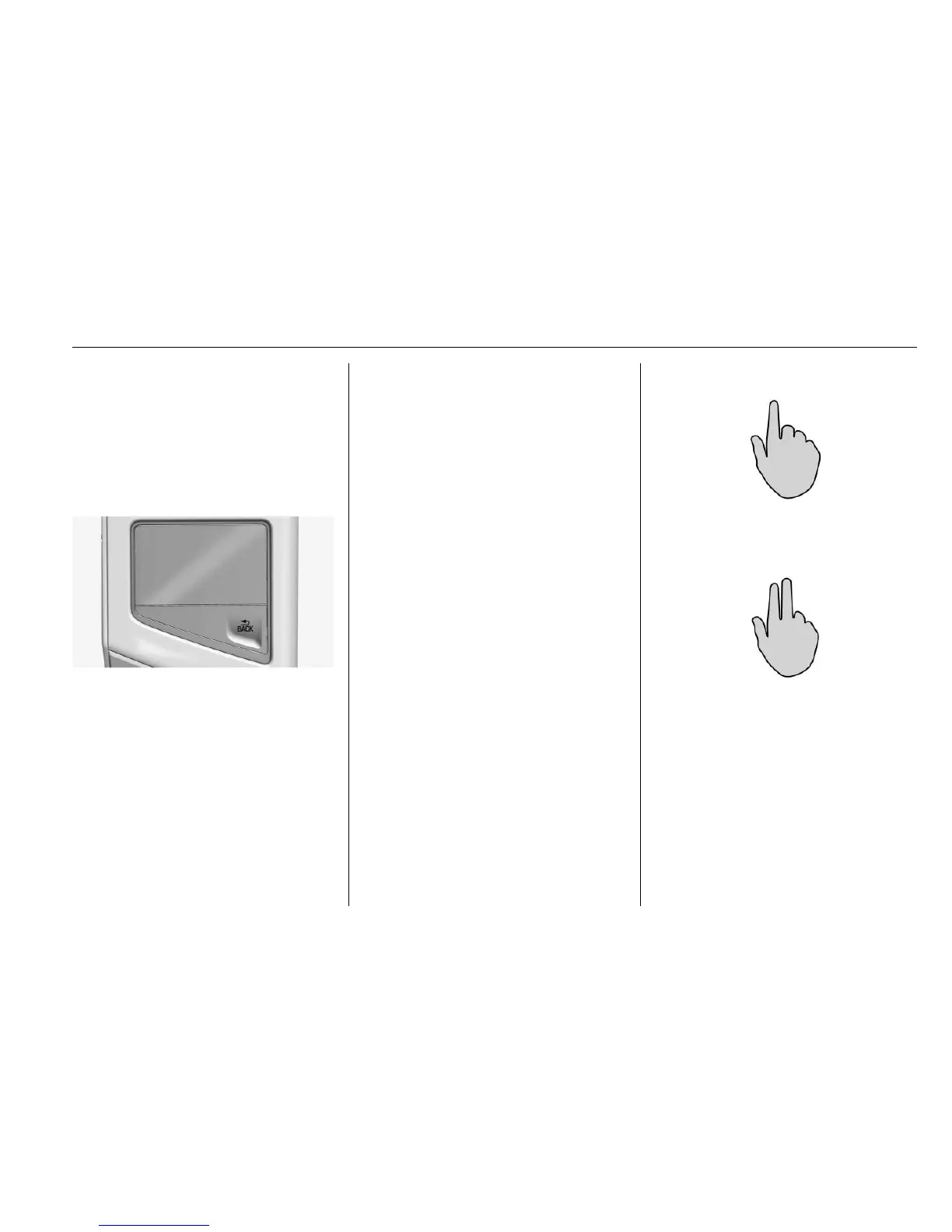
The touchpad remote controller has
a BACK button.
3 BACK : Press to return to the
previous screen. Press and hold to
return to the main menu.
Benefits of using the touchpad:
.
Quick gestures to cycle through
media and radio sources or seek
to the next station or song.
.
Handwriting recognition for
quicker entry of address or
points of interest.
.
Control of the system while the
arm is resting on the console.
.
Haptic feedback is felt on the
fingertips while the cursor is
moving across the screen.
.
Once using the touchpad
becomes more familiar, the
dependence on looking at the
infotainment screen may
decrease.
.
The three finger gestures will
help give a quicker interaction
while raising and lowering the
favorites bar, and paging
between them.
Gestures
Use a single finger on the touchpad
to move the highlight and select
buttons on the screen.
Use the two finger gesture to control
the features on a sourced area. For
example, while in a list, move two
fingers up and down on the
touchpad to scroll a list.







 To Next Page