Using Luna
52 ©2019 CAE 905K560252 v1.0
CAELuna
Intubation
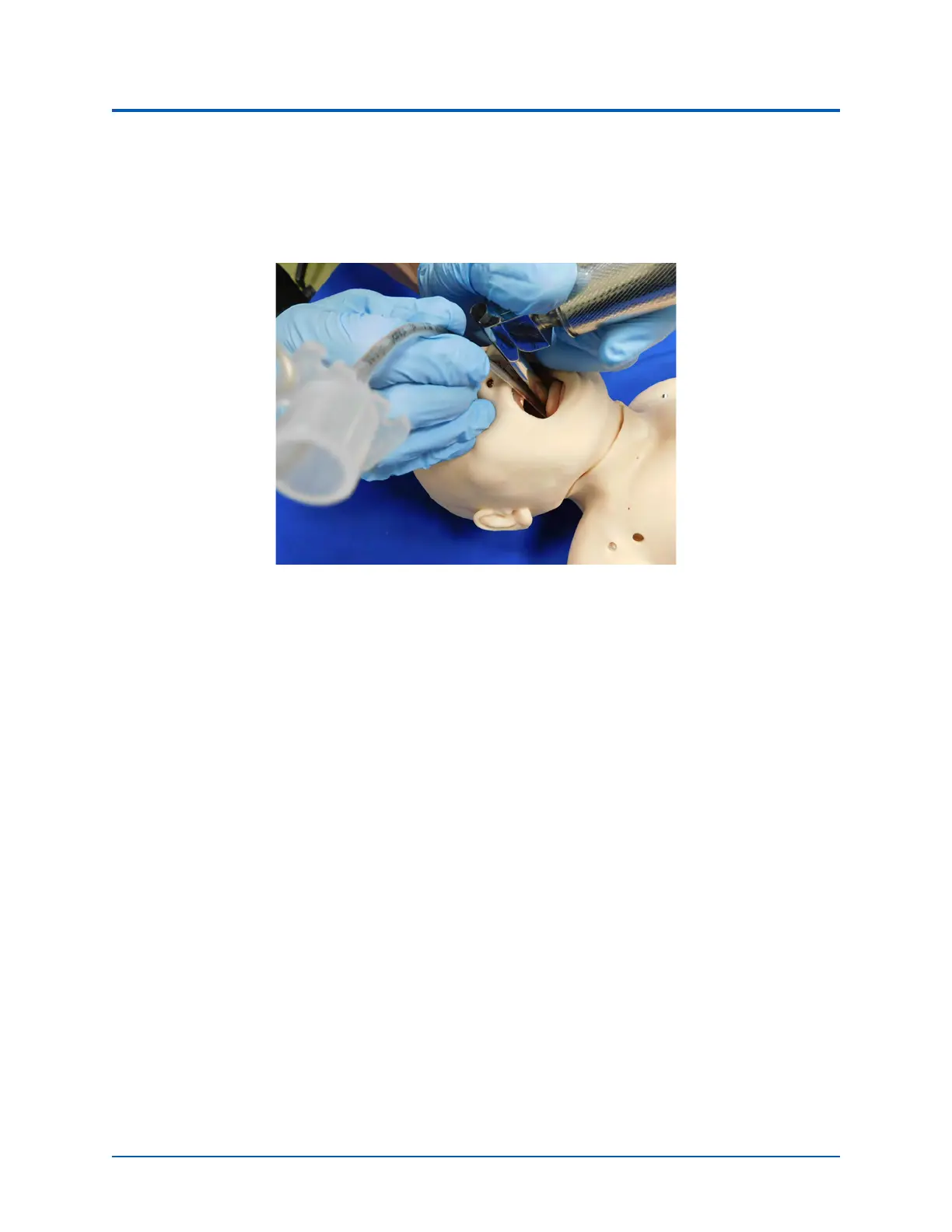
The upper airway of the Luna manikin is designed to allow for intubation and laryngoscopy. Direct
laryngoscopy as well as oral and nasal tracheal intubation can be performed using devices such as
endotracheal tubes, nasopharyngeal airways and oropharyngeal airways.
Intubation of the Luna
CAUTION: Airways can be damaged by improper insertion of an airway adjunct (such as
endotracheal tube). To protect the airway, lubricate the adjunct prior to insertion using the
cottonseed oil spray provided.
Use ONLY the provided COTTONSEED OIL to lubricate the adjunct. NEVER use a water-based
lubricant because of resulting residue damage.
Laryngospasm
To activate the laryngospasm feature:
1. Enable Laryngospasms in the Maestro software. Tap the Respiratory icon on the SCE run
screen. Then, slide the Larynogospasm parameter toggle to the On position.
2. Connect the IV tubing to the Laryngospasm port on the back of the manikin’s neck.
3. Attach a 50 mL syringe filled with air to the tubing and instill 35 - 40 mL of air into the port
to close the cords.
4. Detach syringe and tubing from the Laryngospasm port.
To resolve the laryngospasm, tap the Respiratory icon on the SCE run screen and slide the
Laryngospasm parameter toggle to the Off position.



 To Next Page