©2019 CAE 905K560252 v1.0 57
Using Luna
Cyanosis
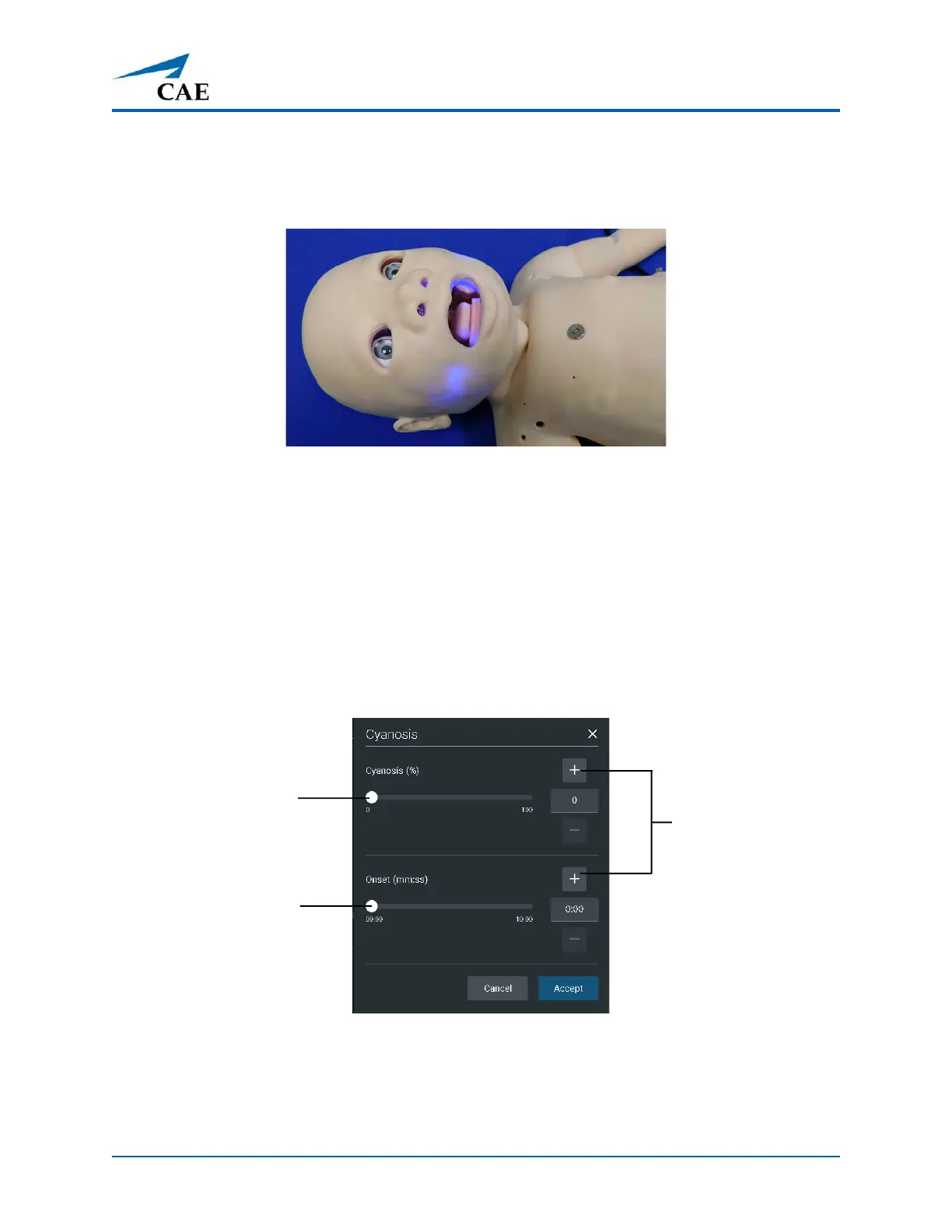
The Luna Advanced configuration manikin features circumoral cyanosis.
Circumoral Cyanosis
To activate the circumoral cyanosis feature:
1. Tap the Respiratory icon on the SCE run screen.
2. Tap the Cyanosis parameter in the Maestro software.
3. For instant cyanosis, slide the Cyanosis percentage or tap the plus sign and tap Accept to
increase the brightness of cyanosis immediately.
For gradual onset cyanosis, slide the Onset slide or tap the plus sign and tap Accept to
extend the amount of time for the cyanosis to gradually appear.
Cyanosis Parameters
Cyanosis
percentage
slider
Onset slider
Plus sign



 To Next Page