16
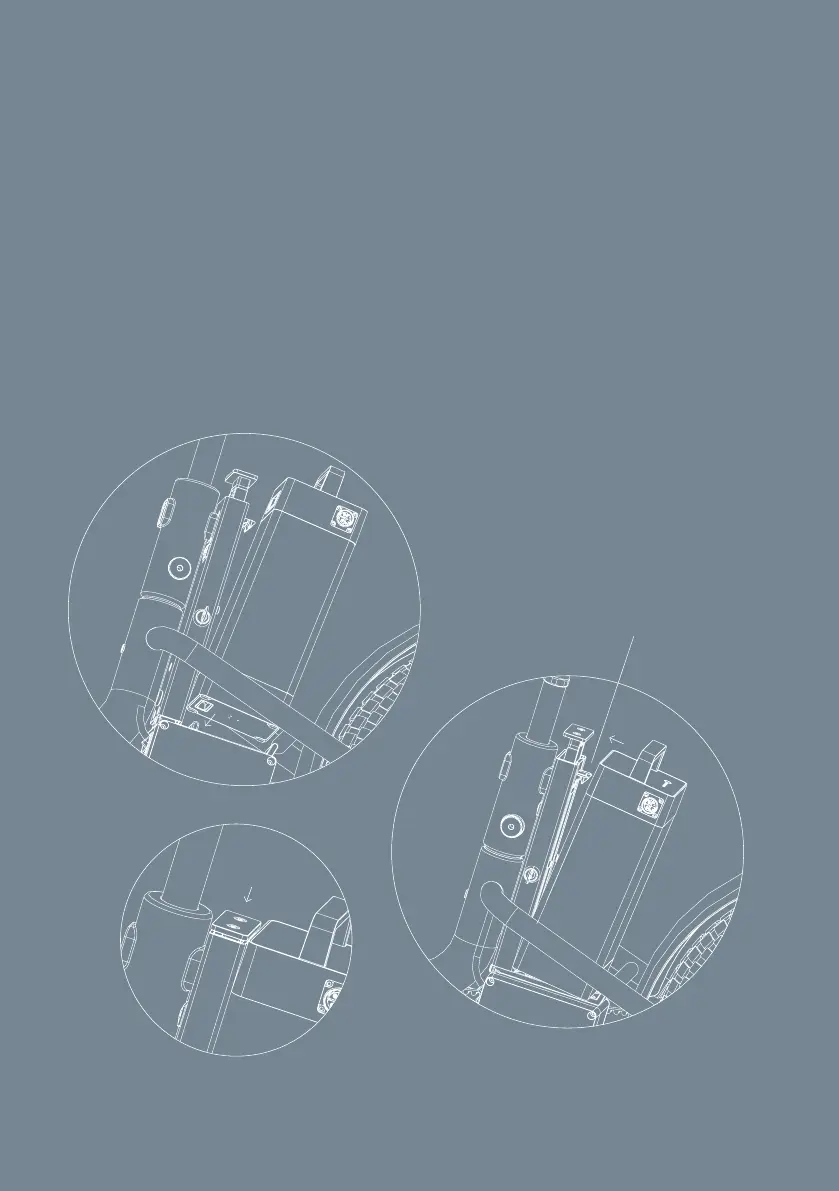
3.3.1 Attaching the battery and removing the battery
Attaching the battery
1. Place the battery onto the battery dock
2. Push the battery onto the dock hook, so the dock hook locks into the
battery slot
3. Push down the top of dock to lock the battery in place
Removing the battery
1. Use key to unlock battery. The top of the dock will pop-up.
2. Pull up the top of the dock, while pushing the battery away from the
battery dock.
3. Pull battery up to remove battery.
1
2
3
dock hook
Fig. 3. Attaching and removing the battery



 To Next Page