EasyManua.ls Logo

Cake Makka Range - User Manual

Cake Makka Range
62 pages
Print Icon
To Next Page IconTo Next Page
Loading...
Makka
Manual
Makka
Manual

Questions and Answers

Summary

Symbols Used

Safety

Owners Manual

Essential guide for operating and maintaining the vehicle safely.

Risk Symbols

Explains symbols used for hazard warnings and safety instructions.

Intended Use

Details the designed purpose and operational context of the vehicle.

Misuse

Outlines improper usage that may lead to danger or damage.

Safety Labels and Marks

Identifies and explains the importance of product safety labels.

Safety Advice

Provides critical recommendations for safe operation and handling of the vehicle.

Customer Service

Information on how to contact for support, dealers, and workshops.

Warranty

Getting Started

Unboxing the Vehicle

Steps and contents for unpacking the new vehicle.

Preparing for Use

Instructions on initial checks and preparations before riding.

Powering On

Guide to activating and turning on the vehicle.

Downloading the Ride CAKE App

Instructions for installing and setting up the companion mobile application.

Riding

Basic instructions and safety tips for operating the vehicle.

Description

General Description

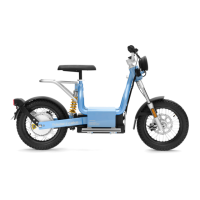
Overview of Makka models, specs, and capabilities.

Battery

Details on the battery system, charging, and state indicators.

Display

Explanation of the dashboard display elements and indicators.

Ride Modes

Description of available riding modes and their characteristics.

Brake Modes

Information on the vehicle's braking system and modes.

Operating

Handling the Battery

Procedures for safe charging, storage, and handling of the battery.

Before Every Ride

Essential pre-ride checks to ensure vehicle safety and readiness.

Starting

Step-by-step guide to starting the vehicle.

Accelerating

How to control vehicle speed using the throttle.

Changing Brake Mode

Instructions on how to select or adjust braking characteristics.

Changing Ride Mode (R1) (R2)

Guide to switching between different driving modes.

Braking

How to use the vehicle's braking system effectively and safely.

Powering Off;Locking

Steps for safely shutting down and securing the vehicle.

Activating Steering Lock

How to engage the steering lock for security.

Storing the Vehicle

Guidelines for long-term storage and maintenance.

Service Schedule

Work on the Vehicle and Accessories

Tools, Materials, and Substances

Lists necessary tools, materials, and fluids for maintenance.

Brake System

Detailed checks and maintenance for the braking components.

Chassis

Inspecting and maintaining the structural frame and related parts.

Cleaning the Vehicle

Proper procedures for washing and cleaning the motorcycle.

Electrical System

Checks and maintenance for the vehicle's wiring and electrical components.

Suspension, Fork, Rear

Inspection and maintenance of suspension components.

Handlebar

Adjusting and maintaining the handlebar for optimal control.

Key Card

Information on using, programming, and managing key cards.

Lights

Checking and ensuring the proper function of all vehicle lights.

Saddle

Adjusting and securing the saddle for comfort and safety.

Wheels and Tires

Checks and maintenance for wheels, tires, pressure, and spokes.

Troubleshooting

Powering On;Starting

Solutions for issues related to starting and powering the vehicle.

Key Card Issues

Troubleshooting steps for problems with the key card functionality.

Charger;Battery Problems

Diagnosing and resolving issues with the charger and battery.

Display Issues

Solutions for problems related to the vehicle's display screen.

Ride Mode Issues

Troubleshooting common problems with changing ride modes.

Suspension, Fork, Rear Issues

Addressing common problems with suspension components.

Spare Parts and Accessories

Technical Data

Makka Range and Makka Range:work

Technical specifications for Range and Range :work models.

Makka Flex and Makka Flex:work

Technical specifications for Flex and Flex :work models.

Battery Charger

Details on the specifications and compatibility of the battery charger.

Contact and Support

Cake Makka Range Specifications

General IconGeneral
BrandCake
ModelMakka Range
CategoryBicycle
LanguageEnglish

Related product manuals