6.4 Accelerating
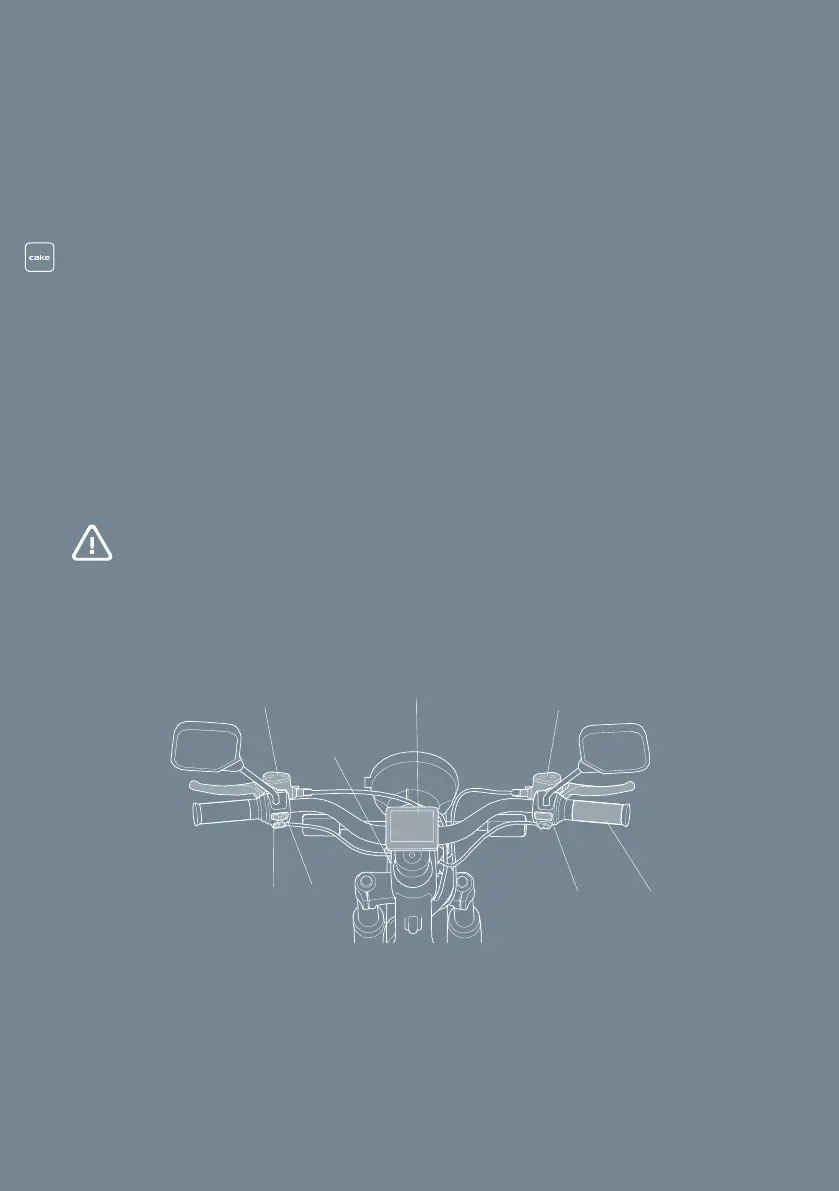
Twist the throttle grip, (G) in Fig. 11. The power increases gradually.
6.5 Changing brake mode
Change the brake mode in the CAKE app, see
Downloading the Ride CAKE app
.
6.6 Changing ride mode (R1) (R2)
When the vehicle is active, push the start button, (H) in Fig. 11, to toggle between
ride mode 1 and ride mode 2.
6.7 Braking
WARNING! Risk of personal injury. There is no foot brake. Remember
that you control both the rear and front brakes from the handlebar.
Apply pressure to the front (F) and rear (C) brake. Apply more pressure on the
front/right, and less on the rear/left.
AB
C
D
E
F
H G
29
Fig. 12
Handlebar controls


 To Next Page