22
4.4 Light
Only valid if you have added the lights to the bike!
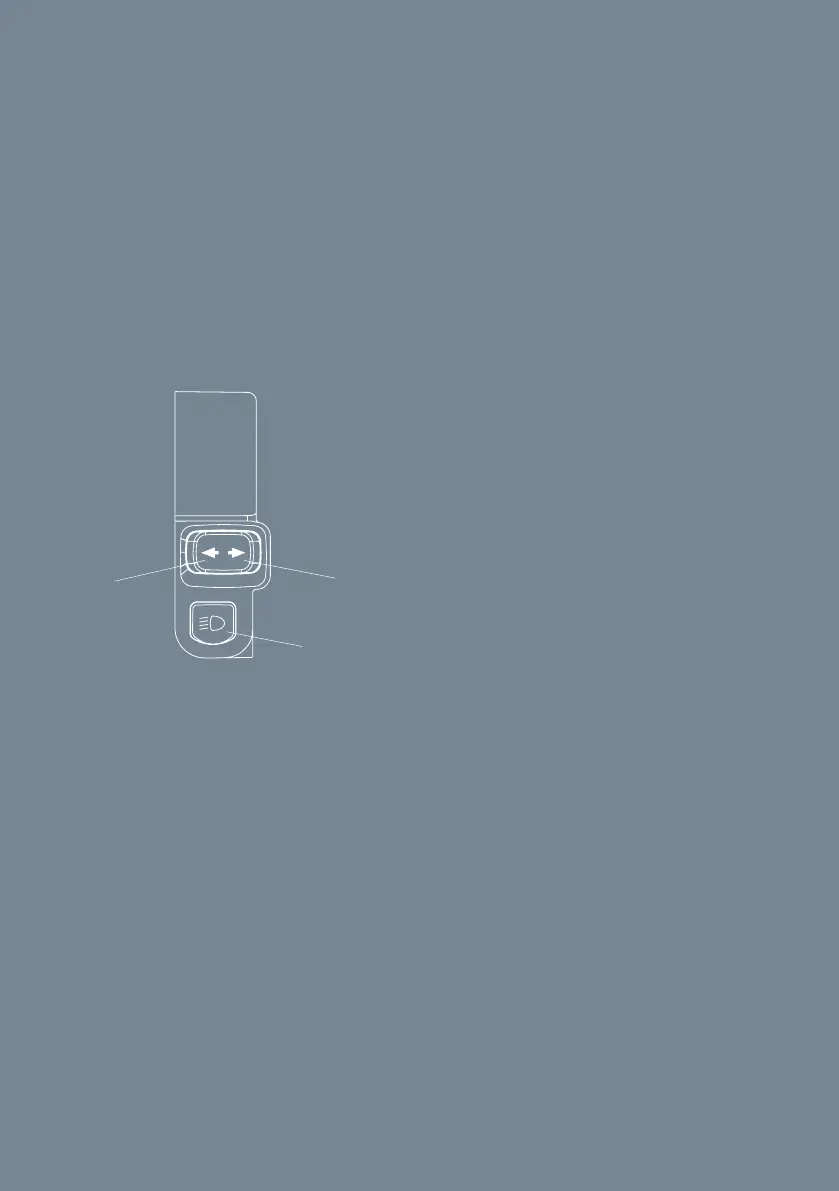
The bike is equipped with position light front, position light rear, brake light
rear and turn signal front and rear. The lights are turned on by using the
handlebar light controls, see fig 8
A Light on/o
B Turn signal left side
C Turn signal right side
Fig 8, handlebar light controls
4.5 Powering o/locking
1. Bring the vehicle to a standstill.
2. Push and hold the start button for 3 seconds. => Explore with respect
briefly shown on the display. => The vehicle is deactivated and locked.
3. If you have the alarm activated in the app the vehicle alarm is turned ON
after powering o/locking.
NOTICE CAKE recommends you also use an approved chain and padlock to
prevent theft.
A
B C
A Light on/o
B Turn signal left side
C Turn signal right side



 To Next Page