MEASUREMENT MODES
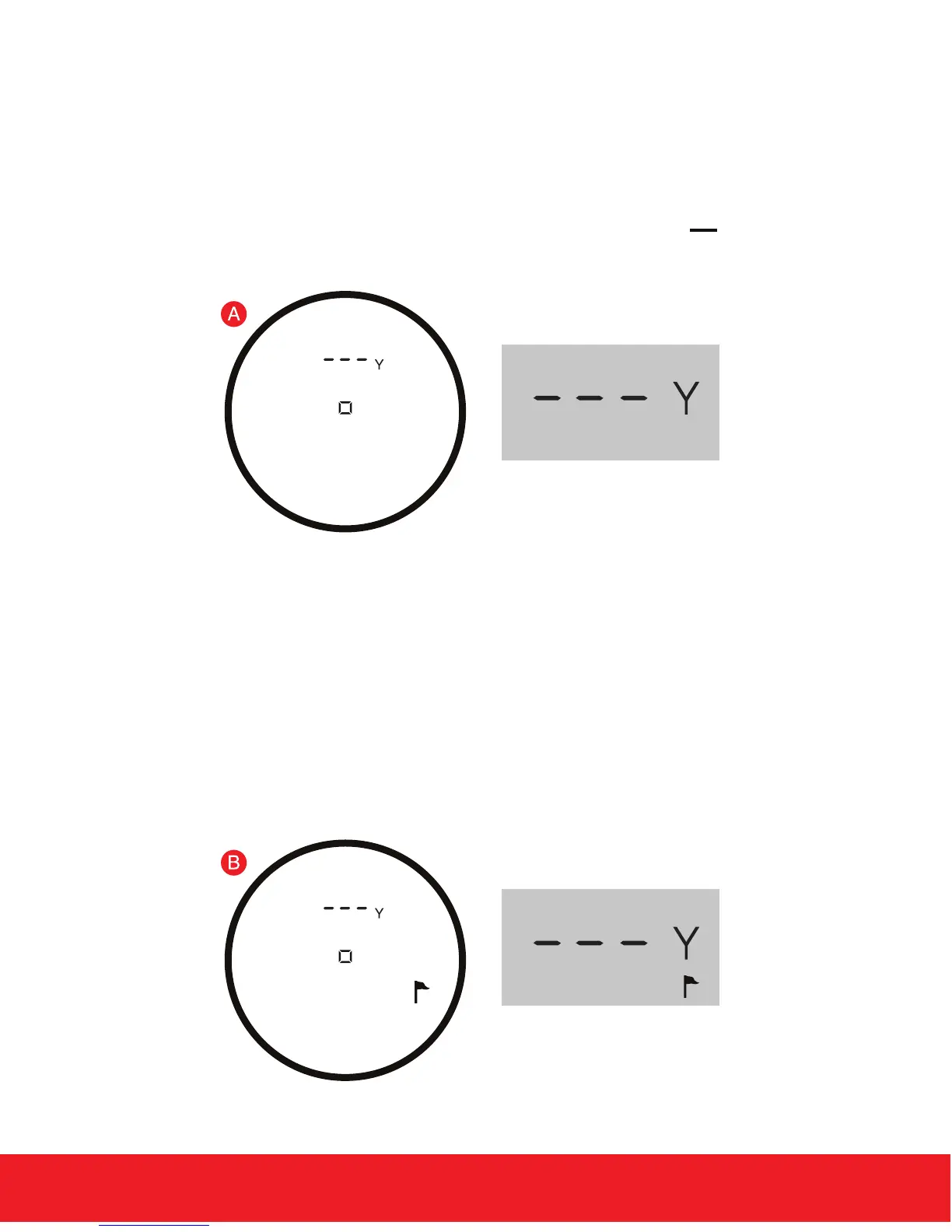
1. Standard - Standard Mode is recommended when measuring
distances to larger objects. To quickly range targets, SINGLE PRESS
the Power Button for a single re from the laser or PRESS and
HOLD the Power Button to continuously re the laser. (Fig. A)
6 HOW TO USE
external LCD display
2. P.A.T. (Pin Acquisition Technology) - P.A.T. Mode is best used
when measuring the distance to a agstick or smaller objects. To
toggle between Standard and P.A.T. Mode, quickly PRESS the
Mode Button once while the device is powered on. When P.A.T.
Mode is activated, the Flagstick Icon will appear on the Right
Side of the internal and external LCD display. (Fig. B)
external LCD display


 To Next Page