Page 14 - Manual - FA01792-EN - 10/2022 © CAME S.p.A. - The contents of this manual may be changed at any time and without notice. - Translation of the original instructions
OSD MENU
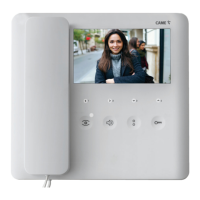
To access the OSD navigation menu, press .
Use the arrows , , and to scroll through the items, and the button to confi rm your choice.
Select [BACK] to return to the previous screen at any time.
Select to exit the menu and turn o the screen.
During use in systems in BUILDING mode, the following warning message may be displayed:
[ Line busy. The device will switch to standby mode until the end of the call ].
This indicates that the system is busy because another user is receiving a call which has priority. After a few seconds, the display
switches o .



 To Next Page
 Loading...