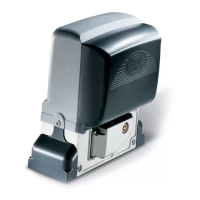
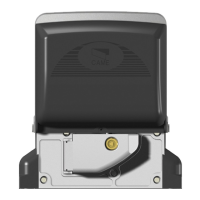
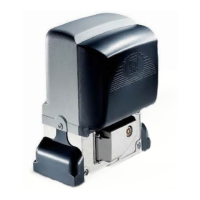
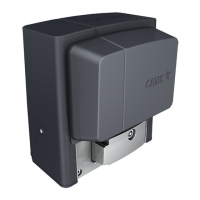
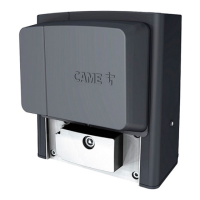
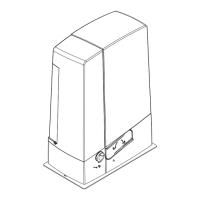
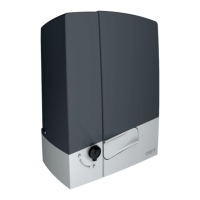
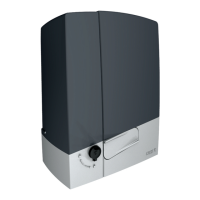
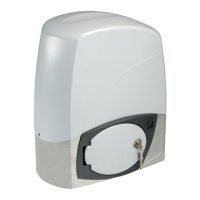
The CAME BX-243 is an electromechanical gearmotor designed for automating sliding gates in residential and condominium settings. It is manufactured by CAME CANCELLI AUTOMATICI S.p.A. in compliance with current safety standards and is ISO 9001:2000 quality certified, also holding ISO 14001 environmental safeguarding certification.
Function Description
The BX-243 operator is designed to provide automated opening and closing for sliding gates. It features an irreversible electromechanical gearmotor housed within a cast aluminum part, with an ABS plastic lining that holds the electronic card, transformer, and battery rack. The system includes a ZN2 electronic control board which manages various functions and safety features.
Key functions handled by the control board include:
- Automatic closing: The gate can be set to close automatically after a user-defined waiting time (1 to 150 seconds) once fully open. This function is conditioned by safety devices and is excluded after a total safety stop or during a blackout.
- Warning light pre-flashing: The flashing light connected to terminals [10-E1] will flash for 5 seconds before the gate begins to move, providing a warning.
- Obstacle detection: The system incorporates an amperometric device that constantly monitors the motor's drive. If the gate encounters an obstacle, the sensor detects the overload and immediately reverses the gate's movement.
- If an obstacle is detected while closing, the gate reopens.
- If an obstacle is detected while opening, the gate recloses.
- After three consecutive obstacle detections in opening mode, the gate stops and automatic closing is excluded. To resume movement, the command button or remote control must be pressed.
- Photocells trigger reopening for a closing gate or a partial stop followed by automatic closing (if selected).
- Sensitive edges trigger reopening for a closing gate or closing for an opening gate.
- Photocell safety test: The control board can check the efficiency of safety devices like photocells after every opening or closing command. If problems are detected, the PROG LED on the electronic card flashes, and commands from the radio transmitter or push-button are canceled.
- Maintained action mode: The gate operates as long as a button (one 2-3P opening button and one closing button) is kept pressed.
- Partial opening: A dedicated button (connected at 2-3P) allows for partial gate opening, useful for pedestrian access. The length of the partial opening can be adjusted.
- Total stop: This function stops the gate and excludes any automatic closing cycle. To restart, a keypad or transmitter must be used.
- Opening during closing: If photocells detect an obstacle during closing, the gate reverses motion until fully open.
- Partial stop (photocells): If an obstacle is detected by a safety device (e.g., photocells), the gate stops. Once the obstacle is removed, the gate remains still or closes if automatic closing is activated.
The system supports various command and control devices, including stop buttons, key selectors, and remote controls. Warning devices include a movement flashing light and an open-gate status light.
Important Technical Specifications
- Control panel power supply: 230V A.C. 50/60Hz
- Operator power supply: 24V D.C.
- Max gate weight: 300kg
- Max gate length: 10m
- Draw: 7A max.
- Power: 170W
- Reduction ratio: 1/50
- Thrust: 300N
- Max speed: 12m/min max.
- Duty cycle: Intensive use
- Protection rating: IP54
- Weight: 12kg
- Operating temperature range: -20°C to +55°C
- Accessories power supply: 24V A.C. (normally), 24V D.C. (with emergency batteries). Maximum allowed power for accessories is 37W.
- Fuses:
- Motor: 8A-F
- Control board (line): 1.6A-F
- Accessories: 1.6A-F
- Command devices: 1A-F
The control board features trimmers for regulating:
- Automatic closing running time.
- Partial opening length.
- Amperometric device detection sensitivity (normal and brake modes).
- Speed of normal gate run and brake mode run.
- Final opening/closing phase slow-down speeds.
Usage Features
The BX-243 is intended for residential and condominium use. It offers flexibility in installation with options for left-hand or right-hand gate configurations, requiring inversion of motor and endstop phases for right-hand setups.
Manual Release: In case of power failure or malfunction, the gearmotor can be manually released using a customised key. This involves turning the key counter-clockwise, opening a trap door, and pulling a release lever.
Radio Command: The system supports various CAME radiofrequency cards and transmitters (e.g., TOP, TAM, ATOMO, TOUCH, TFM series). Transmitters are memorised by pressing the PROG button on the electronic card and then the desired button on the transmitter.
DIP Switch Settings: A 10-position DIP switch allows for customisation of various functions:
- Automatic Closing: ON for automatic closing after opening.
- Open-stop-close-stop / Open-close: Selects the sequence of operation with the [2-7] button and radio transmitter.
- Open only: ON for "open only" function with radio transmitter.
- Pre-Opening and closing flasher: ON for the flashing light to activate 5 seconds before motion.
- Obstacle detected: ON to prevent movement if safety devices detect obstacles when the motor is stopped.
- Maintained action: ON for gate operation only when the button is pressed.
- Photocells' safety test: ON to activate the photocell efficiency test.
- Total stop: OFF for total stop function (stops gate, excludes automatic closing).
- Opening during closing: OFF for gate motion inversion if photocells detect an obstacle during closing.
- Partial stop (safety device): OFF for partial stop if a safety device detects an obstacle.
Maintenance Features
Periodic Maintenance (every 6 months):
- Wipe clean the glass surface of photocells.
- Check that safety devices work properly (by moving an object in front of photocells during closing).
- Remove any obstructions from the photocell beam and gate path.
- Check the state of lubrication and tightness of anchoring screws on the operator.
- Lubricate joints with grease if strange vibrations or squeaking occur.
- Clean photocells with a water-dampened cloth; avoid solvents or harsh chemicals.
- Important: Disconnect main power before performing any maintenance procedures, except for checking safety devices.
Extra-ordinary Maintenance:
- Any extraordinary maintenance, repairs, or improvements must be performed by specialised technicians. A log is provided in the manual to record such interventions.
Phasing Out and Disposal:
CAME CANCELLI AUTOMATICI S.p.A. adheres to UNI EN ISO 14001 environmental protection standards.
- Packing materials: Cardboard, plastic, etc., are solid urban waste and should be separated for recycling.
- Product materials: The majority of materials (aluminum, plastic, iron, electric cables) are solid urban waste and can be recycled. Components like electrical circuit boards and remote control batteries may contain hazardous waste and must be disposed of by licensed firms. Always check local laws for disposal.


 To Next Page
 General