3
1
2
1
2
– +
AL
B
M/S
CL.RES
EN
Installation
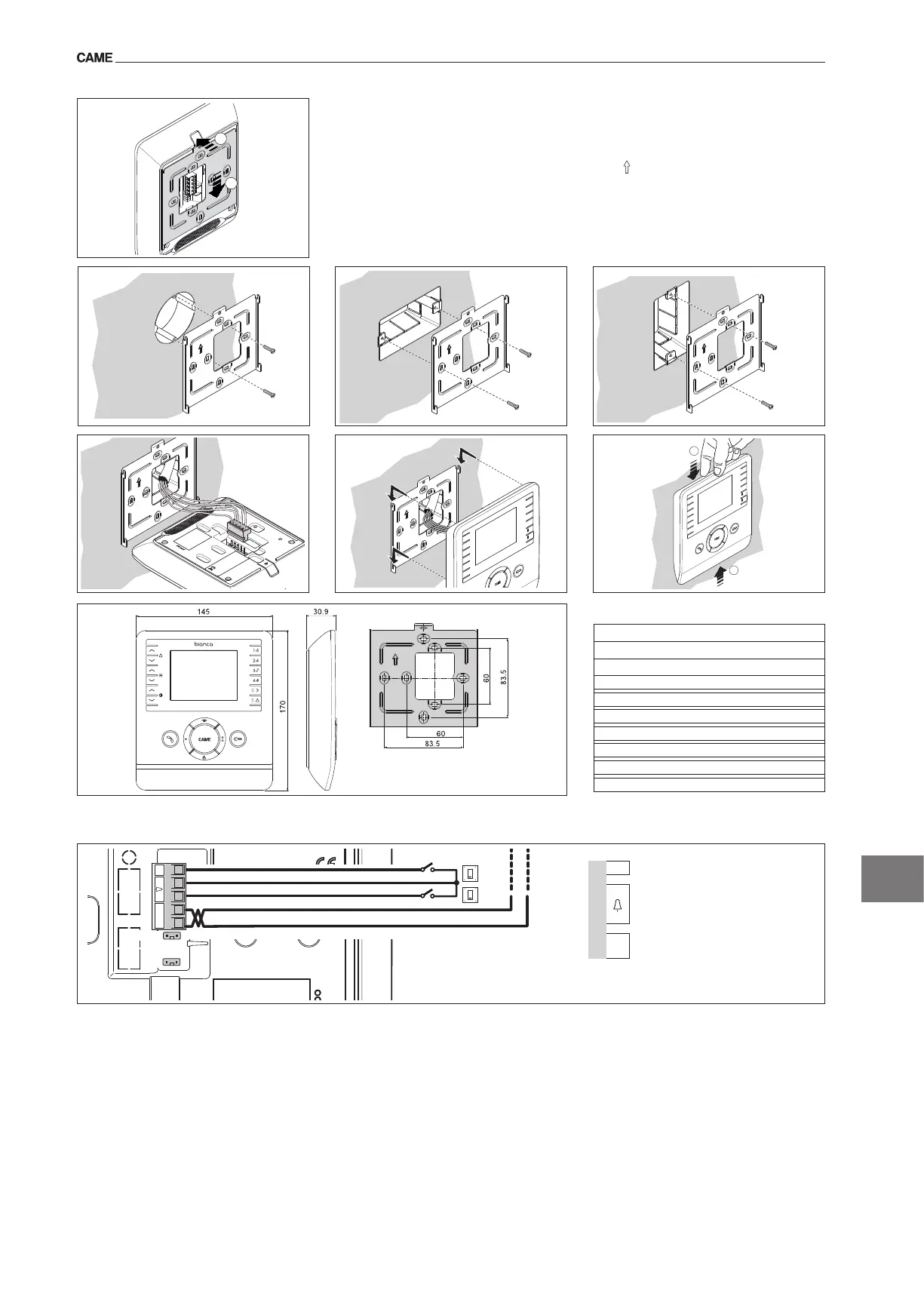
Removetheunitfromthemetalsupportbyslidingitafterpressingtheplasticbutton(gure1).
Fastenthemetalsupporttotheroundbuilt-inboxofØ60mm(gure2)ortotherectangularbox503(gure
3-4)usingtheprovidedscrewsandobservingtheUPindication .
Theboxmustbettedatasuitableheightinrelationtotheinstaller.Avoidexcessivetighteningofthescrews.
Oncetheconnectionshavebeenmade,attachthevideoterminaltothemetalsupport(gure5-6).
Toreleasetheunitfromthemetalsupport,presstheplastichookandlifttheterminal(gure7).
M1
AL Alarminput(
1
)
–
+
Doorbell
B
BUSlineinput(notpolarised)
(1)Functiononlyaccessibleifthesystemfeatures
1porterstation
Power supply from BUS: 15-20VDC
Absorption: 200mAmax(<1mAstand-by)
Single LED absorption (panic, Ring disabled):
1mA
Dimensions: 170x145x30.9mm
Storage temperature: -25°C+70°C
Operating temperature: 0°C+35°C
Standard video: PAL/NTSC
Display: LCDTFTcolour3.5”
Terminal boards
1
2 3
4
7
6
5
BIANCAVC


 To Next Page