Page 5 - Manual FA 01624 -E N - 03/2022 - © CAME S.p.A. -The contents of this manual may be changed, at any time, and without notice. - Translation of the original instructions
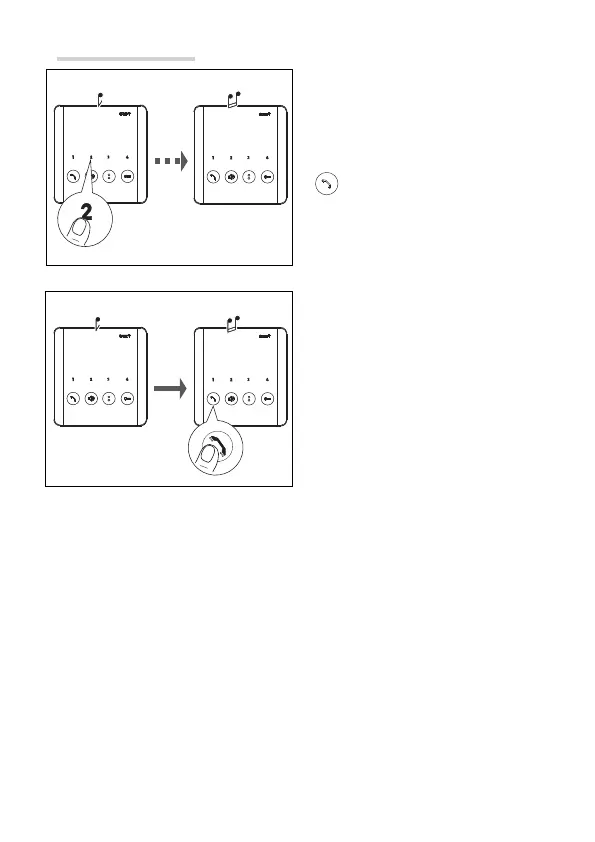
Intercommunication
Press the button to select the desired
internal receiver.
The calling receiver will sound to indicate
that the line is free.
The called receiver will ring with the
chosen ringtone.
Press this button on the called receiver to
activate audio communication.
☞During a conversation between internal receivers, a call from an entry panel is signalled
on the internal receivers by a beep that repeats every 5 seconds.
☞When trying to make an intercom call, 3 consecutive beeps indicate that the line is busy
and the call cannot be made.



 To Next Page