The data and information reported in this installation manual are susceptible to change at any time and without obligation on CAME cancelli automatici s.p.a. to notify users.
Pag.
1.0 12/2007 © CAME cancelli automatici s.p.a.
ENGLISH
-Connect the antenna’s RG58 cable to the apposite terminals.
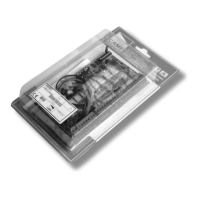
-Lock the radiofrequency card into the electronic card
D
AFTER CUTTING OFF THE POWER SUPPLY (or after disconnecting the batteries).
N.B.: the electronic card only recognises the radiofrequency card when the power is on.
Activating the remote control
Memorisation
CH1 = Channel for direct command to a function of the the gearmotor’s card, (“open only / “open-close-invert” or “open-stop-close-stop”
command, depending on the choice made on DIP switches 2 and 3).
CH2 = Channel for direct command an accessory device connected to B1-B2.
-Keep the “CH1”
A
button on the electronic card pressed. The LED fl ashes.
B
-Press the transmitter button you wish to memorise. The LED will stay on to show memorisation has been successful.
-Repeat the points 1 and 2 procedures for the “CH2” button associating this to another button on the transmitter.
Selezione funzioni
E
1 ON Automatic closing function activated; (1 OFF-deactivated);
2 ON “Open” function with activated remote control (HF board inserted);
2 OFF “Open-close-reverse” function with pushbutton (2-7) and activated remote control (HF board inserted) ;
3 ON “Maintained Action” function (remote control function disabled) activated; (3 OFF deactivated);
4 ON Activated pre-fl ashing during opening and closing,, with device connected on terminals 10- E7 (4 OFF deactivated);
5 ON Obstacle detection. With the motor off (bar closed, open or after a total-stop command), movement is blocked if safety devices
(e.g. photoelectric cells) detect an obstacle;
6 OFF Total stop function activated, connect pushbutton to 1-2 (if not set the dipswitch to ON);
7 OFF Reopening function during closure activated, connect the safety devices to terminals 2-C1 (if not used set the dipswitch to ON);
8 ON Safety test function to check photoelectric cell effi ciency (page.7) activated; (8 OFF deactivated).
9 OFF Encoder activated for obstacle detection (9 ON deactivated);
10 Not used
The data and information reported in this installation manual are susceptible to change at any time and without obligation on CAME cancelli automatici s.p.a. to notify users.
Pag.
1.0 12/2007 © CAME cancelli automatici s.p.a.
ENGLISH
-Connect the antenna’s RG58 cable to the apposite terminals.
-Lock the radiofrequency card into the electronic card
D
AFTER CUTTING OFF THE POWER SUPPLY (or after disconnecting the batteries).
N.B.: the electronic card only recognises the radiofrequency card when the power is on.
Activating the remote control
Memorisation
CH1 = Channel for direct command to a function of the the gearmotor’s card, (“open only / “open-close-invert” or “open-stop-close-stop”
command, depending on the choice made on DIP switches 2 and 3).
CH2 = Channel for direct command an accessory device connected to B1-B2.
-Keep the “CH1”
A
button on the electronic card pressed. The LED fl ashes.
B
-Press the transmitter button you wish to memorise. The LED will stay on to show memorisation has been successful.
-Repeat the points 1 and 2 procedures for the “CH2” button associating this to another button on the transmitter.
Selezione funzioni
E
1 ON Automatic closing function activated; (1 OFF-deactivated);
2 ON “Open” function with activated remote control (HF board inserted);
2 OFF “Open-close-reverse” function with pushbutton (2-7) and activated remote control (HF board inserted) ;
3 ON “Maintained Action” function (remote control function disabled) activated; (3 OFF deactivated);
4 ON Activated pre-fl ashing during opening and closing,, with device connected on terminals 10- E7 (4 OFF deactivated);
5 ON Obstacle detection. With the motor off (bar closed, open or after a total-stop command), movement is blocked if safety devices
(e.g. photoelectric cells) detect an obstacle;
6 OFF Total stop function activated, connect pushbutton to 1-2 (if not set the dipswitch to ON);
7 OFF Reopening function during closure activated, connect the safety devices to terminals 2-C1 (if not used set the dipswitch to ON);
8 ON Safety test function to check photoelectric cell effi ciency (page.7) activated; (8 OFF deactivated).
9 OFF Encoder activated for obstacle detection (9 ON deactivated);
10 Not used


 To Next Page
 Loading...