17
Sound
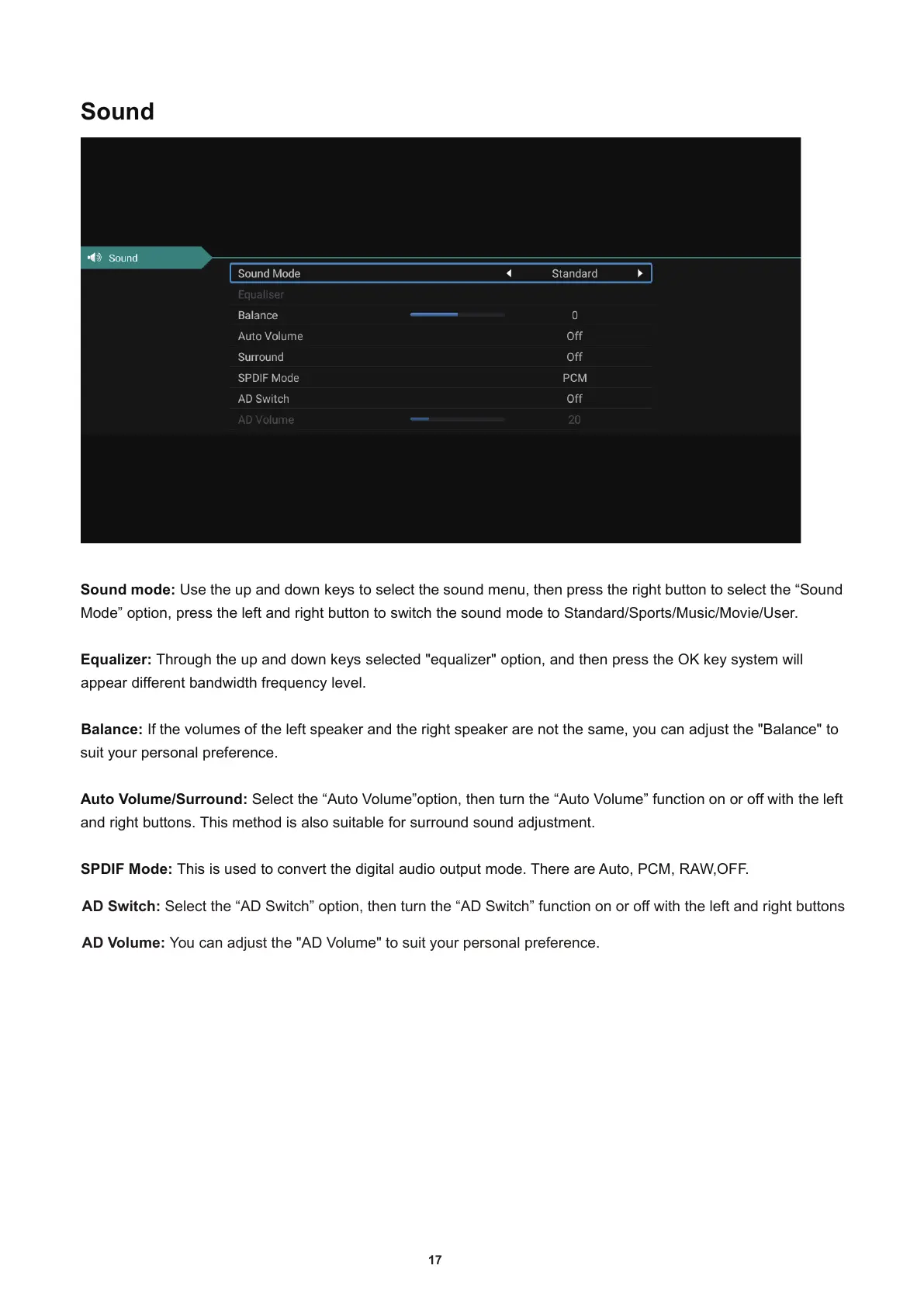
Sound mode: Use the up and down keys to select the sound menu, then press the right button to select the “Sound
Mode” option
, press the left and right button to switch the sound mode to Standard/Sports/Music/Movie/User.
Equalizer: Through the up and down keys selected "equalizer" option
, and then press the OK key system will
appear different bandwidth frequency level.
Balance: If the volumes of the left speaker and the right speaker are notthesame
, you can adjust the "Balan
ce" to
suit your personal preference.
Auto Volume/Surround: Select the “Auto Volume”option
, then turn the “Auto Volume” function on or off with the left
and right buttons. This method is also suitable for surround sound adjustment.
SPDIF Mode: This is used to convert the digital audio output mode. There are Auto
, PCM, RAW,OFF.
AD Switch: Select the “AD Switch” option, then turn the “AD Switch” function on or off with the left and right buttons
AD Volume: You can adjust the "AD Volume" to suit your personal preference.



 To Next Page