23
Android Operation
Home
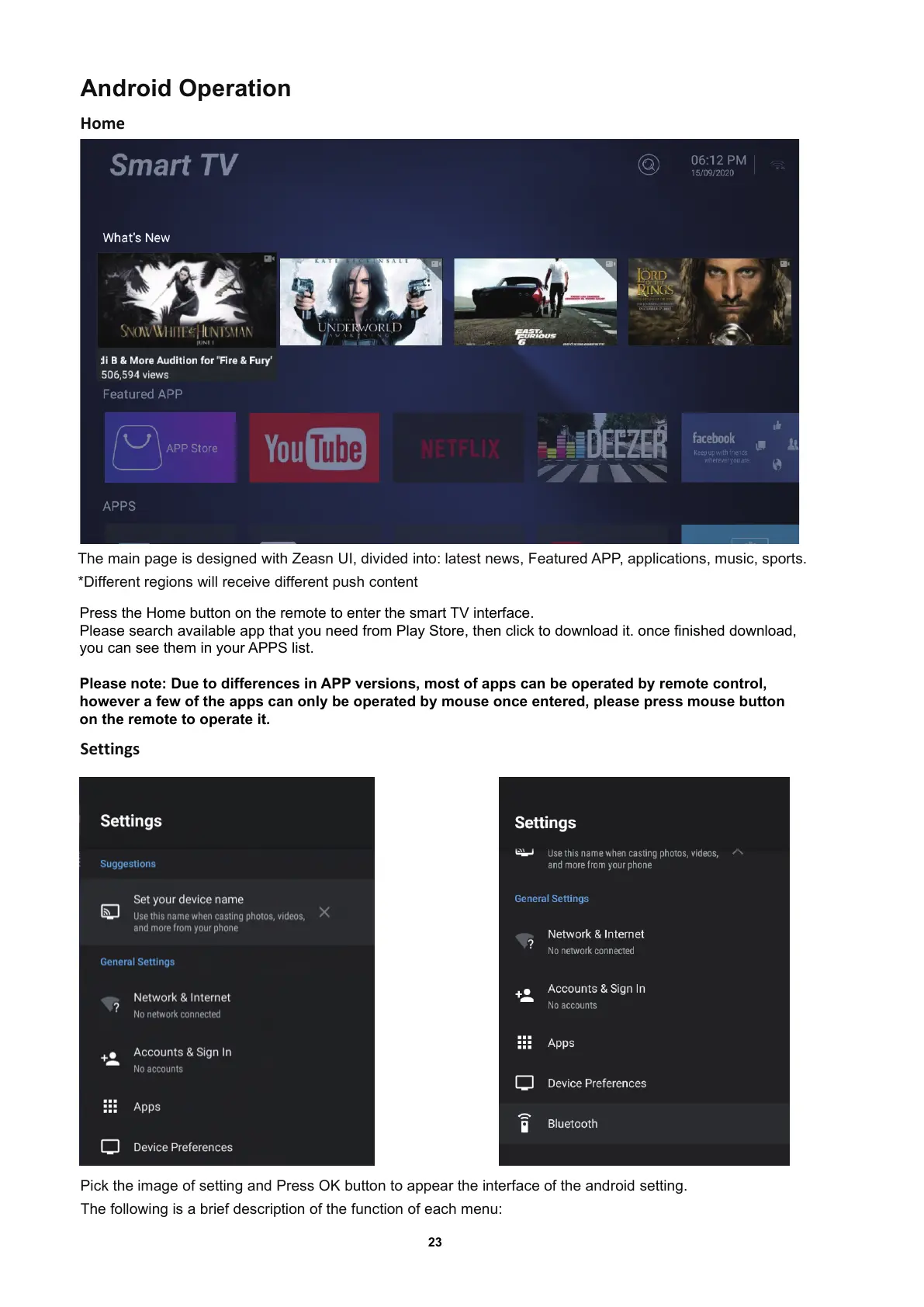
The main page is designed with Zeasn UI, divided into: latest news, Featured APP, applications, music, sports.
*Different regions will receive different push content
Settings
Pick the image of setting and Press OK button to appear the interface of the android setting.
The following is a brief description of the function of each menu:
Press the Home button on the remote to enter the smart TV interface.
Please search available app that you need from Play Store, then click to download it. once finished download,
you can see them in your APPS list.
Please note: Due to differences in APP versions, most of apps can be operated by remote control,
however a few of the apps can only be operated by mouse once entered, please press mouse button
on the remote to operate it.


 To Next Page