19
Function
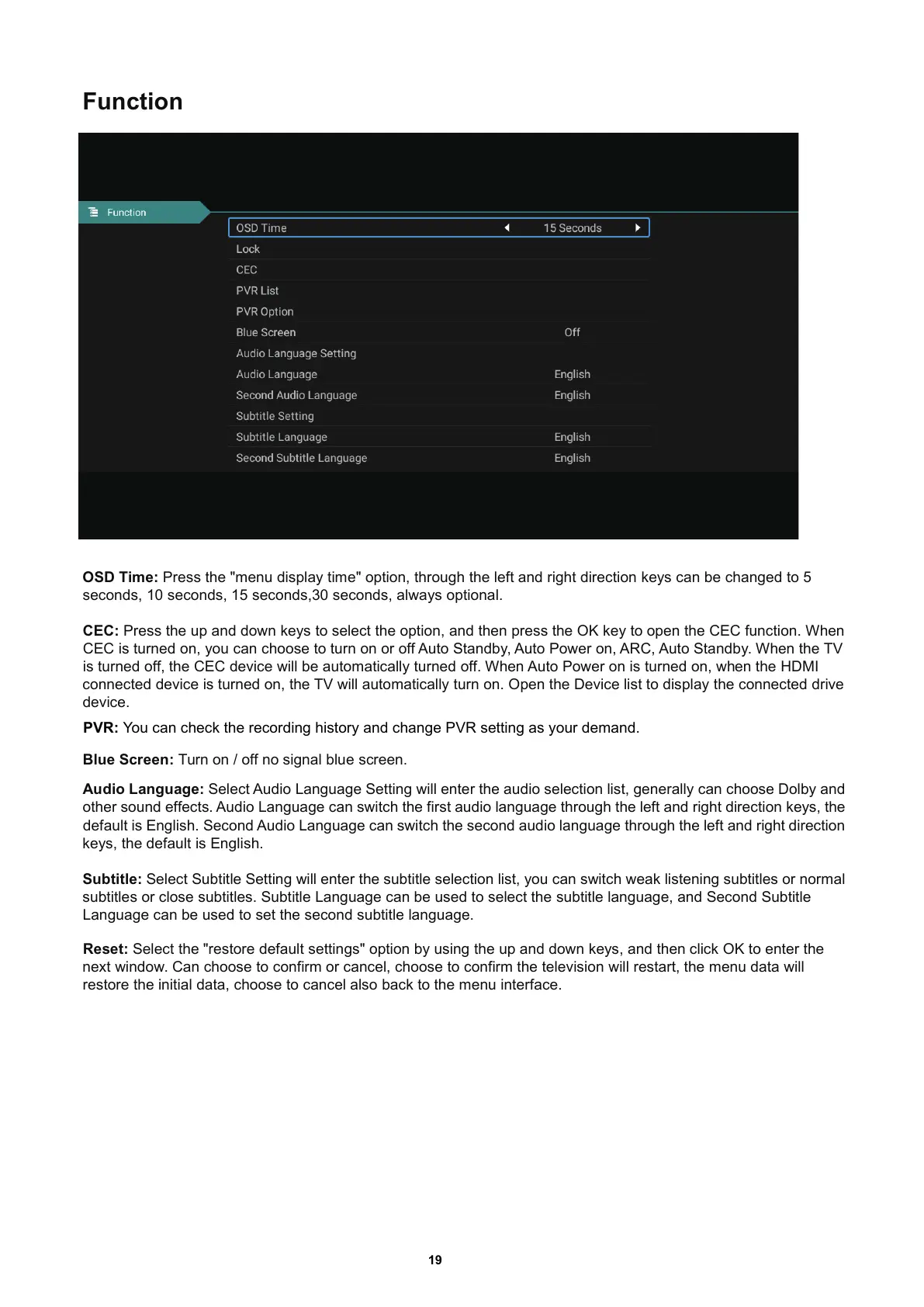
OSD Time: Press the "menu display time" option, through the left and right direction keys can be changed to 5
seconds
, 10 seconds, 15 seconds,30 seconds, always optional.
CEC: Press the up and down keys to select the option
, and then press the OK key to open the CEC function. When
CEC is turned on
, you can choose to turn on or off Auto Standby, Auto Power on, ARC, Auto Standby. When the TV
is turned off
, the CEC device will be automatically turned off. When Auto Power on is turned on, when the HDMI
connected device is turned on
, the TV will automatically turn on. Open the Device list to display the connected drive
device.
Audio Language: Select Audio Language Setting will enter the audio selectionlist
, generally can choose Dolby and
other sound effects. Audio Language can switch the first audio language through the left and right direction keys
, the
default is English. Second Audio Language can switch the second audio language through the left and right direction
keys
, the default is English.
Subtitle: Select Subtitle Setting will enter the subtitle selection list
, you can switch weak listening subtitles or normal
subtitles or close subtitles. Subtitle Language can be used to select the subtitle language
, and Second Subtitle
Language can be used to set the second subtitle language.
Blue Screen: Turn on / off no signal blue screen.
Reset: Select the "restore default settings" option by using the up and down keys
, and then click OK to enter the
next window. Can choose to confirm or cancel
, choose to confirm the television will restart, the menu data will
restore the initial data
, choose to cancel also back to the menu interface.
PVR: You can check the recording history and change PVR setting as your demand.



 To Next Page