18
Channel
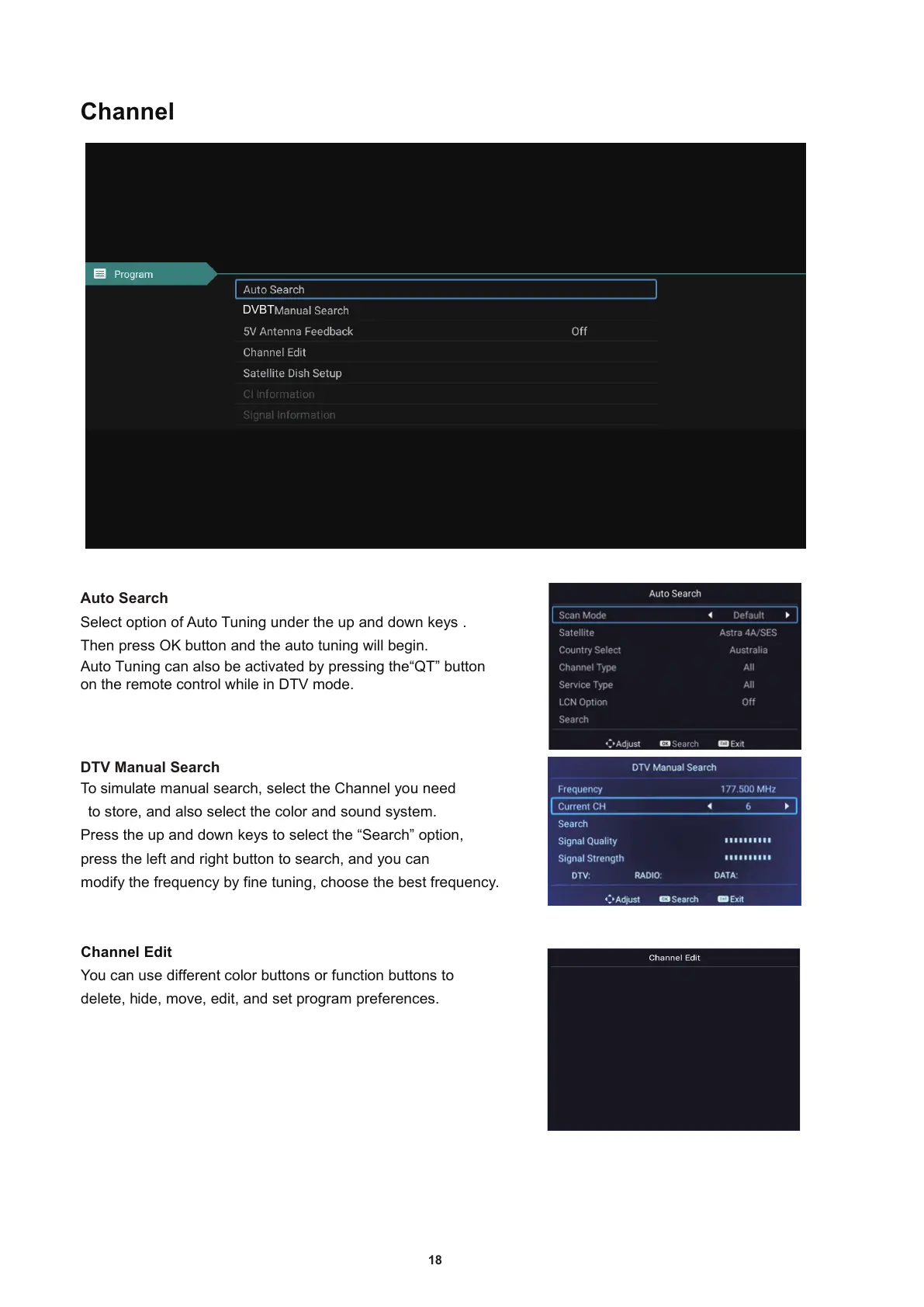
Select option of Auto Tuning under the up and down keys .
T
Auto Tuning can also be activated by pressing the“QT” button
on the remote control while in DTV mode.
hen press OK button and the auto tuning will begin.
To simulate manual search
, select the Channel you need
to store
, and also select the color and sound system.
Press the up and down keys to select the “Search” option
,
press the left and right button to search
, and you can
modify the frequency by fine tuning
, choose the best frequency.
Channel Edit
You can use different color buttons or function buttons to
delete
, h
ide
, move, edit, and set program preferences.
DVBT
Auto Search
DTV Manual Search


 To Next Page