24
Set your device name
Give your device a name to help identify it when casting or connecting to it from other devices.
Accounts & Sign In
Log in and manage your Google account.
Apps
View all apps and set app permissions.
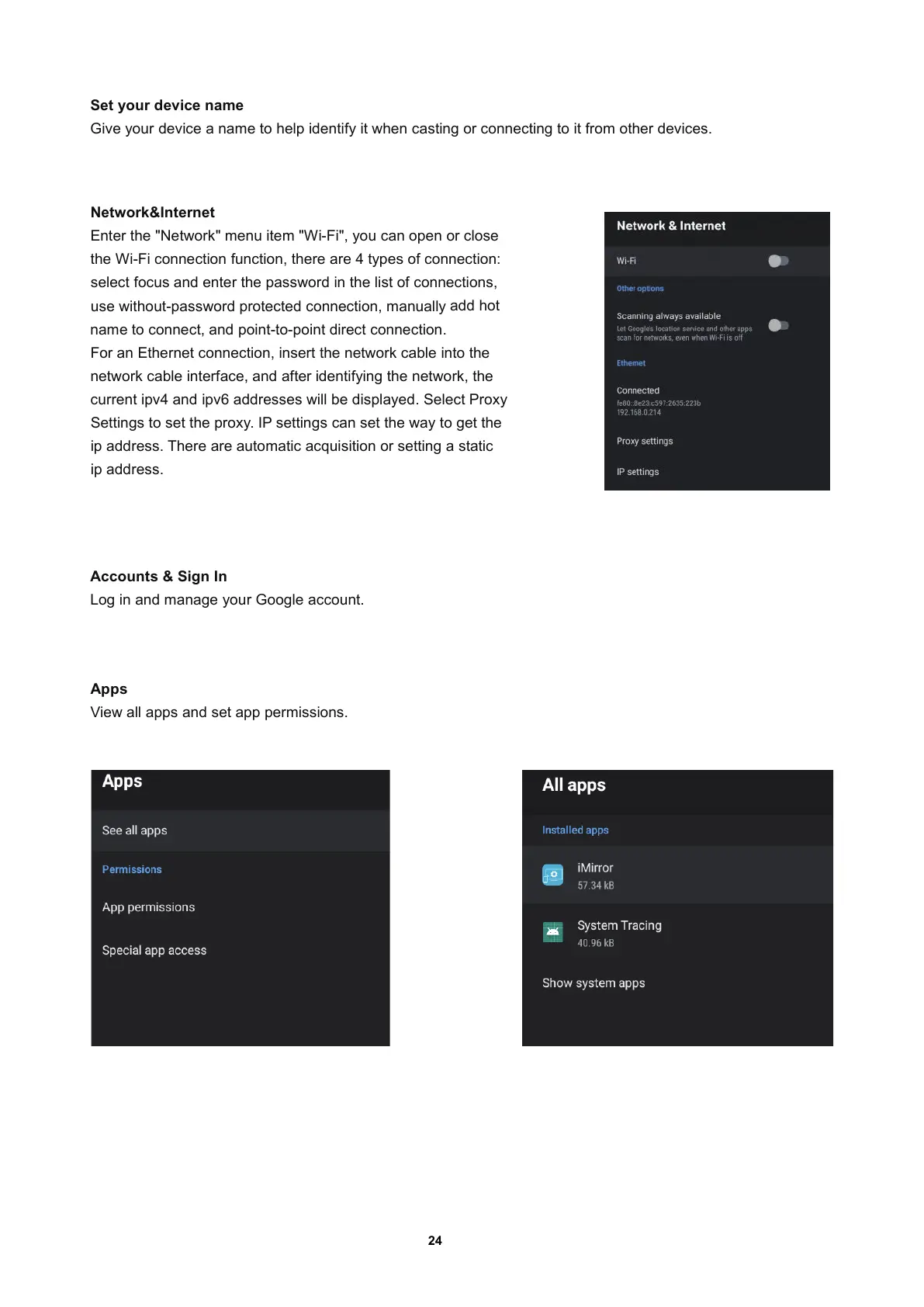
Network&Internet
Enter the "Network" menu item "Wi-Fi"
, you can open or close
the Wi-Fi connection function
, there are 4 types of connection:
select focus and enter the password in the list of connection
s,
use without-password protected connection
, manually
add hot
name to connect
, and point-to-point direct connection.
For an Ethernet connection
, insert the network cable into the
network cable interface
, and after identifying the network, the
current ipv4 and ipv6 addresses will be displayed. Select Proxy
Settings to set the proxy. IP settings can set the way to get th
e
ip address. There are automatic acquisition or setting a static
ip address.


 To Next Page