6 7
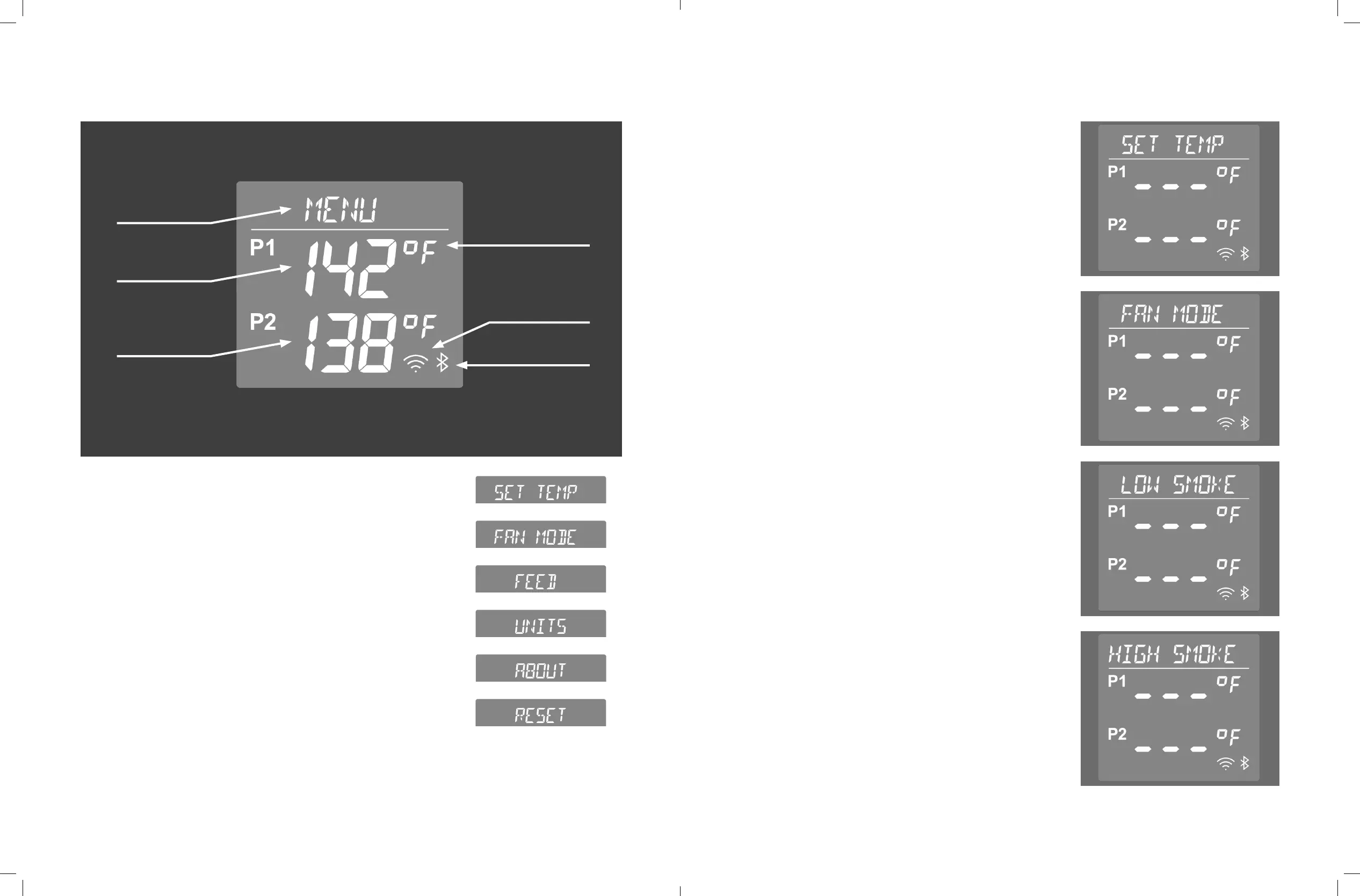
Menu
Navigation
Probe 1
Temperature
Probe 2
Temperature
Fahrenheit /Celsius
Indicator
WiFi Indicator
Bluetooth Indicator
CONTROLLER OVERVIEW
CONTROLLER FUNCTION OVERVIEW
We will walk you through the basic functions of your controller
in the next few pages.
To navigate, rotate the dial to scroll through menus and press
the dial to select.
Main menu:
Push the controller dial to enter the main menu.
The main menu allows you to set the temperature of your pellet
grill, initiate fan mode, feed pellets through the auger, change
from Fahrenheit to Celsius, Connect the device to WiFi, and
reset the device as needed.
CONTROLLER FUNCTION OVERVIEW CONT.
Set temperature:
Use this setting to set your temperature (160 - HIGH). Rotate
the dial to the desired temperature and press to confirm. After
setting your temperature you will be prompted to set your
smoke level.
Your controller also comes with two built-in presets with
set temperatures and smoke levels. These can be found by
navigating counter clockwise on the controller.
1. Low Smoke: A preset of 160˚F with a smoke level of 2.
2. High Smoke: A preset of 220˚F with a smoke level of 3.
Fan mode:
Use this setting when cold smoking. This setting is used to
turn the fan on without lighting the burner. This can be used
with a pellet tube to circulate ambient air through the grill for
cold smoking. This works best when ambient temperatures
outside are cool.


 To Next Page