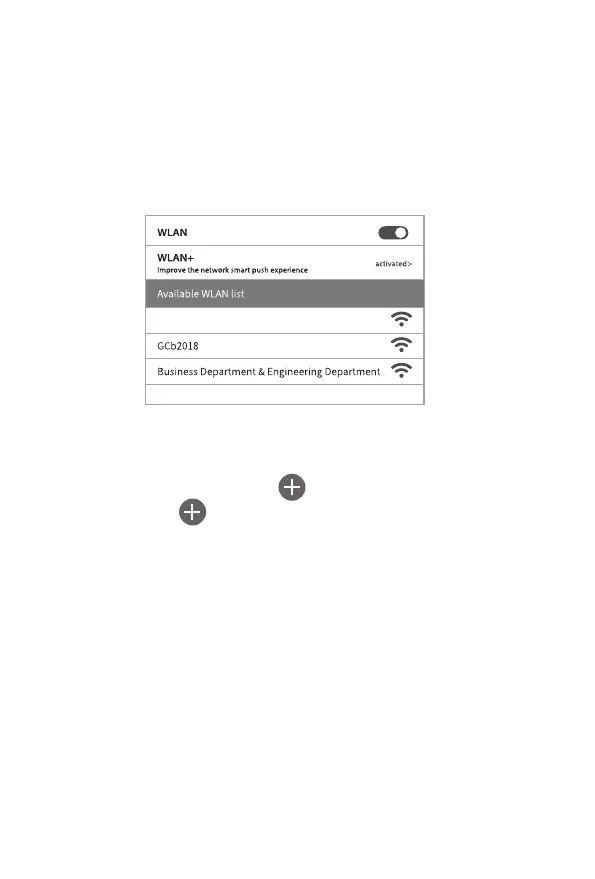
7.4.2ConnectingtoWIFIhotspots
Openthephone"Settings",gotothe"WLAN"optioninthesettings,searchfor
thecamera'sWIFIname"Campark-T80-****",andthenentertheoriginal
password:12345678.Thecamerawouldhaveasuccessfulconnection
interfaceasshownbelow:
7.4.3.CameraAPP
Openthe"WIFIHuntingCamera"APPprogramandclickthe
connectbuttonontheAPPinterface.
1.Thenthepicturesandvideoscanbepreviewedinrealtimeon
theAPP,andcanberecorded,photographed,menuset,andfile
playback/download/delete.
2.YoucanviewitundertheopenAPPinterfaceforphotoorvideo
whichhavebeendownloaded,youcanviewthedeletionora
singlesharingoperation.
21
Campark-T80-****


 To Next Page