7.5.Aligningthecamera
TheTestmodeisadvantageousfordeterminingthebestpossibledetection
angleandrangeofthemovementsensor.Forthispurposeattachthecameraat
approx.1-2mheighttoatreeandalignthecamerawithadesireddirection.
Moveslowlyfromonesideoftheobservedareatotheother.Moveparallelto
thecamera.Tryoutdifferentanglesanddistances.
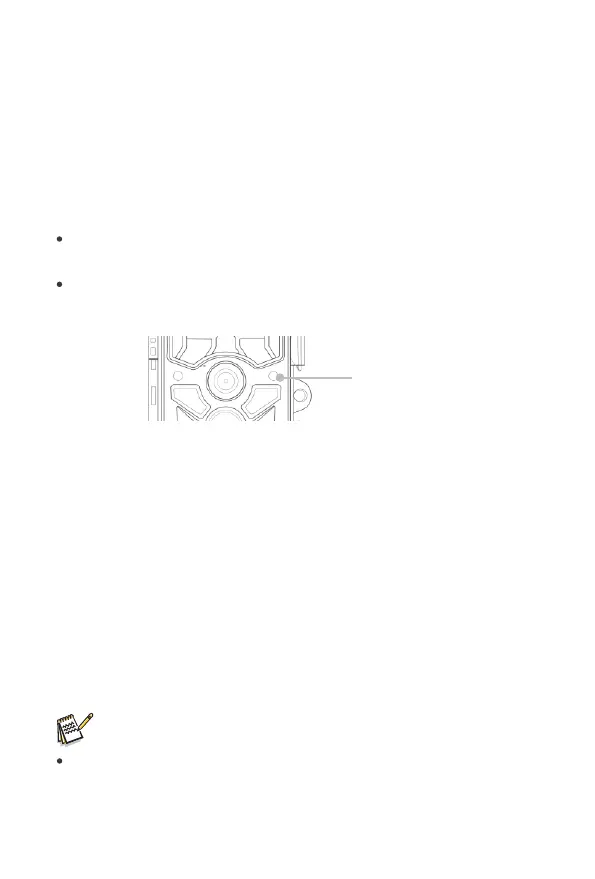
TheblueLEDonthefrontofthecameraindicatesthatyouweredetected
byasidesensorzone.
TheredLEDonthefrontofthecameraindicatesthatyouweredetected
byacentralsensorzone.
Inthiswayyoucandeterminethebestpositionforaligningthecamera.
TheLEDonlylightsupintheSETUPmodeassoonasoneofthesensorshas
detectedmovement.TheLEDsdonotlightupwheninLivemode.
Inordertopreventincorrectsignalsandunnecessaryphotos,we
recommendnotusingthecameraatsunnypointsandcheckthatno
branchesareintheactiveareaofthesensor.OptimumalignmentisinNorth
orSouthdirection.Thedetectionrangeofthesensorsisapprox120°.
Alsocheckthatthecameraissettothecorrectheightinlinewiththepoint
tobeobserved.Wherenecessary,pointthecameradownforoptimum
alignment.
Note:
WildlifeCameracorrespondstoprotectionclassIP66.Thecamerais
protectedagainstdustandspraywaterandcanthusbeusedinany
weathercondition.
Blue/RedLED
24


 To Next Page