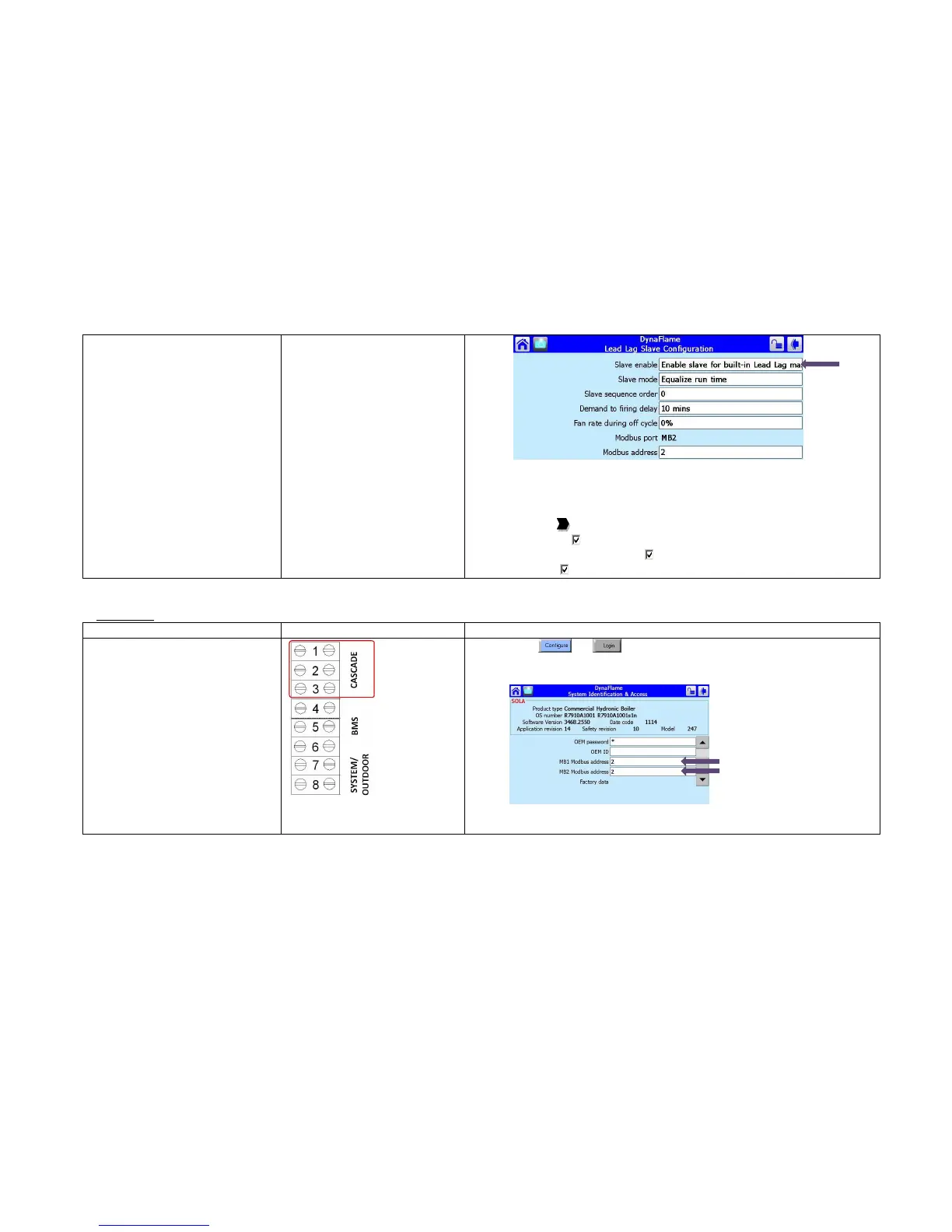
The following steps are performed at the factory and verifying on site will
be sufficient:
15) Select Pump Configuration
16) Press [Advanced Options >>]
17) Press the to arrive at Central Heat Pump or DHW Pump
18) On Options: Local burner demand
19) On Options: Local Lead Lag Service Active
20) Force On: Outlet high limit
Slave Boiler
Slave boiler lead lag setup
1) Press
and
2) Select System Identification & Access
3) Verify Modbus address. To be in sequential order
4) Select Lead Lag Slave Configuration
5) Select Slave Enabled = Enable slave for built-in Lead Lag master





 To Next Page