Need help?
Do you have a question about the C&S CSDPR-V2-300 and is the answer not in the manual?
Guidelines for the proper disposal of products and batteries, emphasizing compliance with regulations.
Overview of the CSDPR-V2-300 numeric multi-powered Over-current relay features and functions.
Details on the relay's design, including its power sources like Aux. supply, CT current, and internal battery.
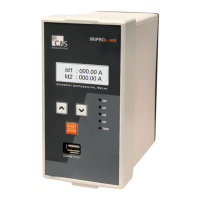
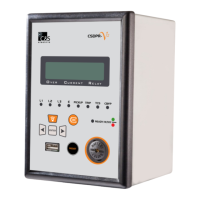
Description of the front panel layout including LCD, keys, LEDs, and ports.
Explanation of the 'ON' key functions (Description A and Description B) related to power sources.
Wiring diagram for the TCS model of the relay.
Wiring diagram for the standard model without TCS.
Provides front and side view dimensions of the relay in millimeters.
Details 3-phase and Earth overcurrent/instantaneous protection specs.
Specifications for Circuit Breaker Failure and Switch onto Fault protection.
Covers digital inputs, outputs, remote functions, and communication interfaces.
View of the back terminal connections for the TCS model.
View of the back terminal connections for the standard model.
Procedure to remove the battery cover by twisting it on the left side.
Step to remove the sticker on the battery to start the unit.
Instructions for replacing the battery with a new 1/2 AA size battery.
Procedure to close the battery cover by twisting it on the right side.
Settings for RS-485 communication, including Slave Address, Baud Rate, and Parity.
Details on front USB communication protocol and cable type.
General specifications including auxiliary voltage, DI input, and power consumption.
Specifications for measuring input, including rated data, frequency, and measurement start.
Details tripping time accuracy and pickup accuracy for various conditions.
Specifies the boot-up time when the relay operates in self-powered mode.
Covers DO contacts, general relay contacts, and their ratings.
Visual representation of various inverse time overcurrent characteristics.
Information on the default password and the main default screen display.
Overview of the main menu structure for editing and viewing relay parameters.
Procedure for selecting the active protection setting group.
Details protection parameters like CTRatio, PhaseCh, EarthCh, and trip times.
Accessing settings for Cold Load, Fault Records, and Event Records.
Configuring Digital Output assignments and reset modes.
Setting trip type, resetting trip count, and configuring display options.
Checking battery status and performing various trip tests.
Configuring communication settings and loading default parameters.
Setting time, changing password, and viewing relay version.
Resolving problems with wrong measuring or tripping values.
Troubleshooting issues with saving or changing settings.
Diagnosing and resolving tripping coil operational problems.
Troubleshooting problems with digital outputs not operating.
Resolving issues where the relay does not power on through battery.

 To Next Page
 General