EN 20 EN 21
3.2. FIRST USAGE
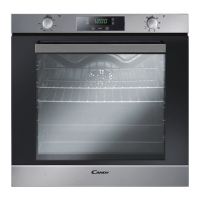
When the appliance is switched On for the rst time, the initial step is to set time of day, choose be-
tween 13 ampere or 16 ampere, select brightness and sound level.
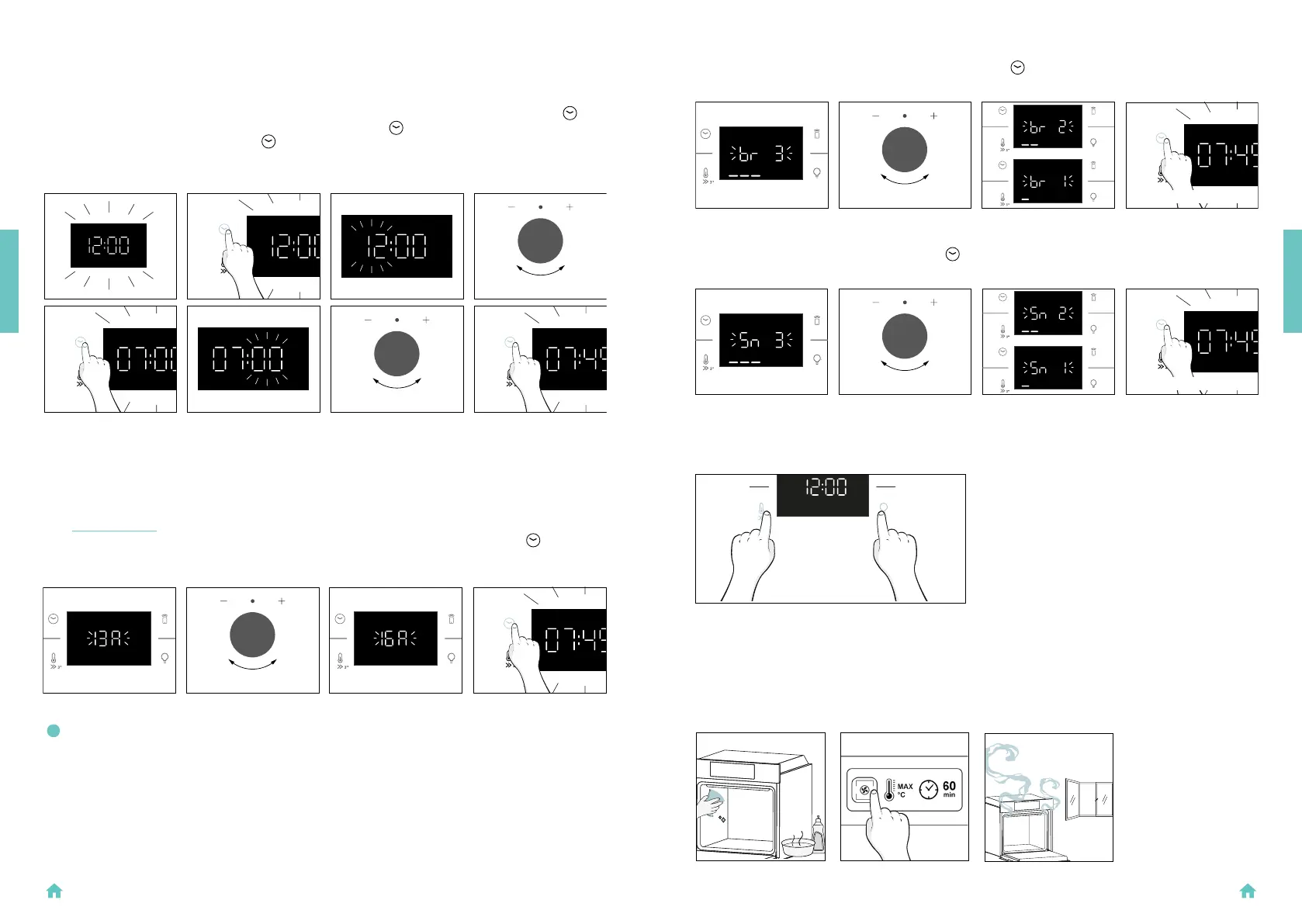
• SET THE TIME: The display will show the blinking preset time ‘12:00’. To modify it, press
and
use the right knob to adjust the current hour. Press again
and follow the same procedure to
set the minutes. To conrm, press
once more.
SET
TIME
PRESS
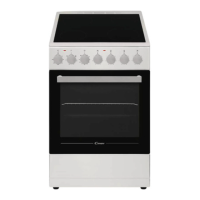
SET
AMPERAGE
• AMPERAGE: By default, the oven is set to work with higher power suitable for households with
more than 3 kW (16 A). If your home has lower power, you can change this setting to 13 A.
This setting affects how quickly the oven heats up. Choosing the higher option (16A) means it
heats up faster (because the power absorption is increased). On the display, you'll see two
choices: 13A and 16A. Just turn the right knob to pick the one you want, then press
to
conrm.
NOTE: The option to set the amperage is only available during the initial installation. To modify the set amper-
age, please refer to the post-installation instructions.
BEFORE STARTING
PRESS
PRESS TO
CONFIRM
PRESS TO
CONFIRM
PRESS 5 SECONDS
SIMULTANEOUSLY
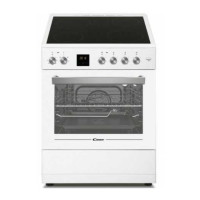
Clean the oven before using for the rst time. Wipe over external surfaces with a damp soft cloth.
Wash all accessories and wipe inside the oven with a solution of hot water and washing up liquid. Set
the empty oven to the maximum temperature and leave on for about 1 hour, this will remove any lin-
gering smells of newness.
H20
3.2. PRELIMINARY CLEANING
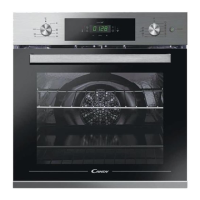
BRIGHTNESS: The display shows the symbol “br”. The numbers represent the level of brightness in-
tensity, editable turning the right knob. To conrm press
SOUND: The display shows the symbol “Sn”. The numbers represent the level of sound intensity, edit-
able turning the right knob. To conrm press
When oven is in stand-by mode, it is possible to go back to initial settings by pressing simultaneously
Temperature and Lamp buttons for 5 sec.
SET
BRIGHTNESS
SET
SOUND
BEFORE STARTING
PRESS TO CONFIRM
PRESS TO CONFIRM


 To Next Page