EN 22 EN 23
SET COOKING PROGRAM
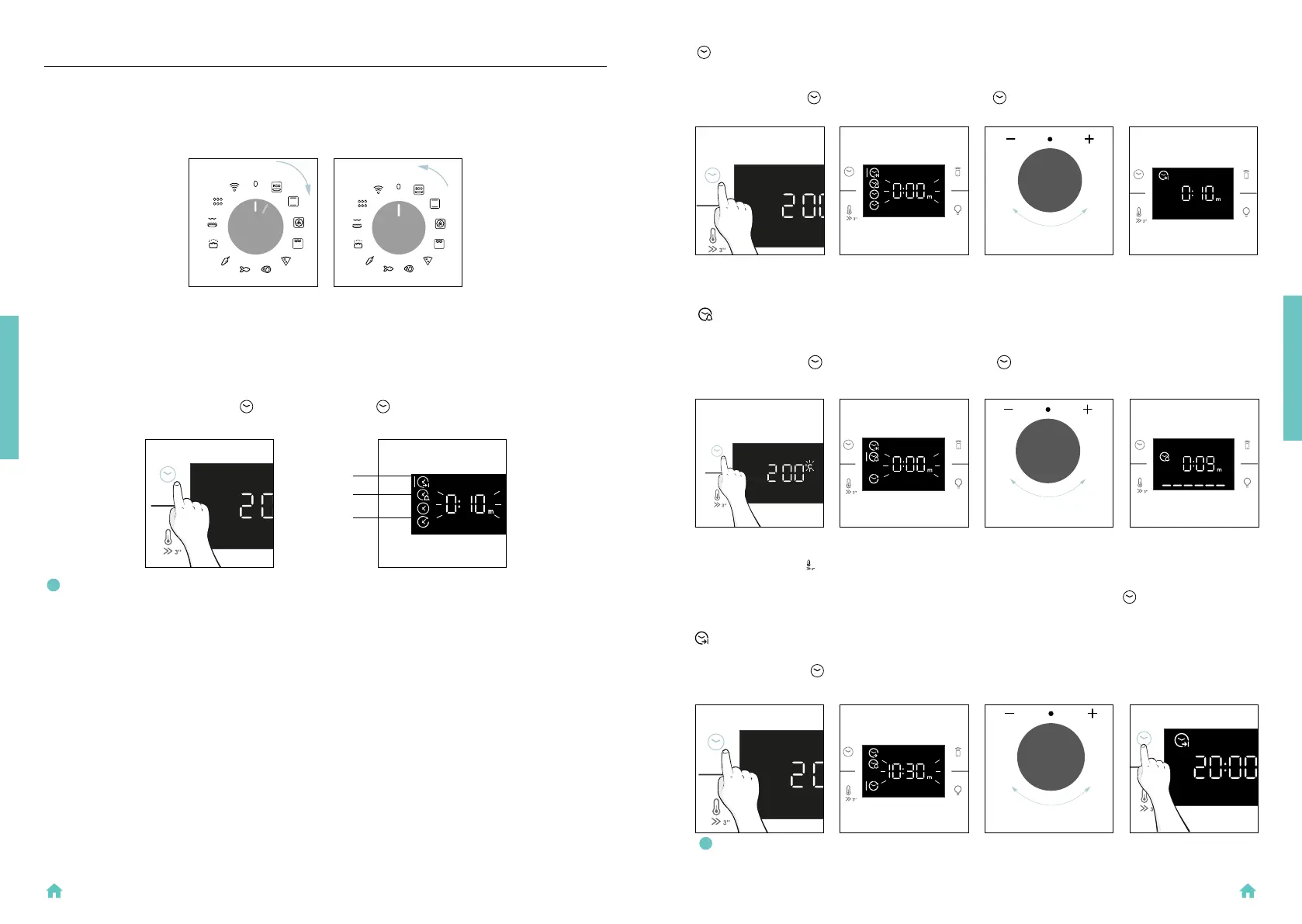
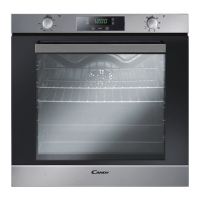
Turn the function knob and select the desired program. On display will appear a default temperature
that can be edit in every moment turning the right knob (clockwise to increase and counterclockwise
to decrease the temperature).
TIME MENU
Access the Time menu by pressing
. To navigate into tap as many times as is needed to enter in
the following settings:
ON
OFF
4. OPERATION OF PRODUCT
4.1. HOW THE PRODUCT WORKS
SWITCHING ON/OFF THE OVEN
To turn ON the oven rotate the function knob (clockwise/counterclockwise) and select a cooking pro-
gram. To turn it OFF, set the function knob to the ‘0’ position.
NOTE: several parameters cannot be set at the same time, therefore only the last set remains in
the memory while the previous one is deleted.
cooking duration
minute minder
delay start
PRESS TIME
OPERATION OF PRODUCT
When the function is set, the primary information showed on display is always the time. To edit the
temperature, press
to enter dedicated edit mode. When duration is elapsed, the cooking continues
until the left knob is turned in 0 position.
This function can be set also when the oven is in stand by mode by pressing
. When activated, the
minute minder operates independently of the oven’s cooking functions.
DEL AY START
Allows to choose the cooking start time.
ACTIVATION: press
to enter in the Time menu. Tap as many times as you need to select “Delay
start” function. Then use the dial control to set the start time of cooking.
The countdown starts at the end of preheating (if present). During cooking phase is possible to change
the duration value by turning the right knob. When duration is elapsed the cooking stops.
MINUTE MINDER
Allows to use the oven as alarm clock.
ACTIVATION: press
to enter in the Time menu. Tap as many times as you need to select “Minute
minder” function. Then use the dial control to regulate the value.
NOTE: Delay start is activable only after setting Cooking Duration and it is not available with
grill’s functions.
SET MINUTE
MINDER
SET DELAY
START
PRESS TIME
PRESS TIME
COOKING DURATION
Allows to preset the cooking time required for the recipe chosen.
ACTIVATION: press
to enter in the Time menu. Tap as many times as you need to select “Cooking
duration” function. Then use the dial control to regulate the value.
SET COOKING
DURATION
PRESS TIME
OPERATION OF PRODUCT


 To Next Page