CT-2000 Instruction Manual
Front Panel Operations
Following a successful Cold Start (refer to Bath Operation if needed), the CT-2000 is ready for
instructions from the user.
Note: Check bath fluid levels before commencing with use of the CT-2000.
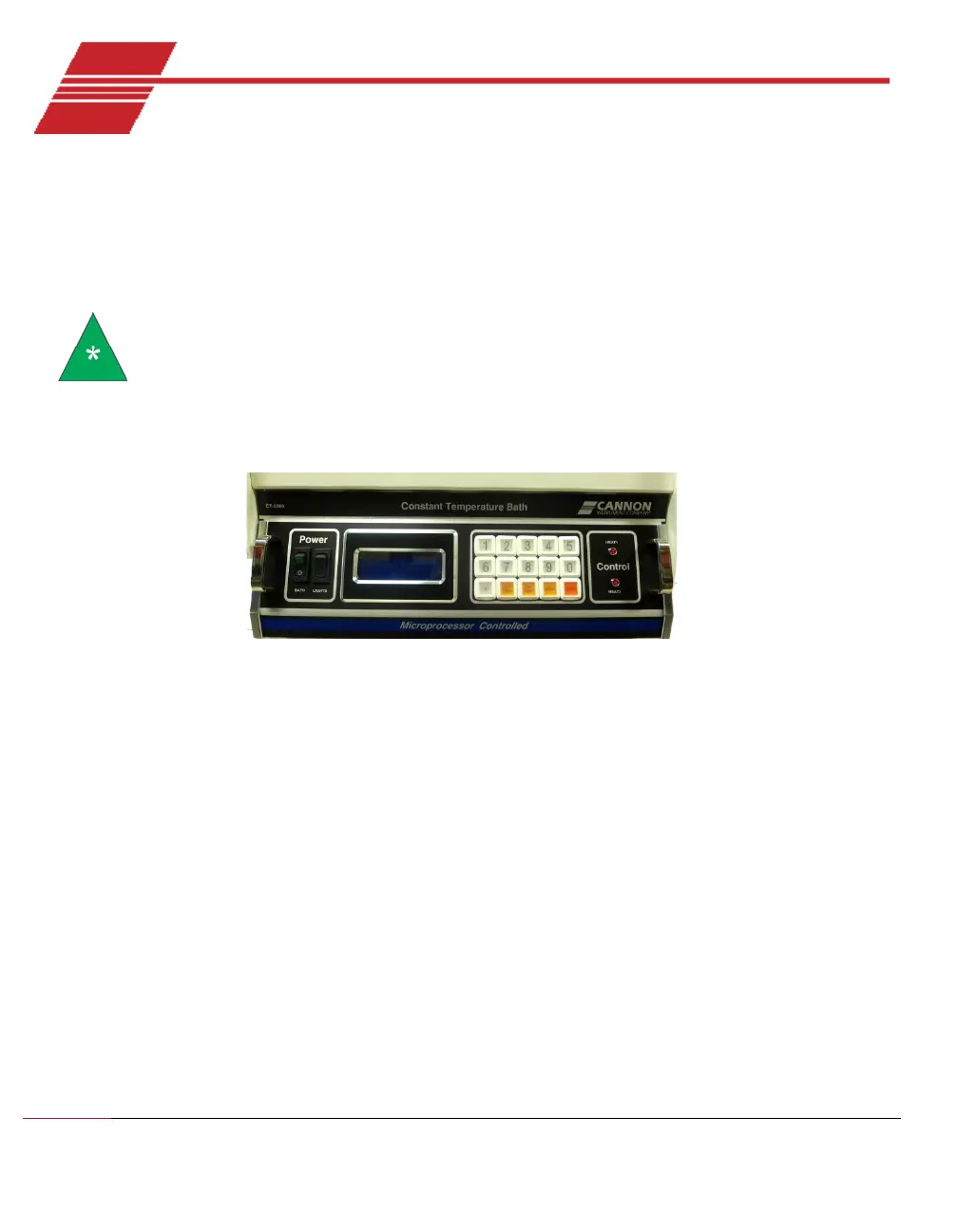
The front panel of the CT-2000 provides a Liquid Crystal Display (LCD) screen and a simple keypad
interface as shown in Figure 23.
Figure 23: CT-2000 Front Panel
The keypad on the front panel of the CT-2000 consists of fifteen keys:
• White buttons - numbers 0 through 9
• A white button - decimal point (.) key
• A yellow button - SET TEMP (set temperature) key
• A yellow button - CAL TEMP (calibrate temperature) key
• A yellow button - MENU key
• An orange button - ENTER key
The keys on the bottom row (non-numerical yellow and orange keys) illuminate to assist the
operator in selecting key entry options.


 To Next Page