CANNON Instrument Company | MENU Options
MENU Options
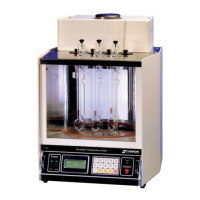
The MENU selection from the CT-2000 keypad permits the user to access three functions:
• Change to (C/F): Changes screen display to alternate temperature scale
• Bath Temperature Offsets: Globally adjusts calibration data
• COM Setup: Sets computer communication options
Change to (C/F)
The Change to (Celsius or Fahrenheit) option is essentially a toggle between two temperature
scales. If the instrument is currently displaying numeric data in degrees Celsius, selecting this option
changes the scale to Fahrenheit, and vice versa.
To switch from one unit of measure to another, press the MENU key, press 1 and press ENTER.
Keypad Sequence:
MENU > 1 > ENTER
Bath Temperature Offsets
To select a Bath Temperature Offset function, first press the MENU key, then press 2, and press
ENTER.
Keypad Sequence:
MENU > 2 > ENTER
The Bath Temperature Offset option, when selected, displays two sub-menus:
• Clear Bins: Clears all user-input calibration data for individual bins
• Set General Bath Offset: Allows global calibration adjustment by CANNON.
Clear Bins
In rare instances, it may be desirable to clear all temperature calibrations and recalibrate each
offset. To accomplish this function, select Clear Bins, then press 1. The LCD will display a warning
message as shown in Figure 25.


 To Next Page