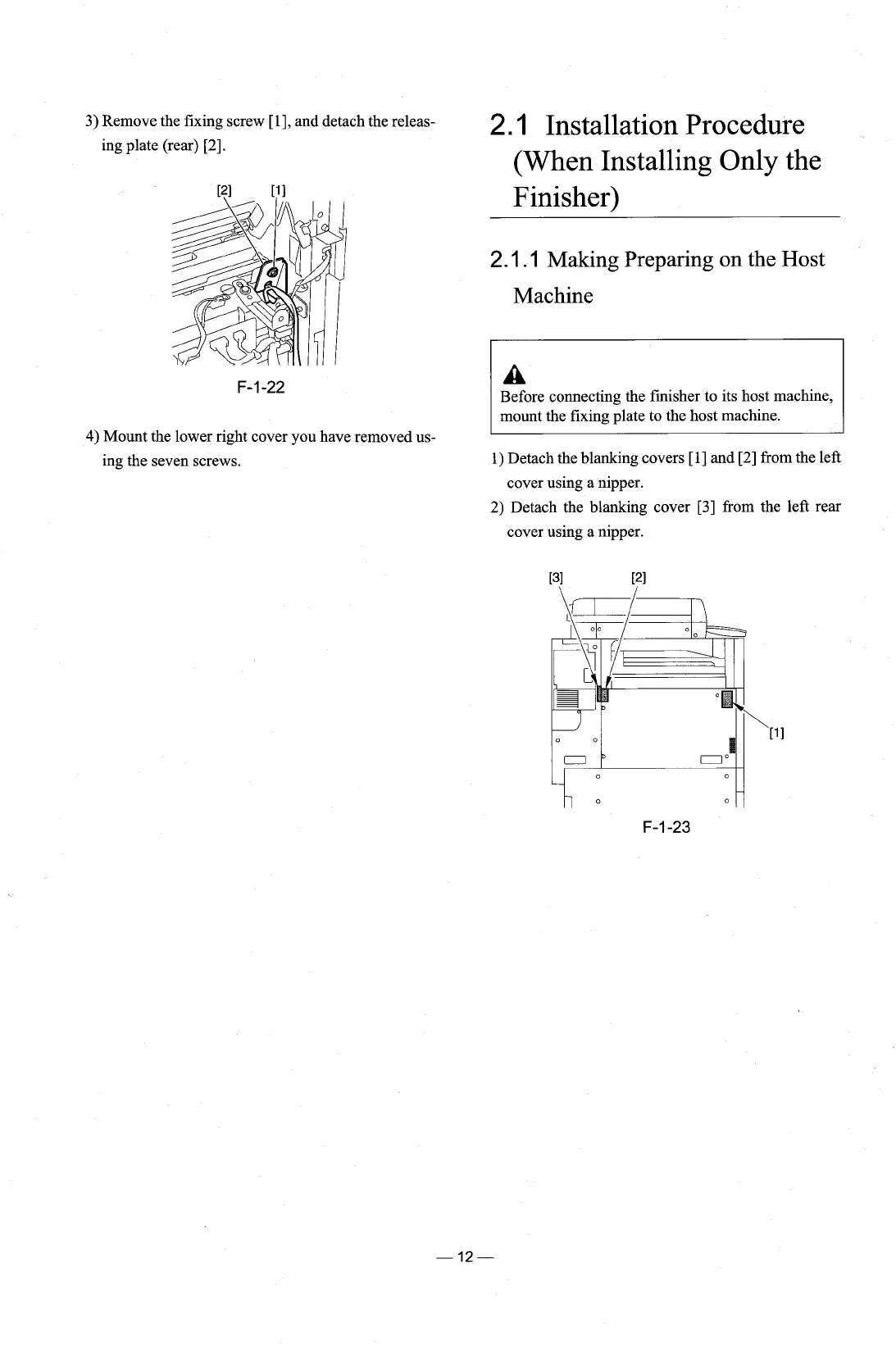
3) Remove the fixing screw [I], and detach the releas-
2.1
Installation Procedure
ing plate (rear) [2].
4)
Mount
ing the
the lower right cover you have removed us-
seven screws.
(When Installing Only the
Finisher)
2.1
.I
Making Preparing on the Host
Machine
Before connecting the finisher to its host machine,
mount the fixing plate to the host machine.
1) Detach the blanking covers
[I] and [2] from the left
cover using a nipper.
2) Detach the blanking cover [3] from the left rear
cover using a nipper.











 To Next Page