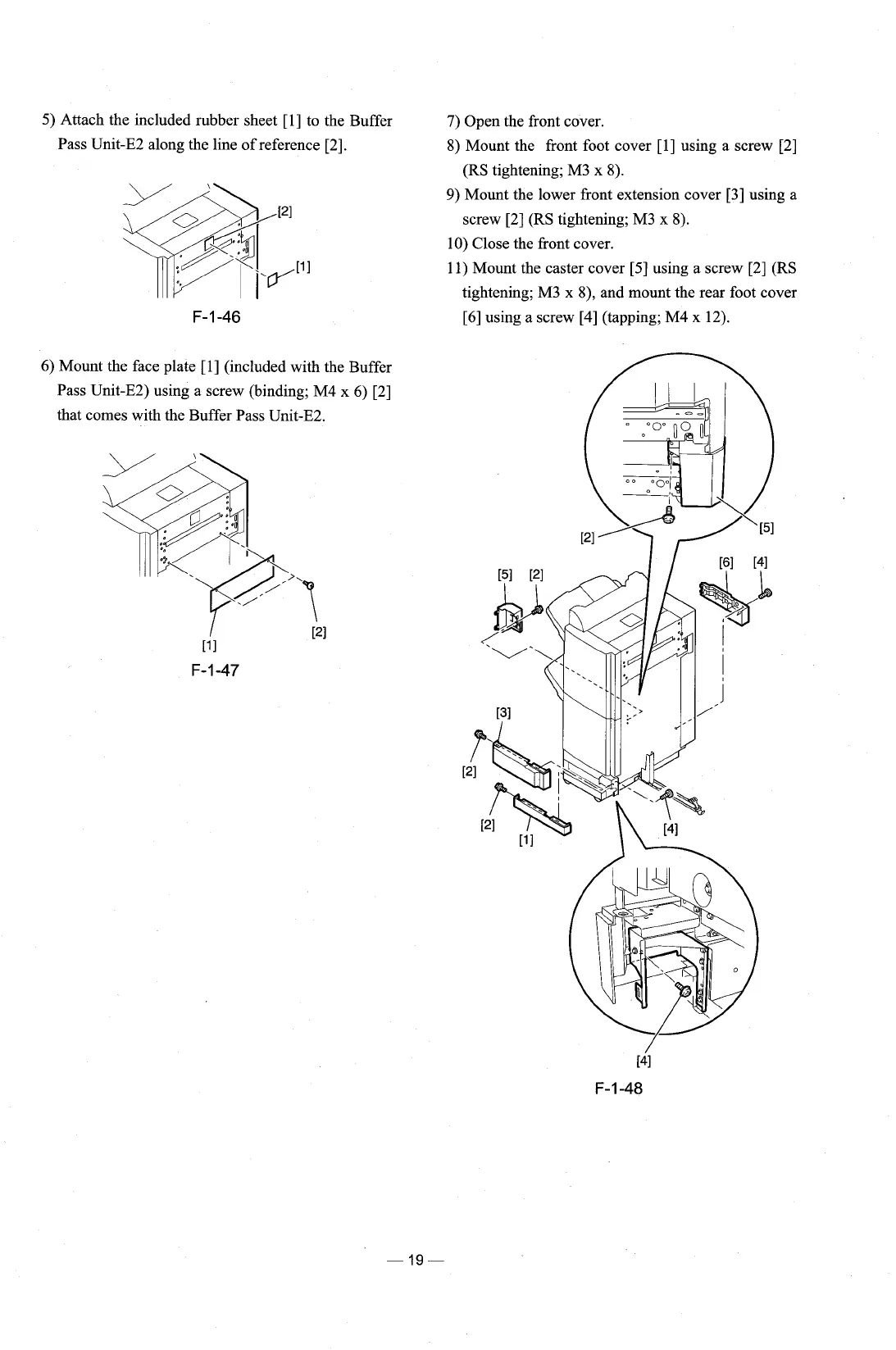
5)
Attach the included rubber sheet [l] to the Buffer
Pass Unit-E2 along the line of reference
[2].
6) Mount the face plate [l] (included with the Buffer
Pass Unit-E2) using a screw (binding; M4 x
6)
[2]
that comes with the Buffer Pass Unit-E2.
7)
Open the front cover.
8) Mount the front foot cover
[I] using a screw [2]
(RS tightening; M3 x 8).
9)
Mount the lower front extension cover [3] using a
screw [2] (RS tightening; M3
x
8).
10) Close the front cover.
11) Mount the caster cover [5] using a screw [2] (RS
tightening; M3 x
8), and mount the rear foot cover
[6] using a screw [4] (tapping;
M4
x 12).











 To Next Page