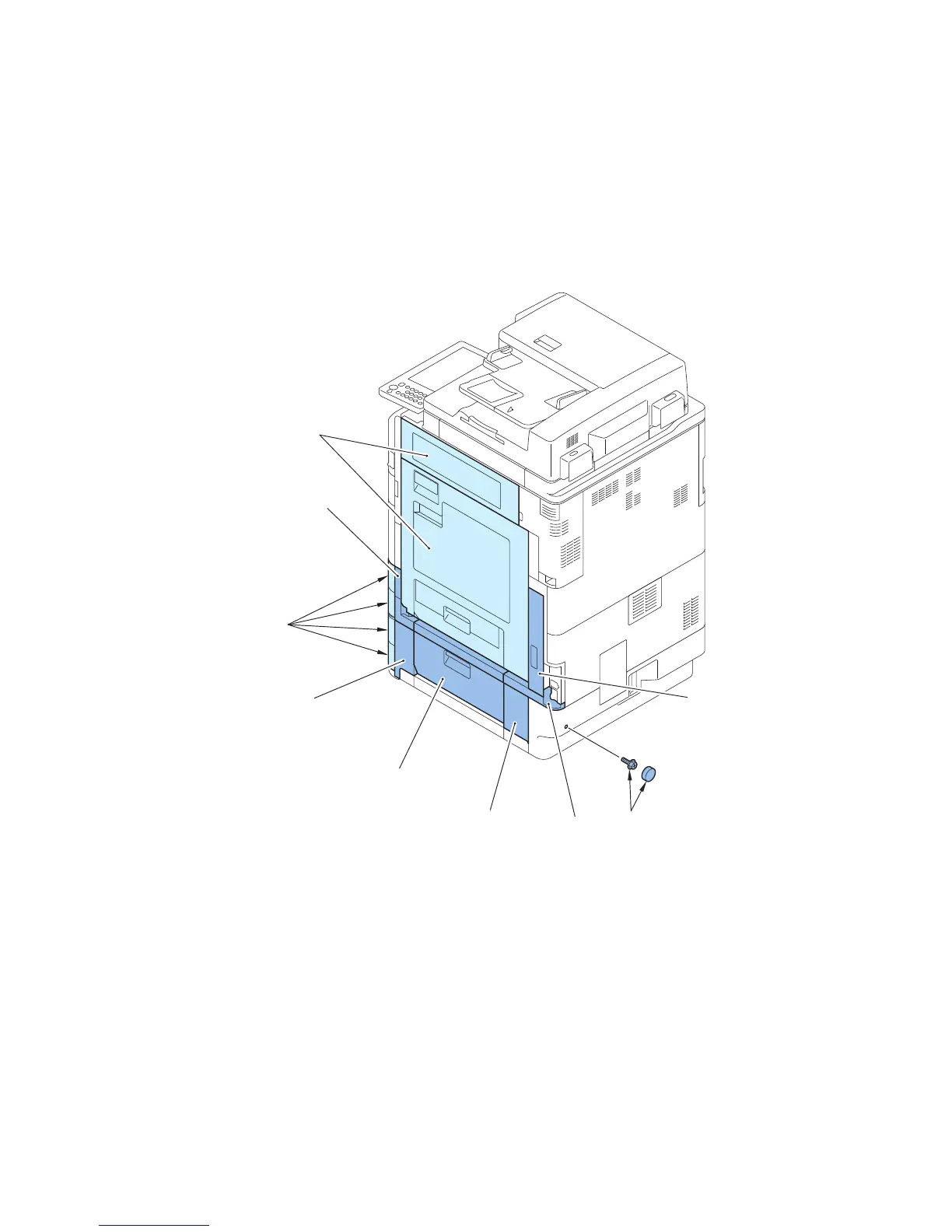
2. Remove the Right Front Cover 3.
3. Open the Right Lower Cover.
4. Remove the Cassette Cover (Right Front).
5. Remove the Pedestal Right Cover.
6. Remove the Right Rear Cover 3.
7. Remove the Right Lower Sub Cover 2.
8. Remove the Rubber Cap of the Cassette Cover (Rear) and the Screw.
9. Remove the Cassette Cover (Right Rear).









 To Next Page