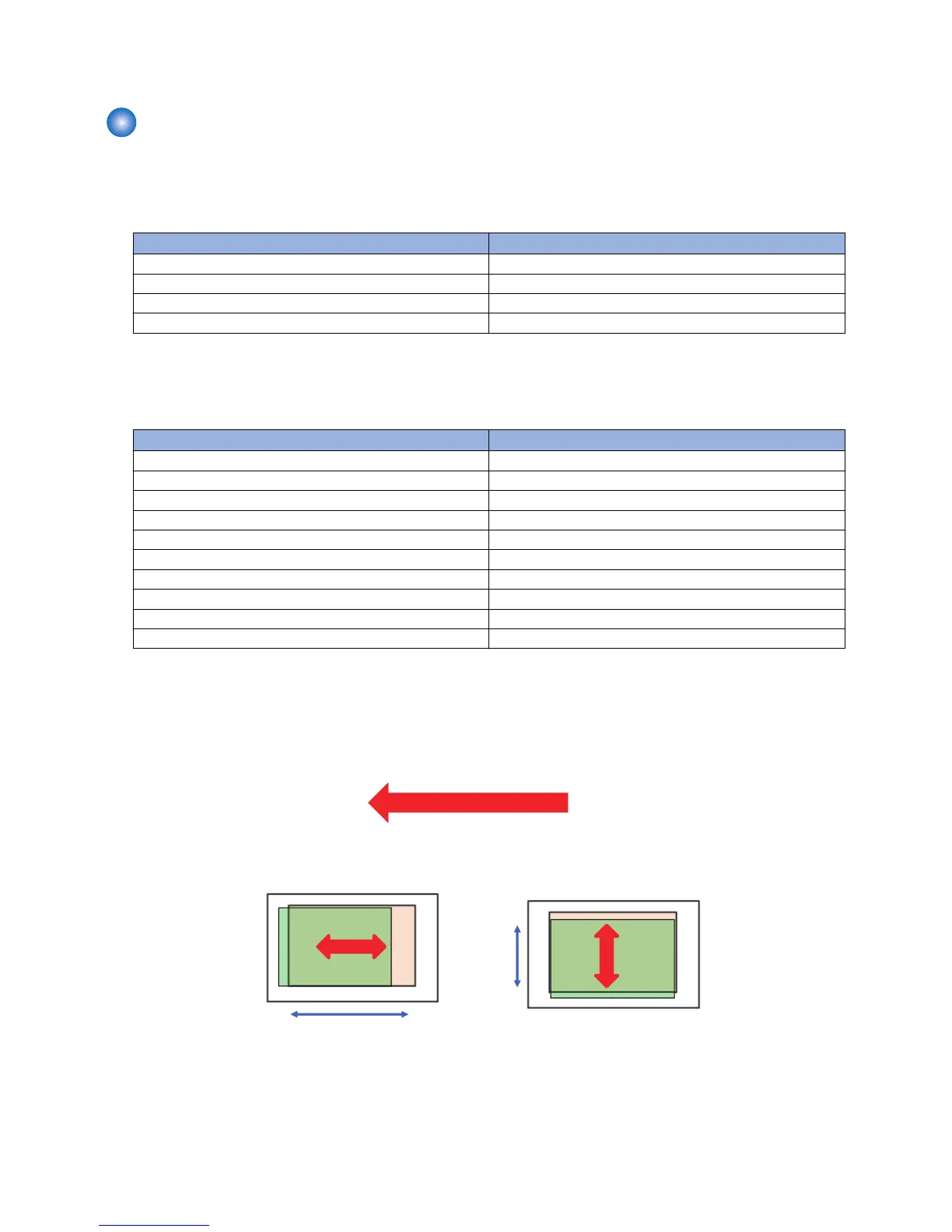
7. Output and check that the margin is within the standard values.
Software adjustment
Use the following service mode to make an adjustment.
1. Leading edge
Service Mode > COPIER > ADJUST > FEED-ADJ >
Service Mode Items Description of adjustment
REGIST 1/1 speed
REG-DUP1 1/1 speed, 2nd
REG-THCK 1/2 speed
REG-DUP2 1/2 speed, 2nd
As the input value is changed by 1, the margin on the leading edge of paper is changed by 0.1 mm.
2. Left edge
Service Mode > COPIER > ADJUST > FEED-ADJ >
Service Mode Items Description of adjustment
ADJ-C1 Cassette 1, front side
ADJ-C1RE Cassette 1, back side
ADJ-C2 Cassette 2, front side
ADJ-C2RE Cassette 2, back side
ADJ-C3 Cassette 3, front side
ADJ-C3RE Cassette 3, back side
ADJ-C4 Cassette 4, front side
ADJ-C4RE Cassette 4, back side
ADJ-MF Multi-purpose Tray, front side
ADJ-MFRE Multi-purpose Tray, back side
As the input value is changed by 1, the margin on the left edge of paper is changed by 0.1 mm.
3. If the service mode setting value has been changed, write down the new adjustment value on the service label.
<Reference: Standard value>
Leading edge: 4.0+1.5/-1.0 mm (front side, back side)
Left edge: 2.5+/-1.5 mm (front side)/2.5+/-2.0 mm (back side)









 To Next Page