[3] Follow the procedures below to conduct CS test after replacing CS in the service mode.
[16:50 FaxTel] Standby (date and Receive mode display)
1. User data mode selection: Press the Function button.
[DATA REGSTRATION]
2. Service data mode selection: Press the [#] button.
[#1 SSSW]
3. Menu item selection: Select [TEST MODE] by pressing the [Í] [Î] button.
Press the Start/Copy button.
[TEST MODES [1]-[8] ]
4. Select [7].
CS TEST [1] – [4]
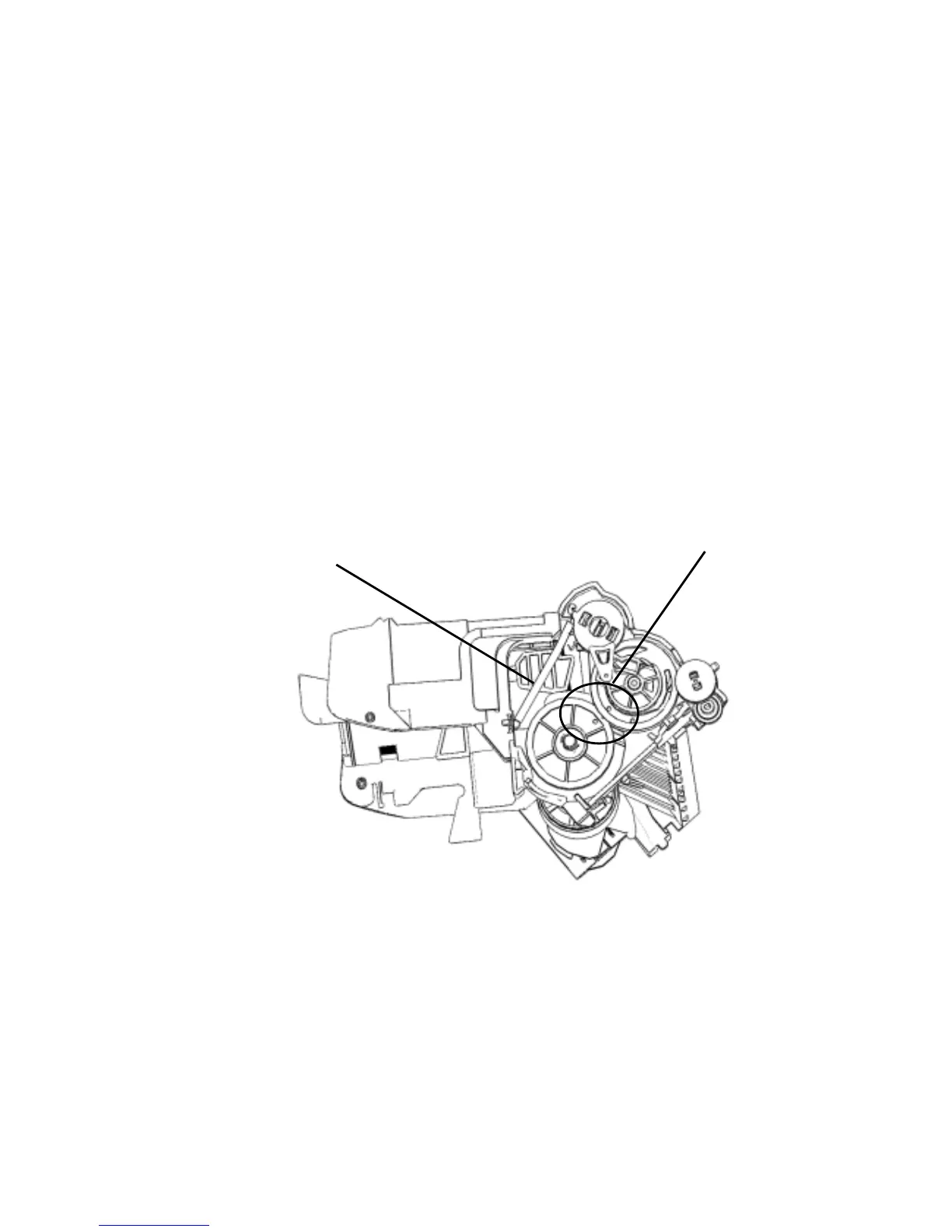
3.1.11 Caution about Replacing ASF Unit
Figure 1-3
Return Lever Cam Spring
Phase
Figure 1-3
1.Check that the return lever cam spring is hooked on a claw.
2.Rotate the control gear in the direction of the arrow and check that phase of the control gear and the
roller gear match.
1-19



 To Next Page