EasyManua.ls Logo

Canon CF-1 - User Manual

Canon CF-1
64 pages
Print Icon
To Next Page IconTo Next Page
Loading...
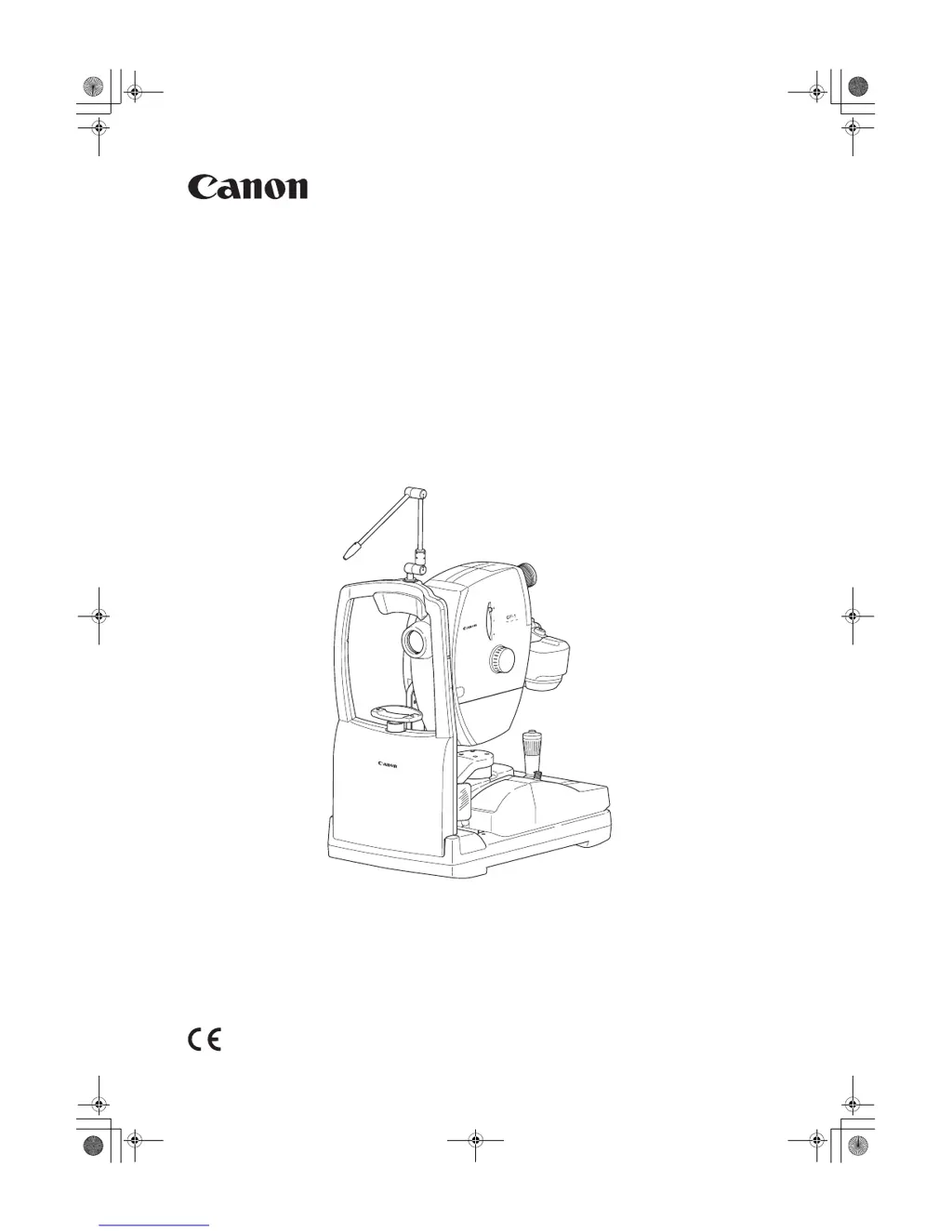
Digital Retinal Camera
CF-1
Operation Manual
Make sure you read this manual before using the instrument.
Keep this manual in a safe place so that you can use it in the future.
000_L-IE-5152E_CF-1.book Page 1 Monday, July 29, 2013 10:30 AM

Questions and Answers

  • M
    Mason HaynesAug 16, 2025
    Why does the POWER lamp not light up on my Canon Digital Camera?
    • J
      James HamptonAug 16, 2025
      The power lamp may not light up on your Canon Digital Camera due to several reasons: * The power cable might be disconnected. Ensure the power is off, then connect the cable properly. * An indoor circuit breaker may have tripped. Find the cause and reset the circuit breaker. * The cable might be cut. Turn the power off and contact your sales representative or local Canon dealer.
  • N
    Nicole LiAug 19, 2025
    What to do if sharp images cannot be taken with Canon CF-1 Digital Camera?
    • S
      Scott GibbsAug 19, 2025
      If you're unable to take sharp images with your Canon Digital Camera, consider the following: * Ensure the patient’s pupil is sufficiently dilated. If it is too small, activate the small pupil function. * Verify that the positioning is correct. * Focus the image properly. * Instruct the patient to open their eye wider if eyebrows or eyelashes are blocking the pupil. * Adjust the flash intensity, diopter compensation lever, and viewfinder diopter compensation ring. * If the objective lens is dirty, clean it.
  • S
    smithsamanthaAug 22, 2025
    Why are the split lines not visible on my Canon Digital Camera?
    • H
      Hannah MillerAug 22, 2025
      If the split lines are not visible on your Canon Digital Camera, it could be due to several reasons: * The split bar might not be displayed. Press the focus indicator switch to display it. * The patient’s pupil might not be dilated enough. Dilate the patient’s pupil or activate the small pupil function. * Positioning might not be correct. Perform positioning. * Eyebrows or eyelashes might be blocking the pupil. Instruct the patient to open their eye wider. * The diopter compensation lever might be set incorrectly. Set it to the no compensation position. * If using the Internal Eye Fixation Target, the split lines cannot be displayed. Adjust the focus knob until the cross-hair lines and fundus image are clear.
  • D
    Daniel MaxwellAug 25, 2025
    What to do if white spots appear on the photographed images of Canon CF-1 Digital Camera?
    • J
      Jamie MoralesAug 26, 2025
      If white spots appear on the photographed images from your Canon Digital Camera: * The objective lens might be dirty. Clean the lens. * The patient’s eyelashes may have appeared on the images. Instruct the patient to open their eye wider and take another image.
  • L
    Laurie SmithAug 28, 2025
    What to do if the split lines do not align on Canon CF-1 Digital Camera?
    • F
      Faith SmithAug 28, 2025
      If the split lines do not align on your Canon Digital Camera, it may be because the diopter of the patient’s eye is outside the range of -10 to +15 D. Turn the focus knob to focus so that the cross-hair lines in the field of view and the fundus image can be seen clearly at the same time.
  • B
    blanchardgregAug 31, 2025
    What to do if black spots appear on photographed images in the same area on Canon CF-1?
    • J
      John BrownAug 31, 2025
      If black spots appear on photographed images in the same area on your Canon Digital Camera: * Dust or another substance might be adhering to the surface of the objective lens. Clean the lens. * Dust or another substance might be adhering to the surface of the CMOS sensor of the EOS digital camera. Clean the CMOS sensor by referring to the operation manual for the EOS digital camera.
  • W
    Wyatt ClarkSep 3, 2025
    What to do if it is hard to see the split lines and working distance dots on Canon CF-1?
    • H
      Heidi JohnsonSep 3, 2025
      If it's hard to see the split lines and working distance dots on your Canon Digital Camera, the brightness for observation might be too strong. Reduce the brightness for observation.
  • M
    Melissa ParkSep 6, 2025
    What to do if the working distance dots are not visible on Canon CF-1 Digital Camera?
    • C
      christopher63Sep 6, 2025
      If the working distance dots are not visible on your Canon Digital Camera, the positioning might not be correct. Perform positioning.
  • A
    Ashley JohnstonSep 9, 2025
    What to do if the external eye fixation lamp does not light up or flicker in Canon CF-1 Digital Camera?
    • N
      nwilliamsSep 9, 2025
      If the external eye fixation lamp does not light up or flickers on your Canon Digital Camera, the external eye fixation lamp might not be attached properly. Insert the external eye fixation lamp fully into the connector on top of the head rest.
  • J
    Julia RyanSep 12, 2025
    How to fix stiff movement of retinal camera main unit at upper limit in Canon Digital Camera?
    • J
      Jessica HardySep 12, 2025
      If the retinal camera main unit's movement is stiff at the upper limit on your Canon Digital Camera, it may be because the camera was subjected to severe vibration while in transit. Turn the operation lever, and move the main unit to the upper level by raising and lowering it several times.

Summary

Safety Information

Regulations

Conformance to IEC and UL standards for medical devices.

ISO15004 Eye Safety Information

Information on hazard to examinee's eyes per ISO15004.

EMC and Immunity Guidance

EMC compliance, immunity, and separation distance guidance.

General Safety and Precautions

General safety instructions, caution signs, and precautions for use.

Troubleshooting and Maintenance Warnings

Actions for problems, maintenance warnings, and inspection guidance.

Notes for Using the Instrument

Preparation

Powering On and Initial Setup

Instructions for powering on the computer and main unit, and unlocking the stage.

Photography

Color Photography Mode

Detailed steps for capturing color fundus images.

Photography Auxiliary Functions

Daily Inspection and Maintenance

Service Information

Main Specifications

EN IEC60601-1-6:2010 Specification

Canon CF-1 Specifications

General IconGeneral
BrandCanon
ModelCF-1
CategoryDigital Camera
LanguageEnglish

Related product manuals