32
Setting the submenu
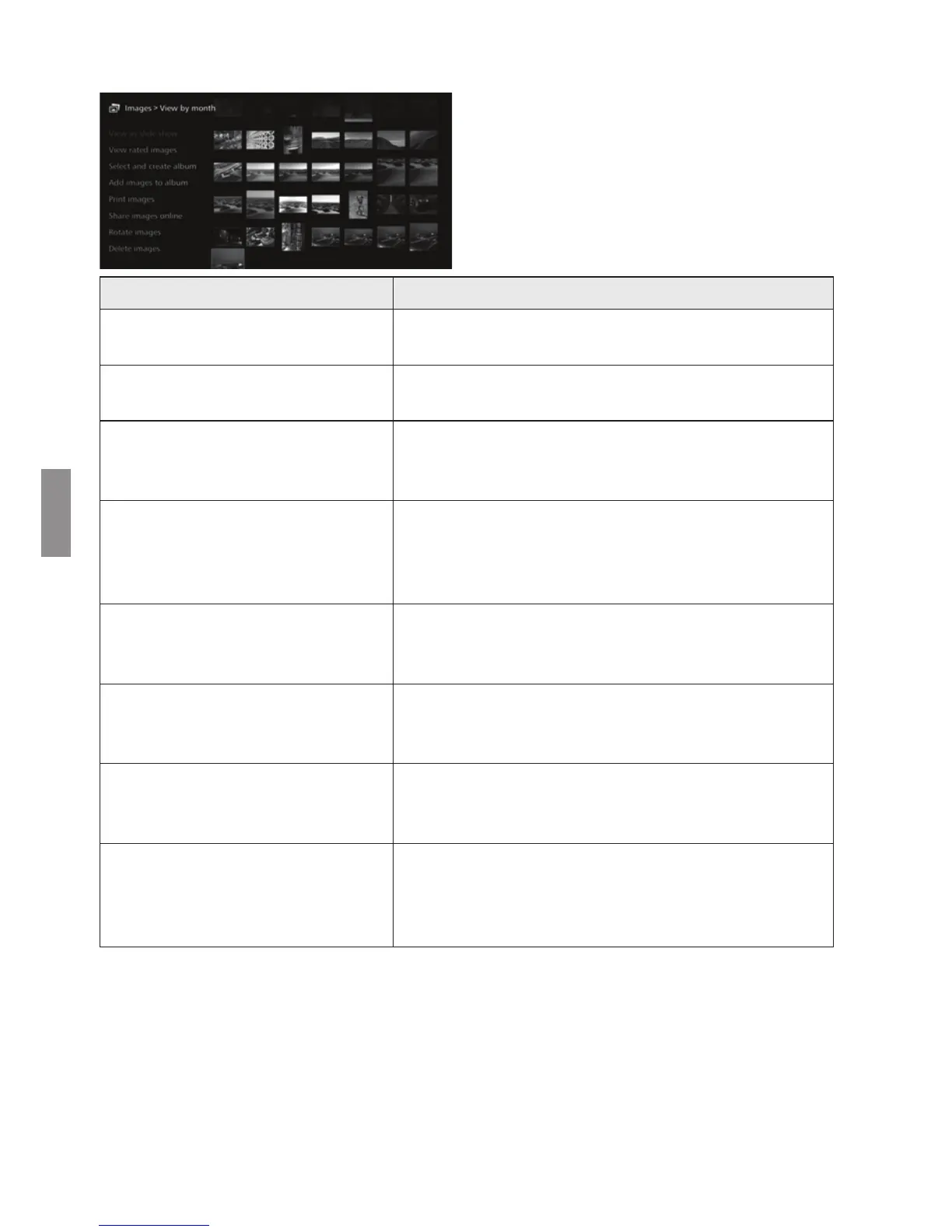
When you press <M> while
the shooting month or the camera/
camcorder used for shooting is
selected or while images are
selected in the thumbnail area, the
menu shown below will appear.
*1 Displayed only when images are selected in the thumbnail area.
*2 Not available when a movie is selected.
*3 Not available when a printer is not set.
Menu Items Settings
View as slide show
A slide show of the target images will be played
back.
View rated images
Only rated images will be displayed. You can set
ratings during the playback of images (p.37).
Select and create album
An album will be created from selected images.
For information on how to create an album, see
“Creating an Album” (p.34).
Add images to album
*1
Images will be added to a created album.
When you select an album from the list and press
<S>, images will be added to the selected
album.
Print images
*2 *3
Selected images are printed.
For information on how to print, see “Printing Still
Photos” (p.38).
Share images online
Selected images will be shared via a Web service.
For information on how to share images, see
“Sharing Images via a Web Service” (p.54).
Rotate images
*1 *2
Selected images will be rotated.
Each time you press <S>, images are rotated
clockwise by 90°.
Delete images
Selected images are deleted.
Select an image and press <S> to append [z]
for the image to be deleted. Pressing <M>
will delete the image.


 To Next Page