21
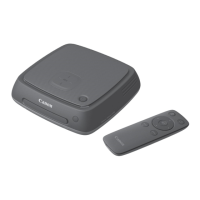
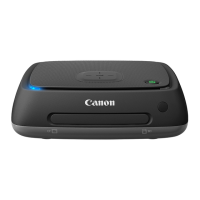
Import images captured with a camera/camcorder to Connect Station. When you
hold the camera/camcorder close to Connect Station, connect it with an interface
cable, or insert a card into Connect Station, the images that have not been imported
yet will be imported to Connect Station.
To import images from a smartphone, tablet, computer, etc. to Connect Station, see
“Operating with a Web Browser” (p.40).
When importing captured images, you can select one of the following three methods.
J Image Formats That Connect Station Can Play Back
Connect Station can play back images of the formats shown below. Files of any other
formats cannot be played back even if they are imported to Connect Station.
Importing Camera/Camcorder Images
Importing Images
Importing via a wireless connection p.22
Importing from a card p.23
Importing via a wired connection p.25
Still photos JPEG/RAW (CR2 format only)
Movies
MOV/MP4/AVCHD
(Full HD, HD, and VGA (SD) recording quality)
If you change the folder name or folder structure where the images are saved, importing
images may no longer be possible.
Images recorded on the internal memory of camcorder can be imported via wired
connection.
For the power source of the camera/camcorder, using a fully charged battery or AC
adapter kit is recommended.
Images edited with a computer, etc. may not be played back with Connect Station.


 To Next Page