22
J Importing via a Wireless Connection
Import images by connecting Connect Station and a camera/camcorder wirelessly.
Compatible cameras/camcorders
Only the images shot with Canon NFC-compatible compact digital cameras,
digital single-lens reflex cameras, compact system (mirrorless) cameras, or
digital camcorders can be imported via a wireless connection. For information
on Canon NFC-compatible cameras/camcorders that support Connect Station,
refer to the Canon Web site.
NFC function of the camera
Turn on the camera/camcorder to be connected and set it up to allow use of its
NFC function in advance. For the operation procedure, refer to the Camera/
Camcorder Instruction Manual.
The location of the n (N-Mark) differs by each camera/camcorder model. Check
the location of n in advance.
Importing images
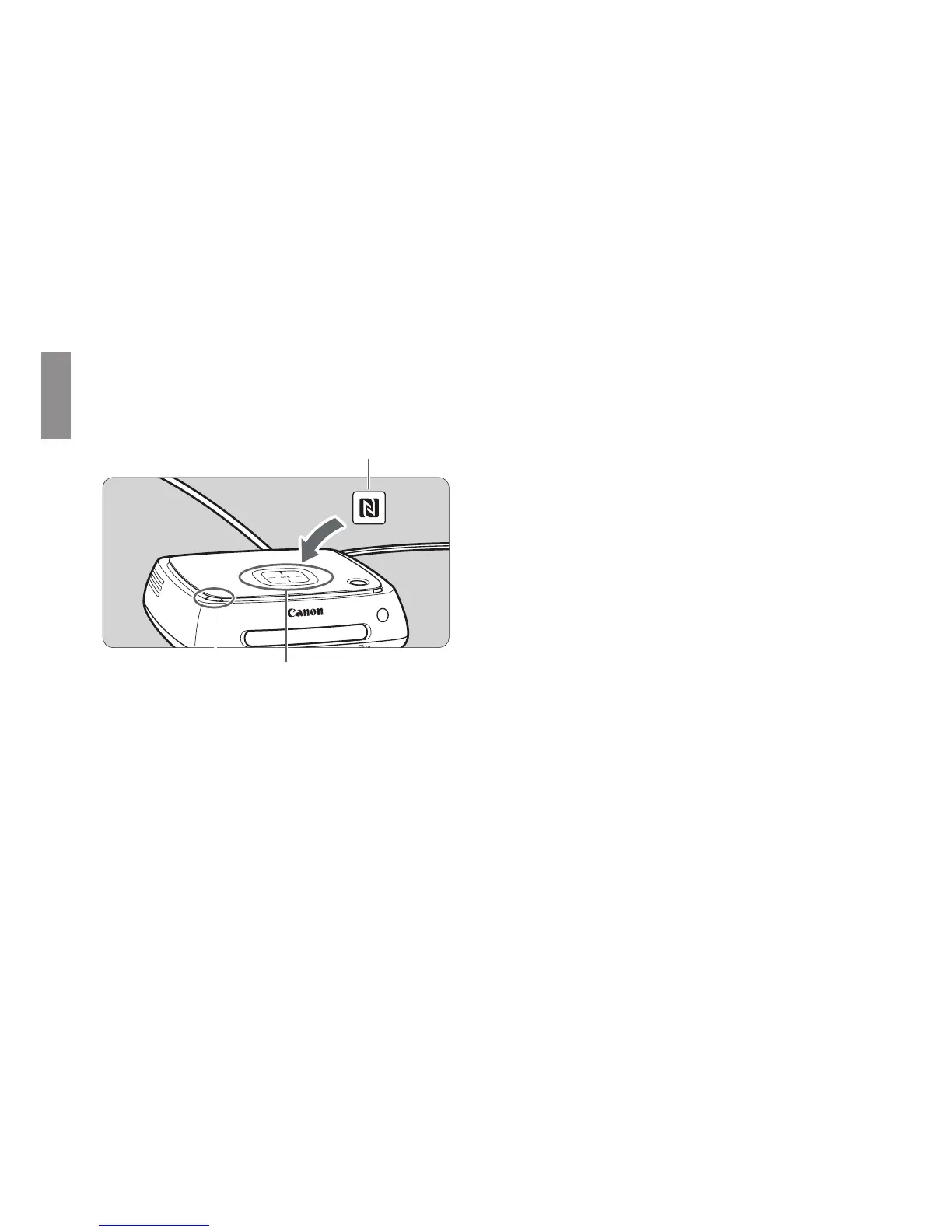
Carefully hold the n on the
camera/camcorder to be
connected close to the NFC
connect point on Connect Station.
X Connect Station gives two short
beeps, and the Wi-Fi lamp blinks
twice. If message indicating the
connection is displayed on the
camera/camcorder’s LCD
monitor, communication is
established via Wi-Fi even if the
camera/camcorder is moved
away from Connect Station.
X When Connect Station is
connected, the Wi-Fi lamp will
blink and the import of images will
start.
Do not put the camera/camcorder on Connect Station, because the camera/
camcorder does not sit there stably.
When the import is complete, turn off the camera/camcorder to terminate the
connection.
n mark of the camera/camcorder
NFC connect point
Wi-Fi lamp (blue)


 To Next Page