37
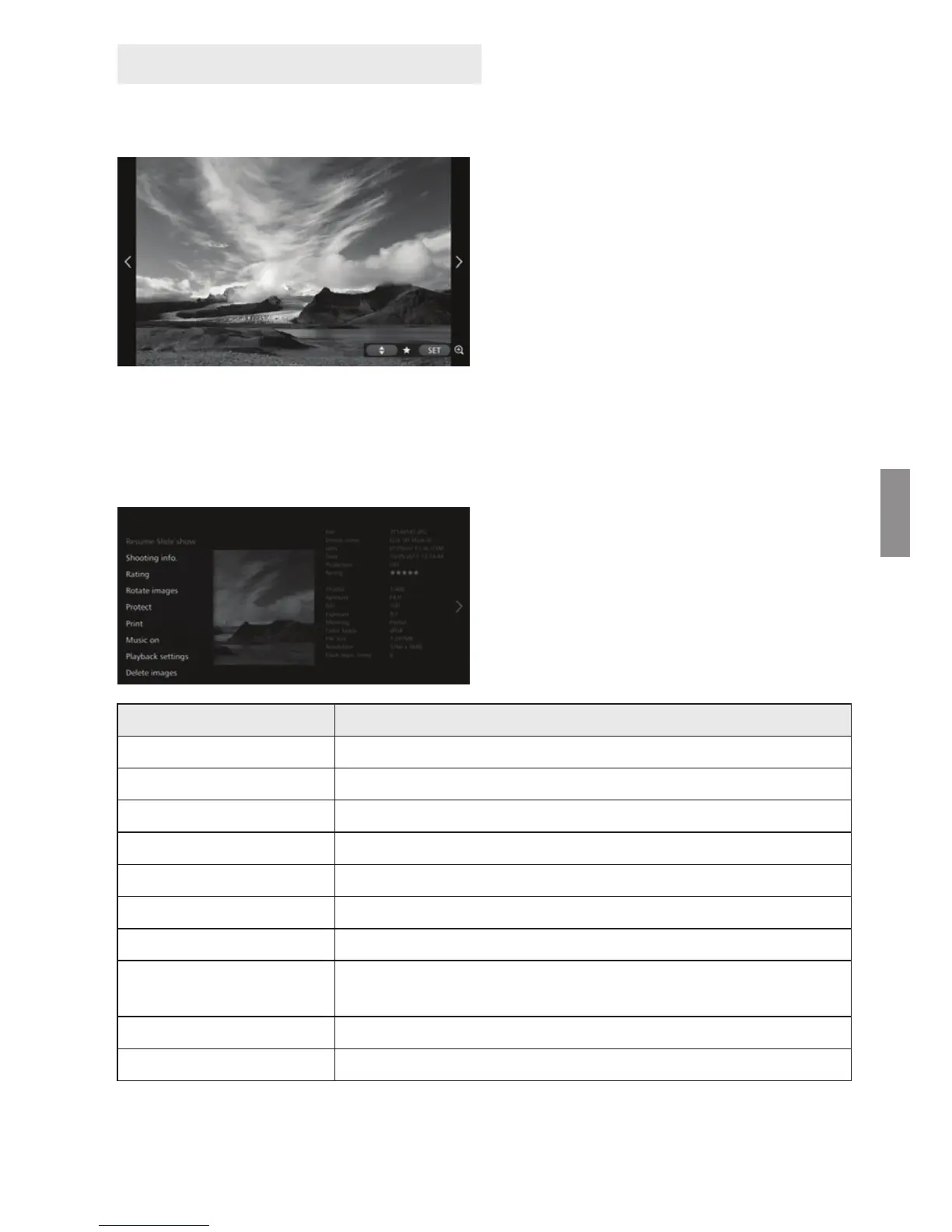
When playing back a selected image or a slide show, you can perform the operations
below by using the remote control.
<h> : Displays the previous
image.
<g> : Displays the next
image.
<d> <f> : Rate images with one
of five levels (p.32)
*1
.
<S> : (Photo) Magnify the
image
*2
(Movie) Pause
*1 Cannot be set while the album is
being played back.
*2 To reduce the image in magnified
view, press <M>.
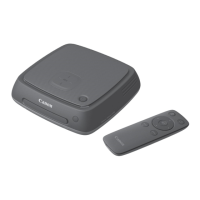
Setting the submenu
When you press <M> during
single-image playback or slide show
playback, the menu shown below
will appear.
*1 Not displayed when an album is being played back.
*2 Not displayed when a movie is selected.
*3 Not available when a printer is not set.
*4 Displayed only when an album is being played back.
Operations during Playback
Menu Items Settings
Slide show Start / stop slide show.
Shooting information Switch display settings of shooting information.
Rating
*1
Rate images with one of five levels (p.32).
Rotate images
*2
Rotate an image clockwise by 90°.
Protection
*1
Enable / disable the protect setting.
Print
*2*3
Print the displayed image.
Music
*1
Set background music to on / off.
Playback settings
Set the display time for each still photo and playback time for
movies.
Delete images
*1
Delete the displayed image.
Remove from album
*4
Remove the displayed image from the album.


 To Next Page