55
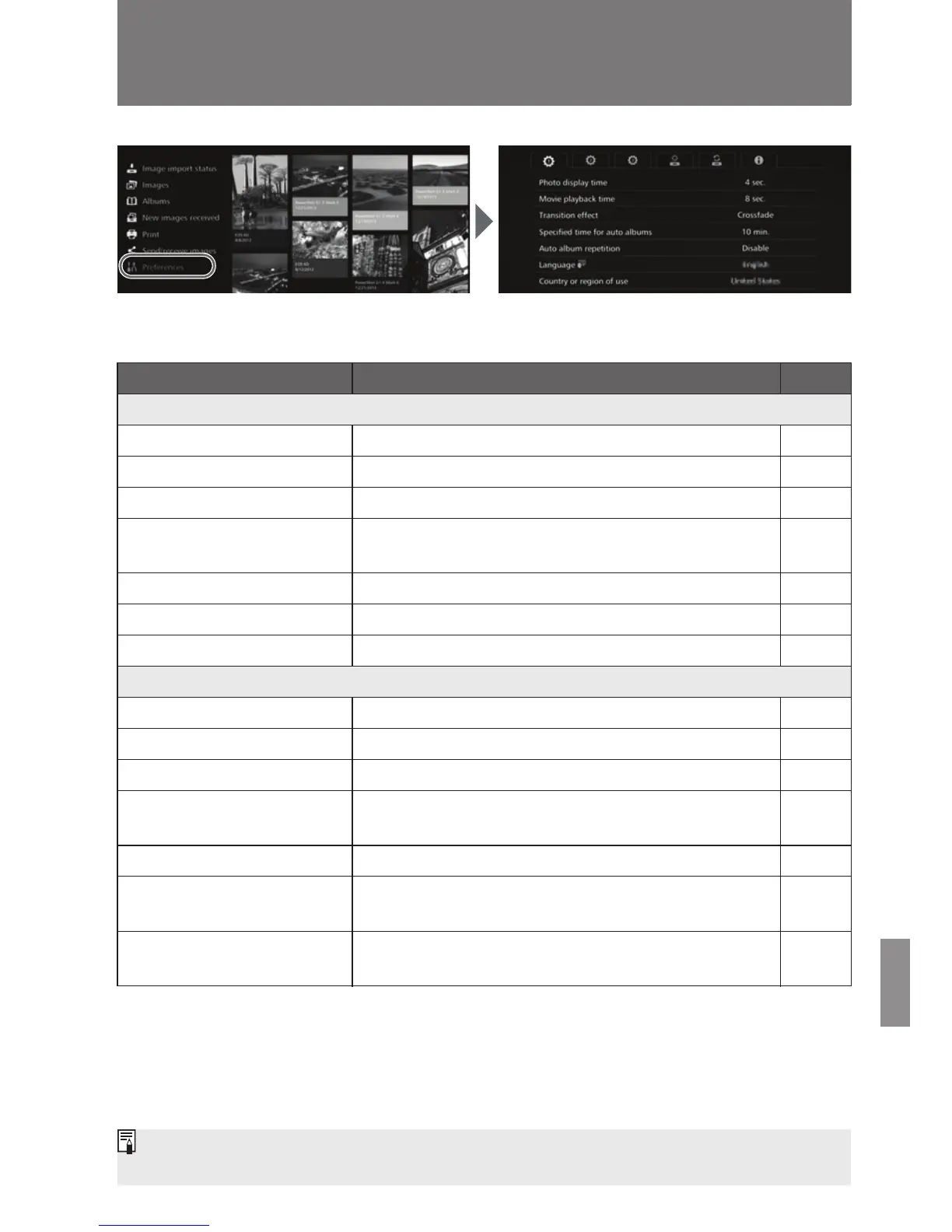
To check or change settings, select [Preferences] on the Home screen.
J Preferences List
* The actual time may not be exact.
Checking or Changing Settings
Menu Items Menu Settings Page
a tab
Photo display time
*
2 sec. / 4 sec. / 6 sec. / 8 sec. -
Movie playback time
*
4 sec. / 8 sec. / 16 sec. / All -
Transition effect None / Crossfade -
Specified time for auto
albums
*
1 min. / 2 min. / 3 min. / 5 min. / 10 min. / 15 min. /
20 min. / 30 min.
-
Auto album repetition Disable / Enable -
Language Select the language to be used. -
Country or region of use Select the target country or region. -
b tab
Border settings Borderless / Bordered -
Date printing settings Without date / With date -
Printer selection Set the printer to be connected. -
Background music
settings
Off / On -
Background music Select background music. -
Audio settings
Movie audio / Background music / Movie
audio + background music
-
Show status
Check the image importing status and transfer
status.
57
[Specified time for auto albums] and [Auto album repetition] are enabled for albums
created with [New auto album] (p.34).


 To Next Page