56
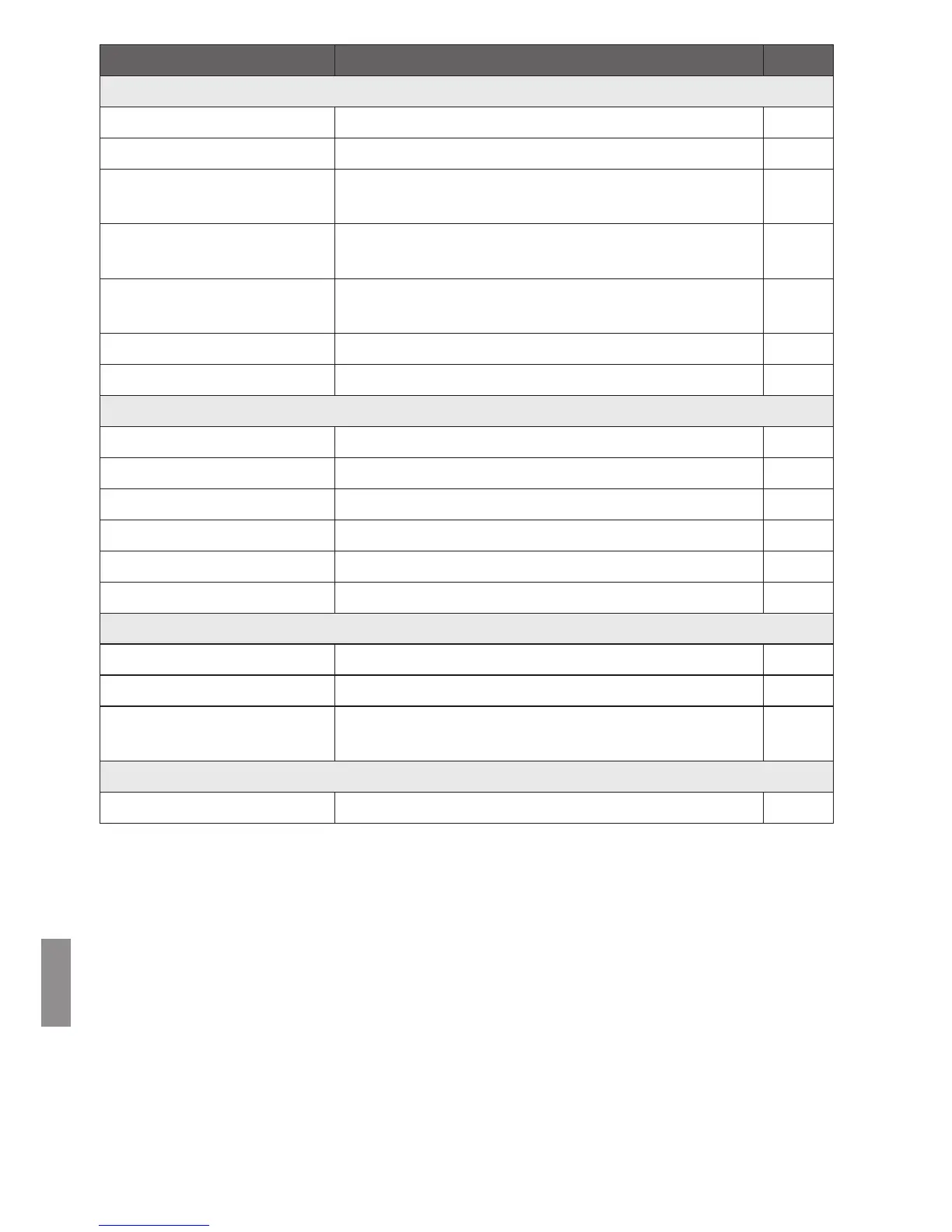
Menu Items Menu Settings Page
c tab
Wi-Fi settings Change Wi-Fi settings. 57
Network settings Change network settings. -
Online service account
settings
Sign up as a CANON iMAGE GATEWAY member
and set up an account.
58
Collect device information
Make the settings for the collection of camera/
camcorder information.
58
Collection of device info.
The details about the collection of camera/
camcorder information are displayed.
-
Set date/time Change the date and time set on Connect Station. -
Turn off Turn off Connect Station. -
e tab
LED brightness Bright / Dark -
Control via HDMI On / Off 59
Update firmware Select to update the firmware. 59
Initialize settings Reset Connect Station to its initial settings. 59
Delete all images on system
Delete all images on Connect Station. 60
Format system hard disk
Delete all the settings and images on Connect Station.
60
f tab
Backup Back up images to an external hard disk. 61
Restore data
Restore images backed up to an external hard disk.
62
Format external disk
Format the external hard disk connected to the
USB terminal.
62
y tab
OSS license Display information on Open Source Software. -


 To Next Page