34
Creating an album enables you to do the following:
• View favorite images at once and share them.
• View images of a trip or some other event at once and share them.
• View images from a Web browser.
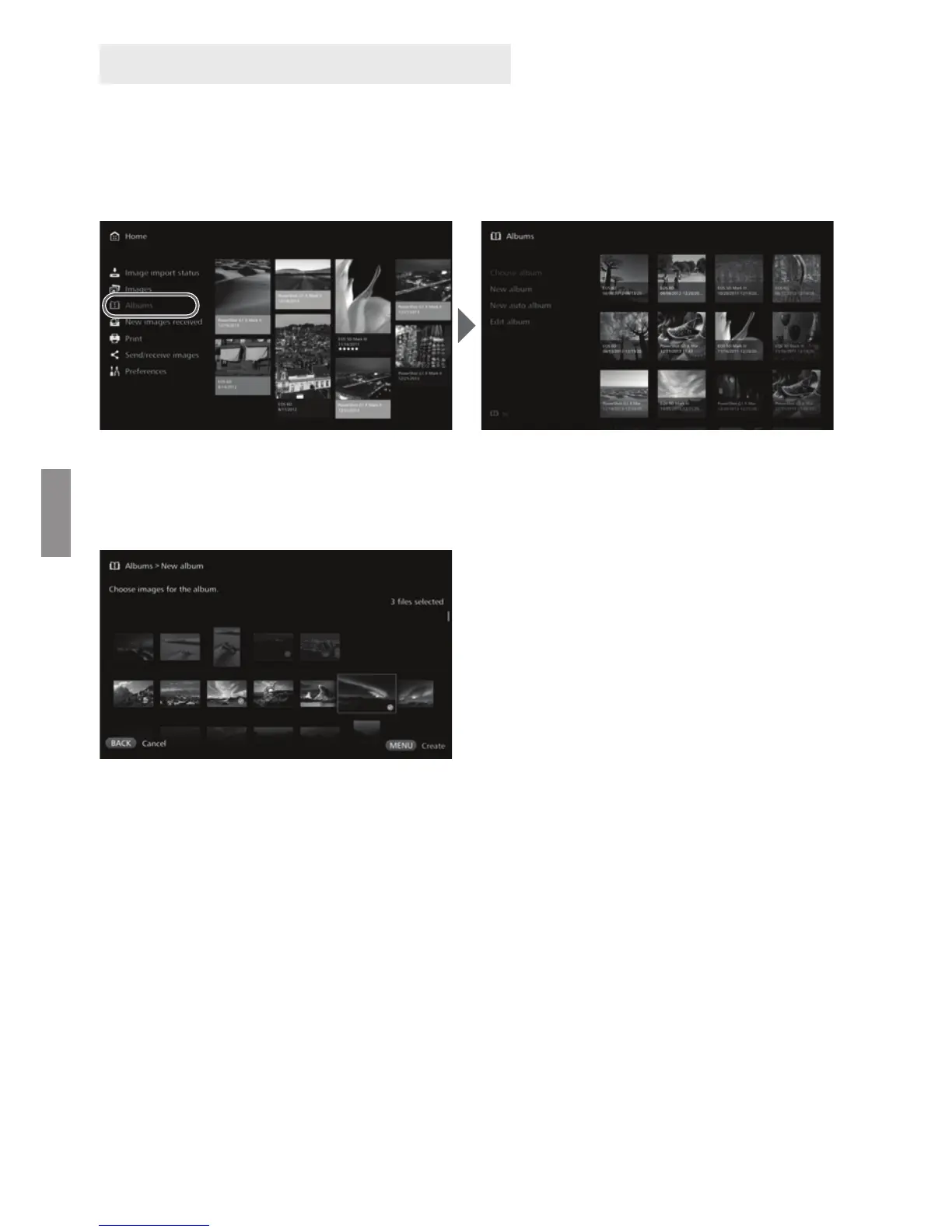
To view, create, or edit an album, select [Albums] on the Home screen.
J Creating an Album
Select desired images from the images imported to Connect Station and create an
album.
Selecting [New album] displays
the image selection screen.
Select images and press <S>
to append [z] for the images to
be compiled into an album.
Pressing <M> creates an
album.
J Creating an Album Automatically
Connect Station automatically selects images and creates an auto album.
Selecting [New auto album] displays the auto album setting screen.
When you set [Auto album playback time] and [Type of images] and select
[OK], an auto album will be created.
Creating and Viewing an Album


 To Next Page