Video • 35
NOTES
• Do not set the mode switch to
during the actual recording of a scene;
the brightness of the picture may change
abruptly.
• [ PORTRAIT]/[ SPORTS]/
[ BEACH]/[ SNOW]
- The picture may not appear smooth
during playback.
• [ PORTRAIT]
- The blur effect of the background
increases the more you zoom in (T).
• [ NIGHT]
- Moving subjects may leave a trailing
afterimage.
- Picture quality may not be as good as
in other modes.
- White points may appear on the
screen.
- Autofocus may not work as well as in
other modes. In such case, adjust the
focus manually.
• [ SNOW]/[ BEACH]
- The subject may become overexposed
on cloudy days or in shaded places.
Check the image on the screen.
•[ FIREWORKS]
- To avoid camcorder shake, we
recommend using a tripod. Make sure
to use a tripod especially in
mode, as the shutter
speed slows down.
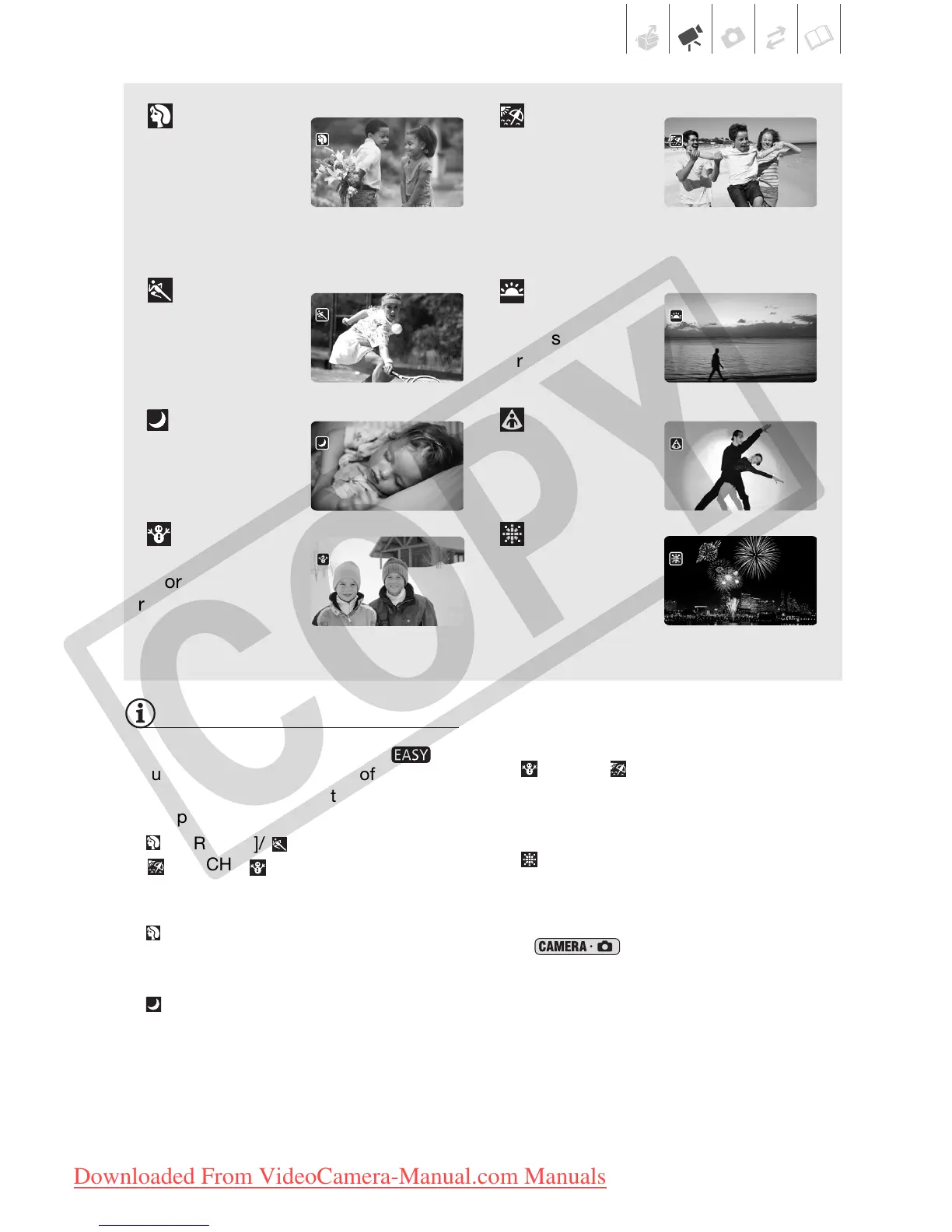
[ PORTRAIT]
The camcorder
uses a large
aperture, achieving
a focus on the
subject while blurring other distracting
details.
[BEACH]
Use this mode to
record on a sunny
beach. It prevents
the subject from
being underexposed.
[ SPORTS]
Use this mode to
record sports
scenes such as
tennis or golf.
[SUNSET]
Use this mode to
record sunsets in
vibrant colors.
[ NIGHT]
Use this mode to
record in dimly lit
places.
[ SPOTLIGHT]
Use this mode to
record spotlit
scenes.
[SNOW]
Use this mode to
record in bright ski
resorts. It prevents
the subject from
being underexposed.
[FIREWORKS]
Use this mode to
record fireworks.
COPY
Downloaded From VideoCamera-Manual.com Manuals



 To Next Page